Social Planner: a month of posts in one sitting
You know the treadmill: you post three times in a burst of enthusiasm, life happens, three silent weeks go by, repeat. That’s not a discipline problem — it’s a design problem. Posting daily asks you to be creative on demand, every day, in the gaps between actual work.
So change the design. Stop posting daily and start planning monthly: one sitting, about an hour, a month of posts, scheduled. The Social Planner is the machine for it.
1. Check your accounts are connected
Section titled “1. Check your accounts are connected”The planner posts to every social account you connected during setup — Facebook, Instagram, and any others you use. If you haven’t connected them yet, do that first: connect your channels.
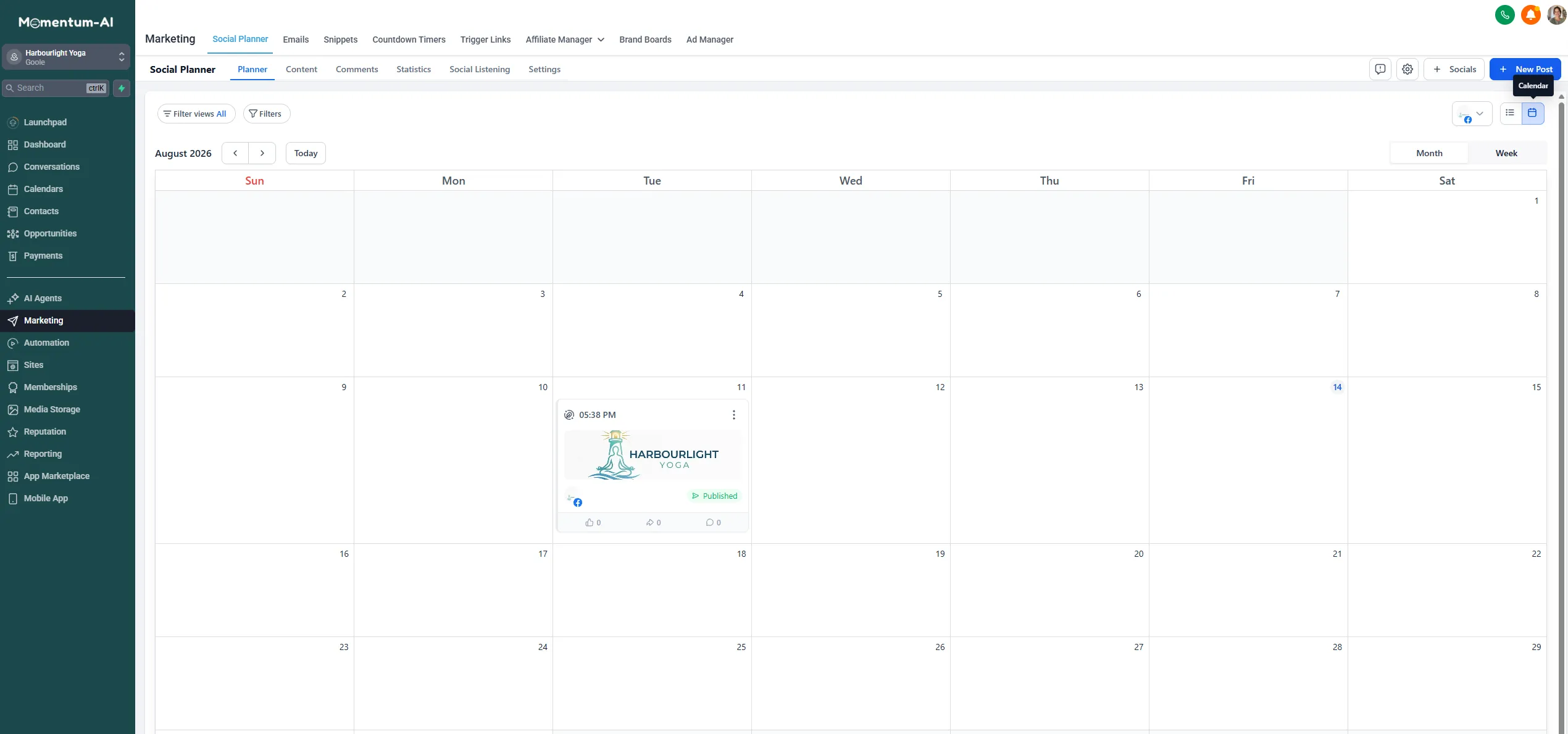
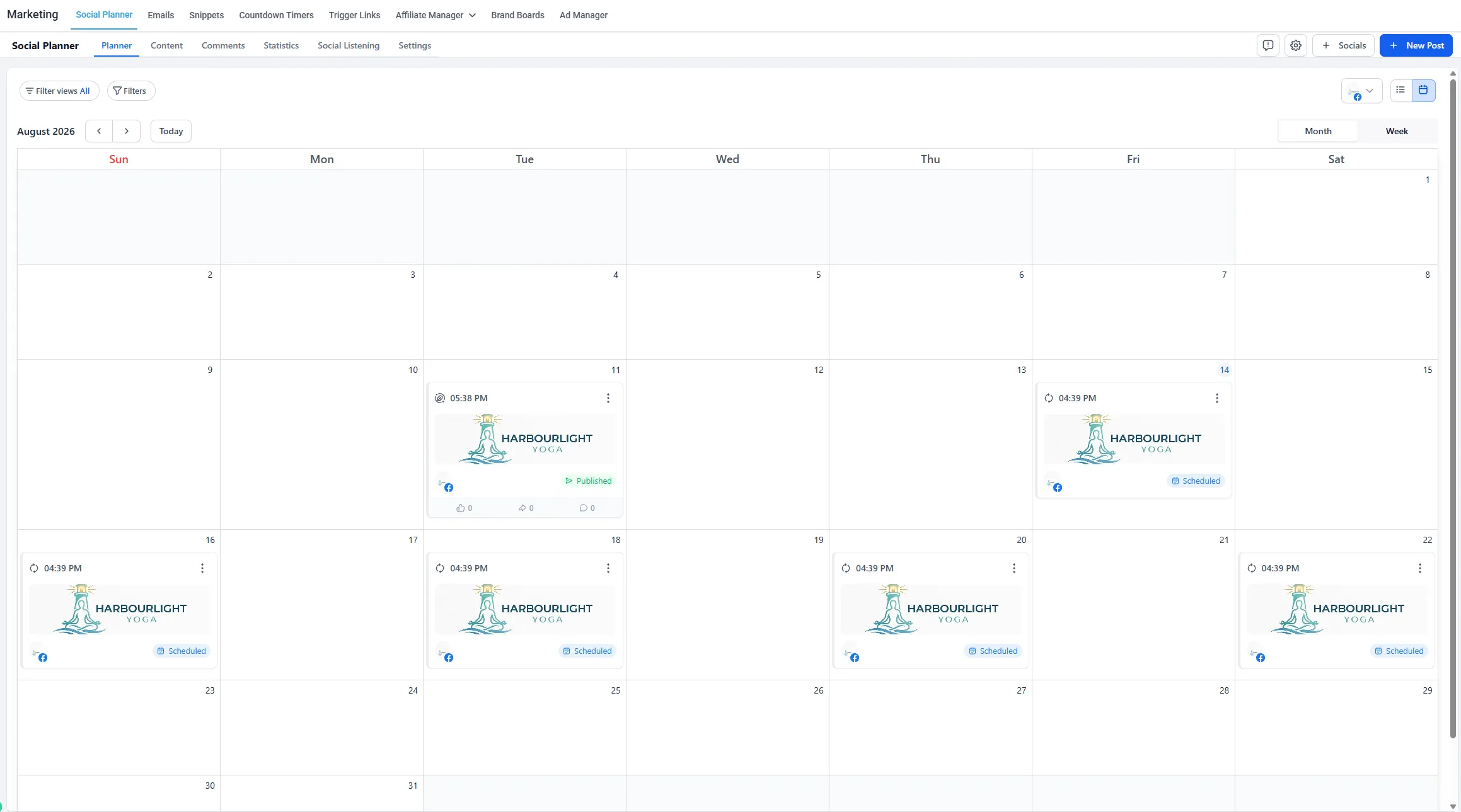
Open the Social Planner and you’ll see a content calendar of your upcoming posts across those accounts. Empty for now; by the end of this page you’ll know how to fill it for a month.
2. Decide what the month says: a four-theme rotation
Section titled “2. Decide what the month says: a four-theme rotation”The hardest part of a month of content is deciding what it should be, and the answer is a rotation. Four themes, one per week, repeating:
| Week | Theme | What it looks like |
|---|---|---|
| 1 | Show your work | A job done, a before-and-after, a result |
| 2 | Teach something | The question customers always ask, answered in a paragraph |
| 3 | A customer story | With their permission — real ones only, never invented |
| 4 | Behind the scenes | The human stuff; the reason people choose small businesses at all |
Four themes at roughly two posts a week is eight or nine posts. That’s your sitting.
3. Compose a post
Section titled “3. Compose a post”Now the assembly line:
-
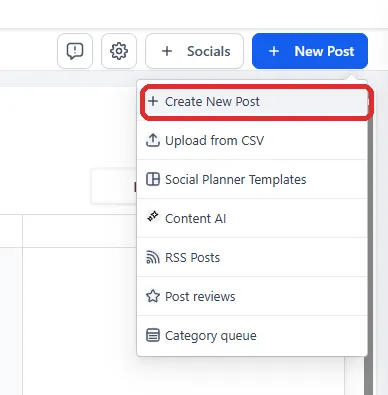
In the planner, create a new post.
-
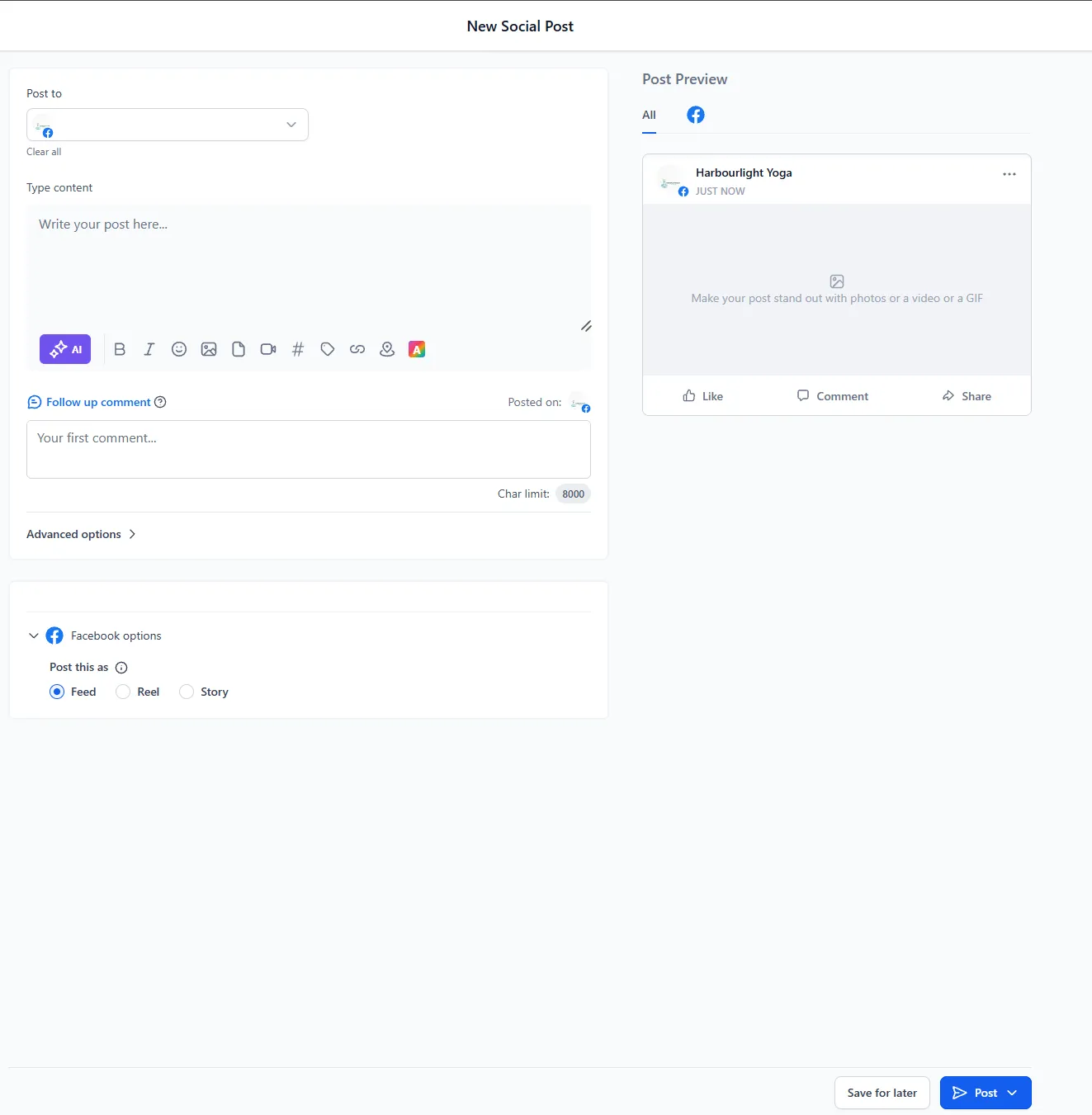
Brief Content AI right inside the planner — subject, audience, tone — and let it draft.
-
Edit the draft until it sounds like you.
-
Attach your photo.
-
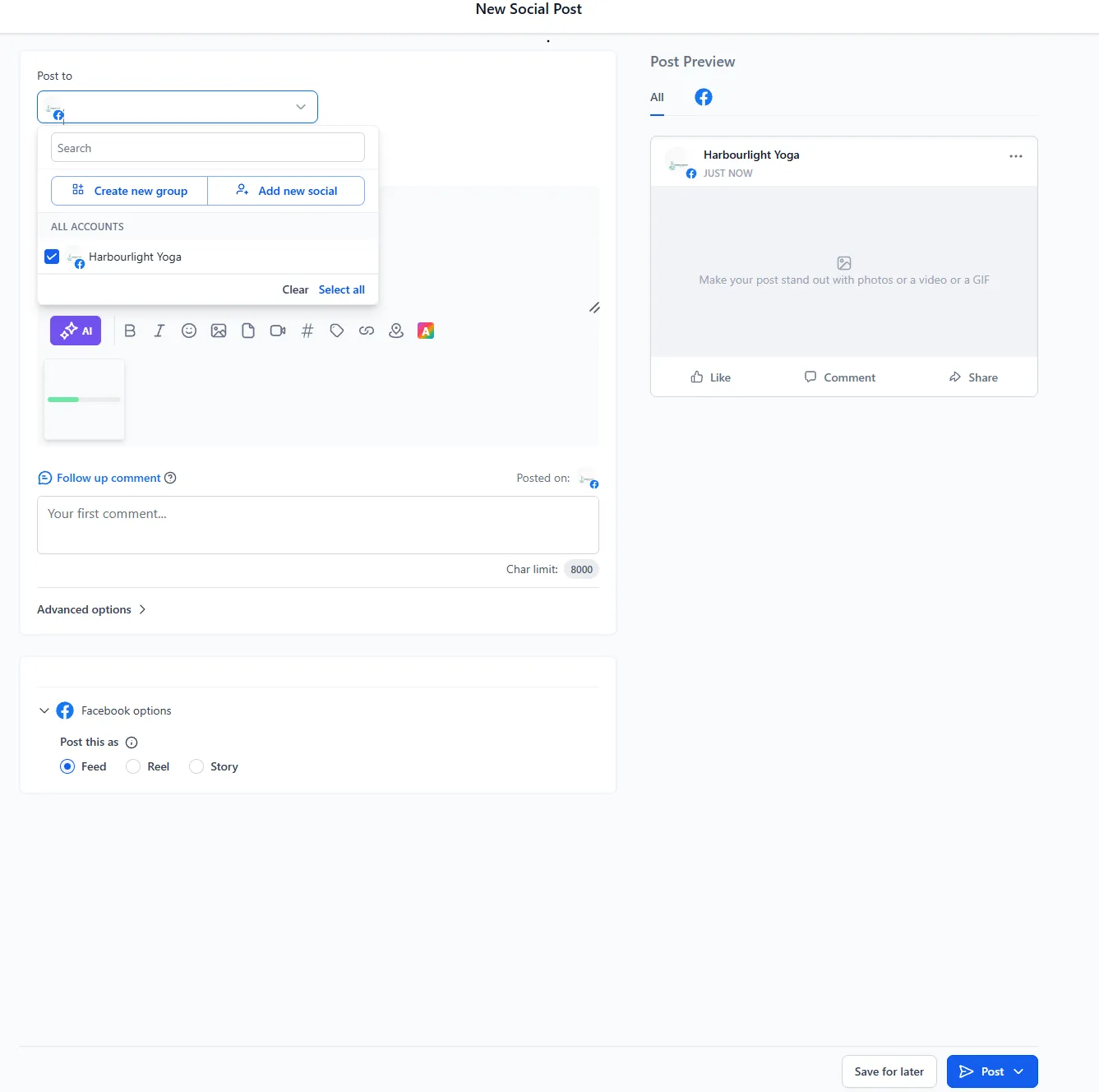
Tick which platforms it goes to. The planner formats the post sensibly for each, rather than you juggling apps.
4. Schedule it — and repeat
Section titled “4. Schedule it — and repeat”Pick the day, pick the time, move to the next post.
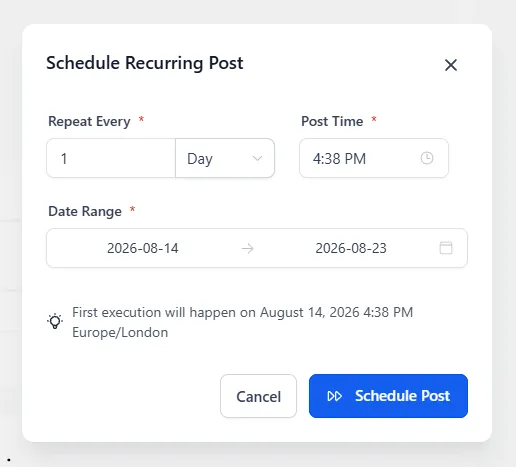
Repeat eight or nine times, then look at the calendar: next month’s content, done, posting itself while you run the business.
5. Review what’s queued
Section titled “5. Review what’s queued”The calendar view is also your review tool. Glance across the month and check the rotation holds up — the themes are spread out, every connected platform is covered, and nothing’s bunched into one week. If a post no longer fits by the time its date approaches, open it in the queue and edit or move it.
Why this feeds everything else
Section titled “Why this feeds everything else”These posts are what your future customers see first, and they load the front end of the machine you’ve already built. When someone messages you off the back of a post, your AI team answers, books them in, and asks for the review. The planner isn’t “doing social media” — it’s keeping that flywheel fed.
Book the sitting now: put an hour in your own calendar this week while it’s fresh. The first one takes the full hour; by the third month you’ll do it in half that, because the themes carry the thinking.