Calendars and appointments
If you set up a minimum viable calendar so your AI could start booking, this page is the proper job: your full set of services, your real availability, your team, and the reminder machine that protects your show-up rate. It’s dry, useful, get-it-right-once territory.
1. Services
Section titled “1. Services”Each service that can be booked gets its own calendar: the taster session, the standard appointment, the consultation.
-
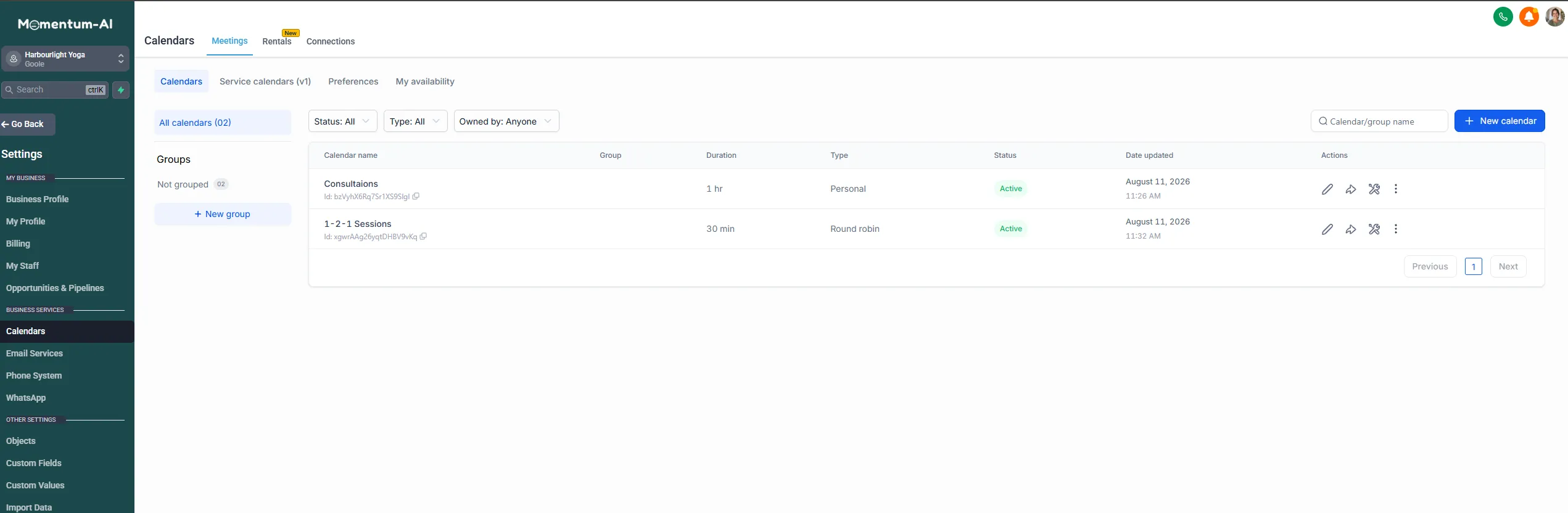
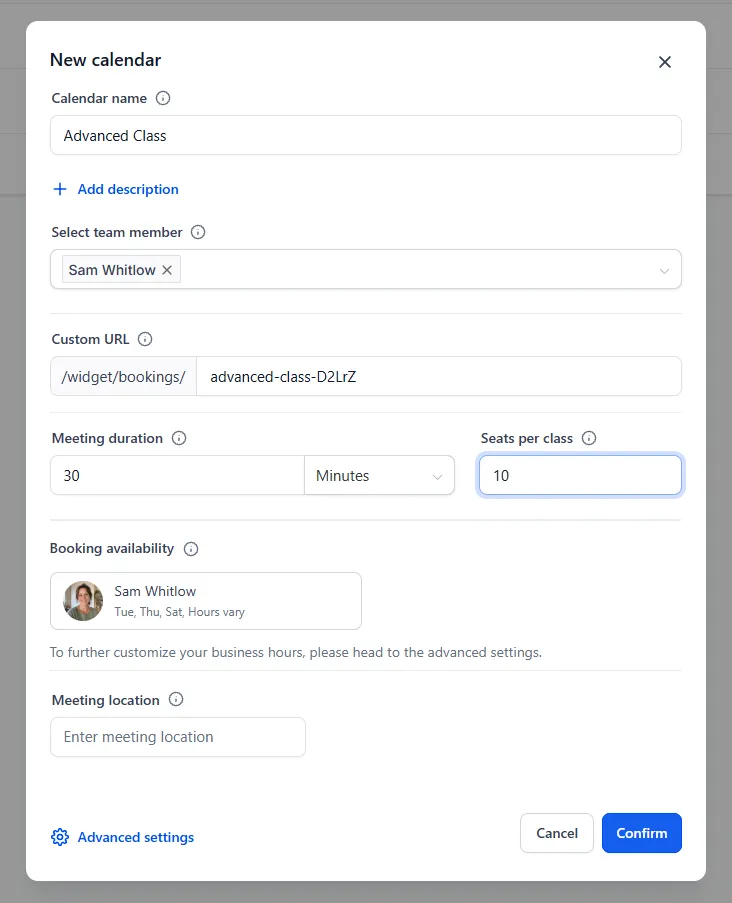
Go to Calendars and create a calendar per service, with a name, duration and description.
-
Name services the way customers say them, not the way your industry does. Someone picking from a list should never have to guess.
-
Set how long each one takes — and how long it really takes. If a session is an hour but you need ten minutes to reset, the appointment is an hour and the buffer is ten minutes. Buffers are how you stop the diary being technically full and practically impossible.
2. Availability
Section titled “2. Availability”Here’s the mindset shift: your availability settings are policy, not information. You’re not describing when you’re free; you’re deciding when this business does this kind of work.
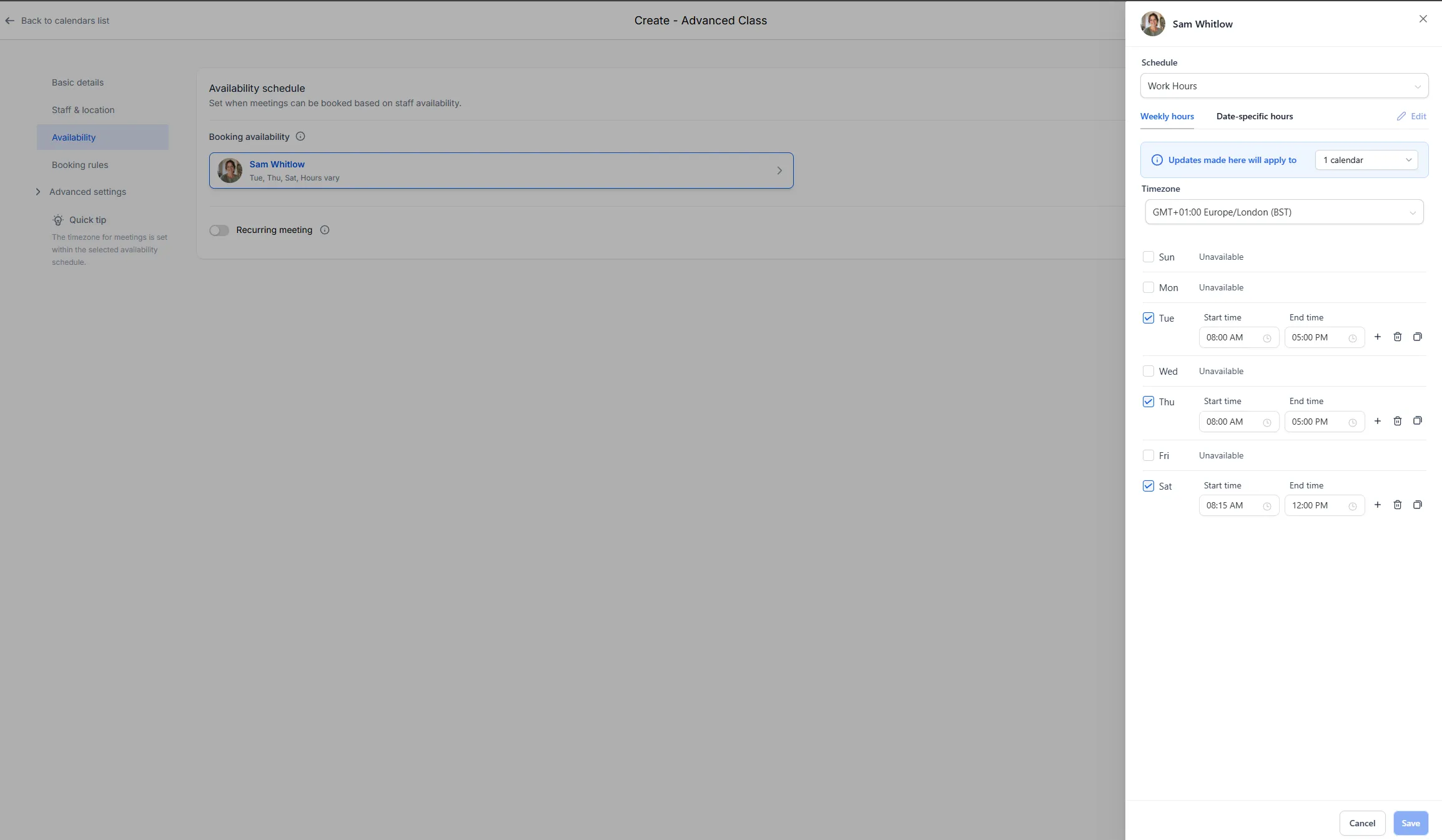
- Set weekly windows deliberately, per service. Maybe consultations only happen Tuesday and Thursday afternoons, so mornings stay for delivery. Maybe Friday afternoon stays clear for admin, forever.
- Decide it here, once, and the system enforces it politely, every day, against every enquiry — without you defending your diary in real time.
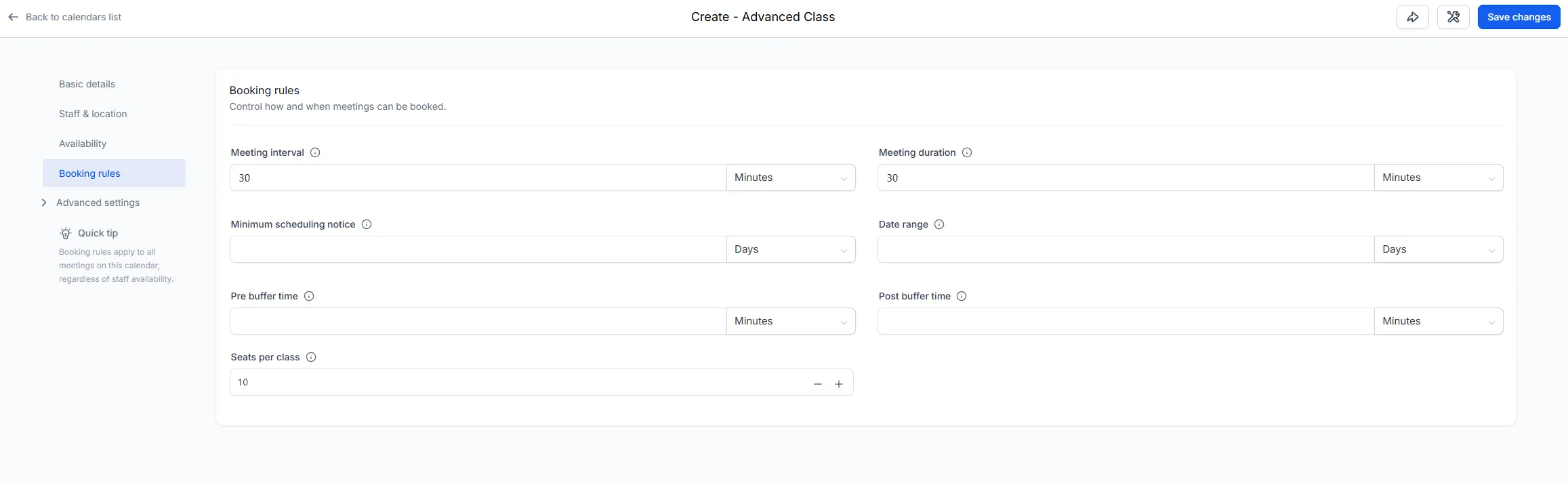
- There’s also a setting for how far ahead people can book, and how last-minute. If same-day bookings stress your setup, require a few hours’ notice and the problem’s gone. Those live on the calendar’s Booking rules screen, along with the buffers from earlier and, for group sessions, seats per class.
3. Your team
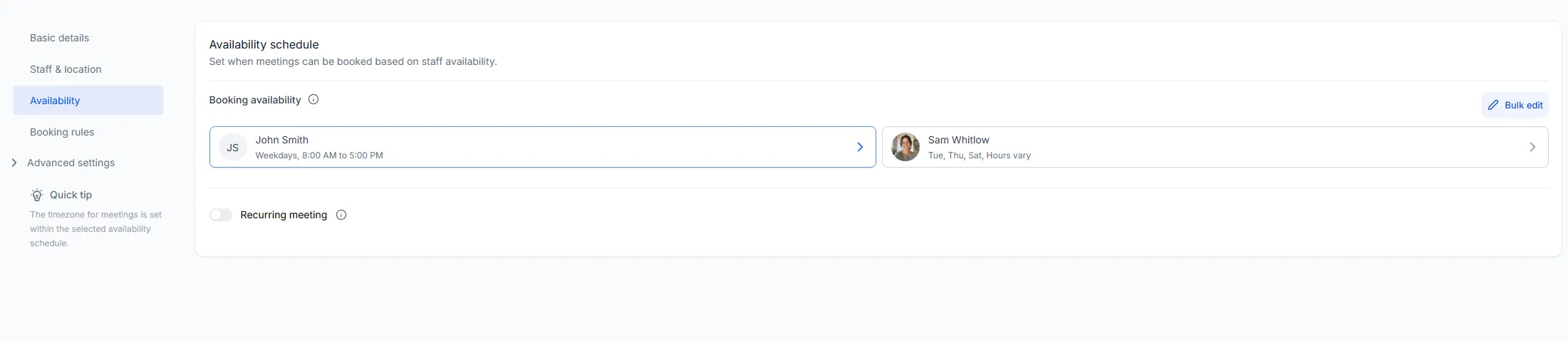
Section titled “3. Your team”If you have a team, each person gets their own availability and their own bookable services. Customers can pick a person, or you can let the system share new bookings across whoever’s free. Either way, everyone’s diary lives in one view, and the AI knows exactly who can do what, when.
4. Reminders
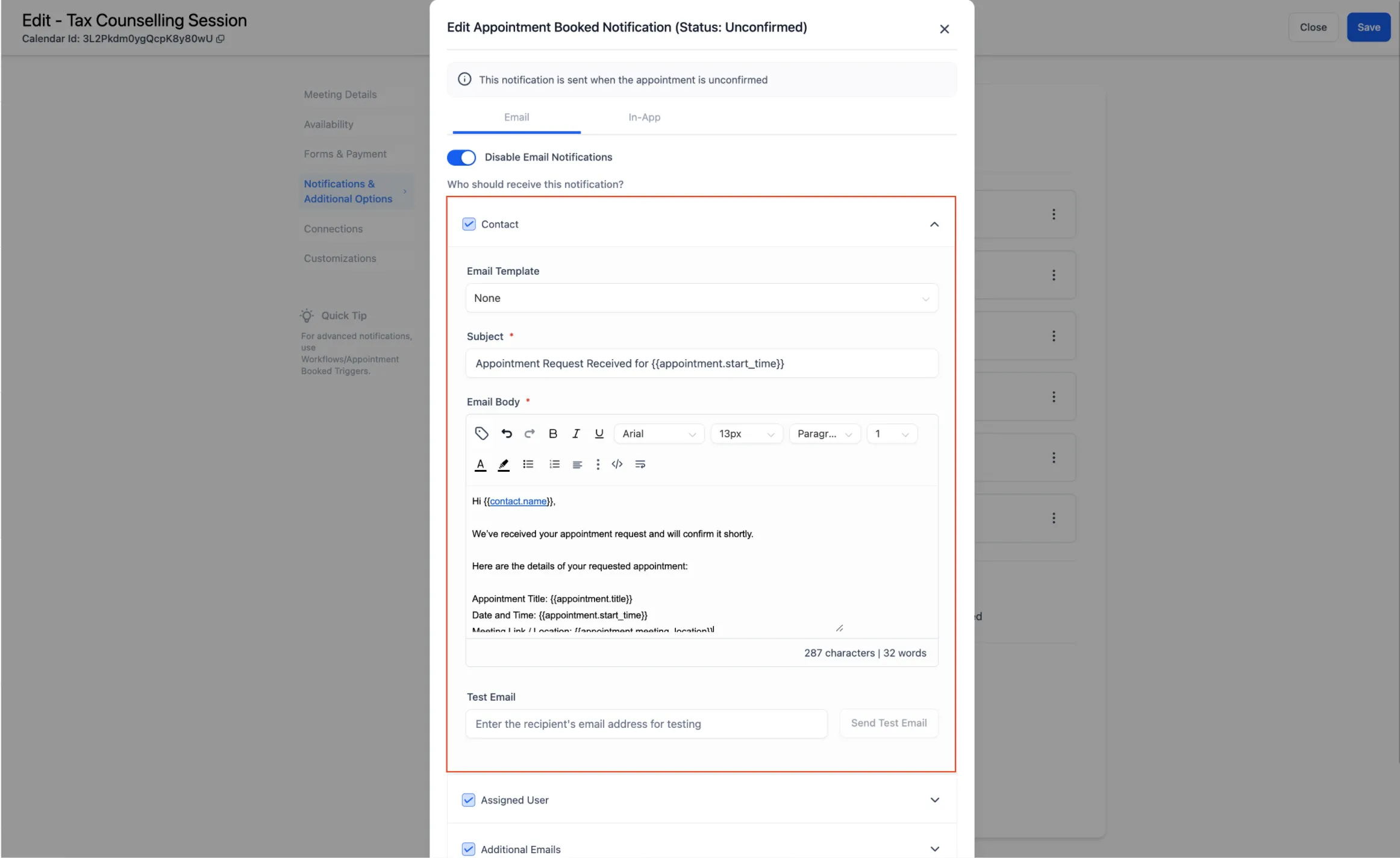
Section titled “4. Reminders”The rhythm: confirm immediately, remind the day before, nudge a couple of hours out. Now personalise the wording:
- The day-before message is a good place for practical instructions — what to bring, where to park.
- The final nudge stays short.
- Make cancelling or rescheduling easy from the message itself.
Sync your personal calendar
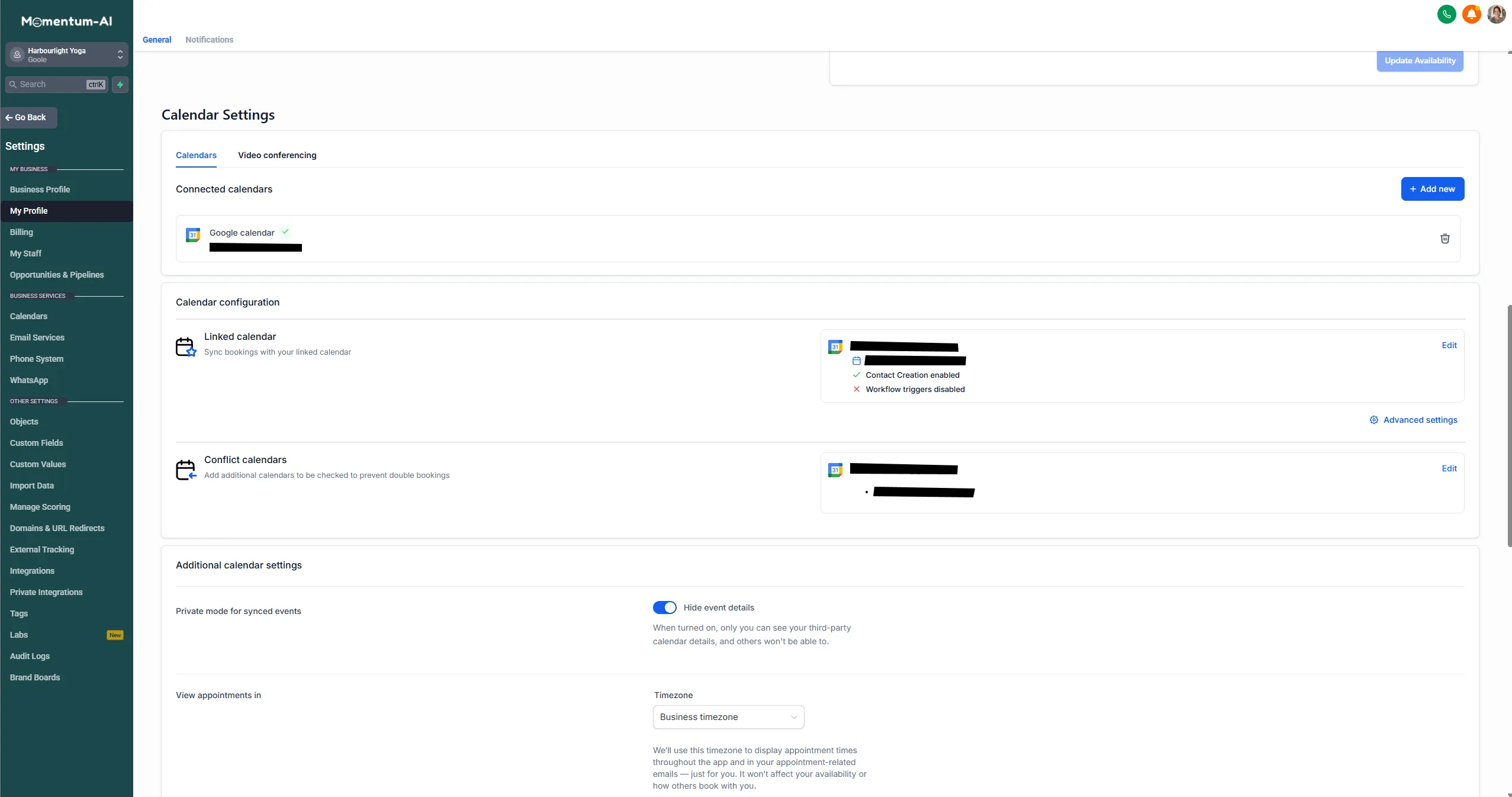
Section titled “Sync your personal calendar”If your life runs on a personal Google calendar, sync it — two-way. A dentist appointment in your personal diary then blocks that slot here too. No more double-bookings born of living in two calendars.
Put your booking link everywhere
Section titled “Put your booking link everywhere”Every calendar produces a booking link, and it’s about to become one of your most-used assets. It’s already in your missed-call text. Now put it in:
- Your Instagram bio
- Your email signature
- Your Google profile
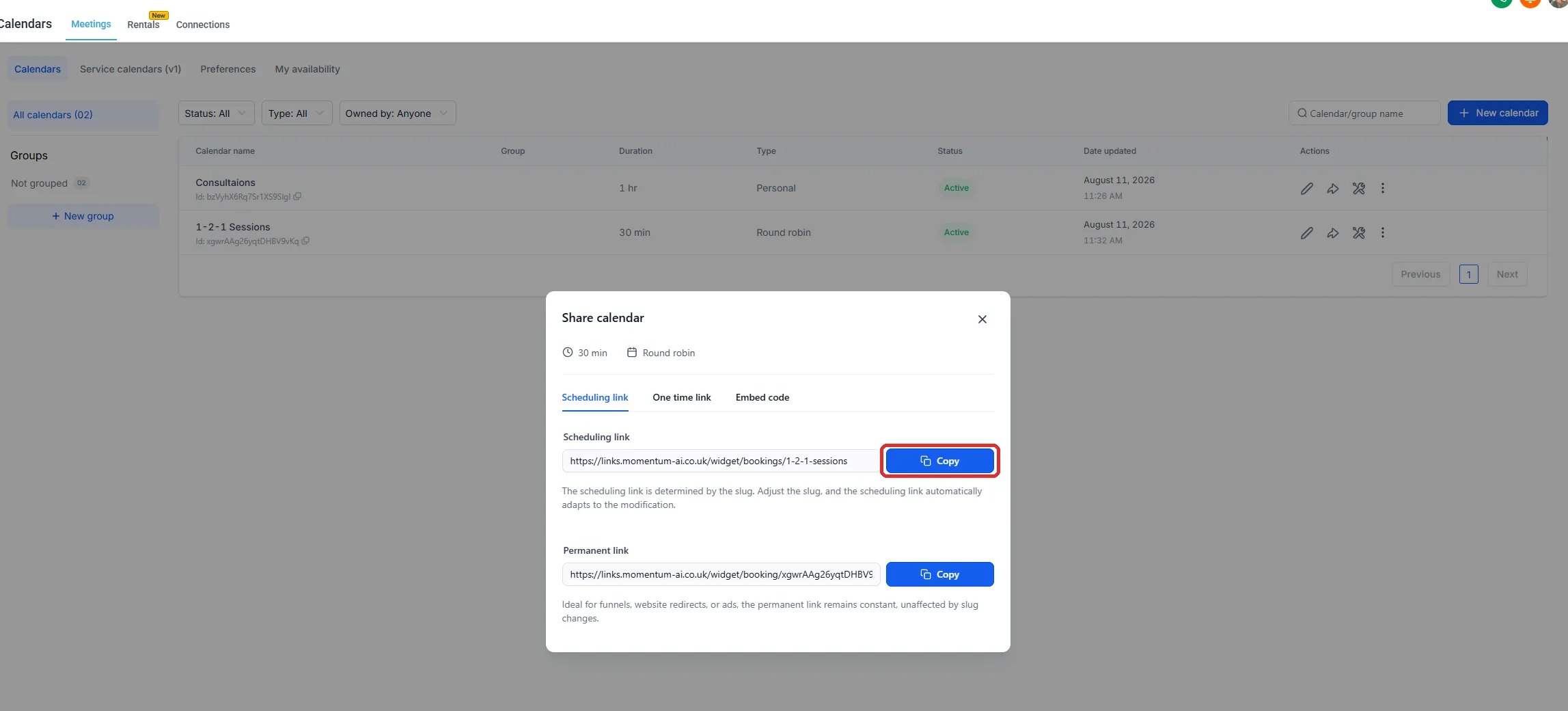
Anywhere a customer might stand, the door to your diary should be one tap away. It’s also what your AI offers in conversations, so every road leads to the same place.
Next up, where the bigger deals live: your pipeline.