Email and SMS broadcasts
Most of the platform runs on autopilot: the AI answers, reminders fire, reviews get asked for. A broadcast is the manual lever — a message you choose to send, to a slice of your list, when you have something worth saying. A new offer, a price change, spare capacity this week, a genuinely useful tip.
One principle above all: the right message to the right slice beats any message to everyone. Your smart lists are the slices (see Import your contacts). “Past clients not seen in six months” gets a we-miss-you offer; members get the schedule change. Nobody gets things that aren’t about them — and that’s precisely why your messages keep getting opened. Every send teaches your list whether you’re worth reading.
Build an email broadcast
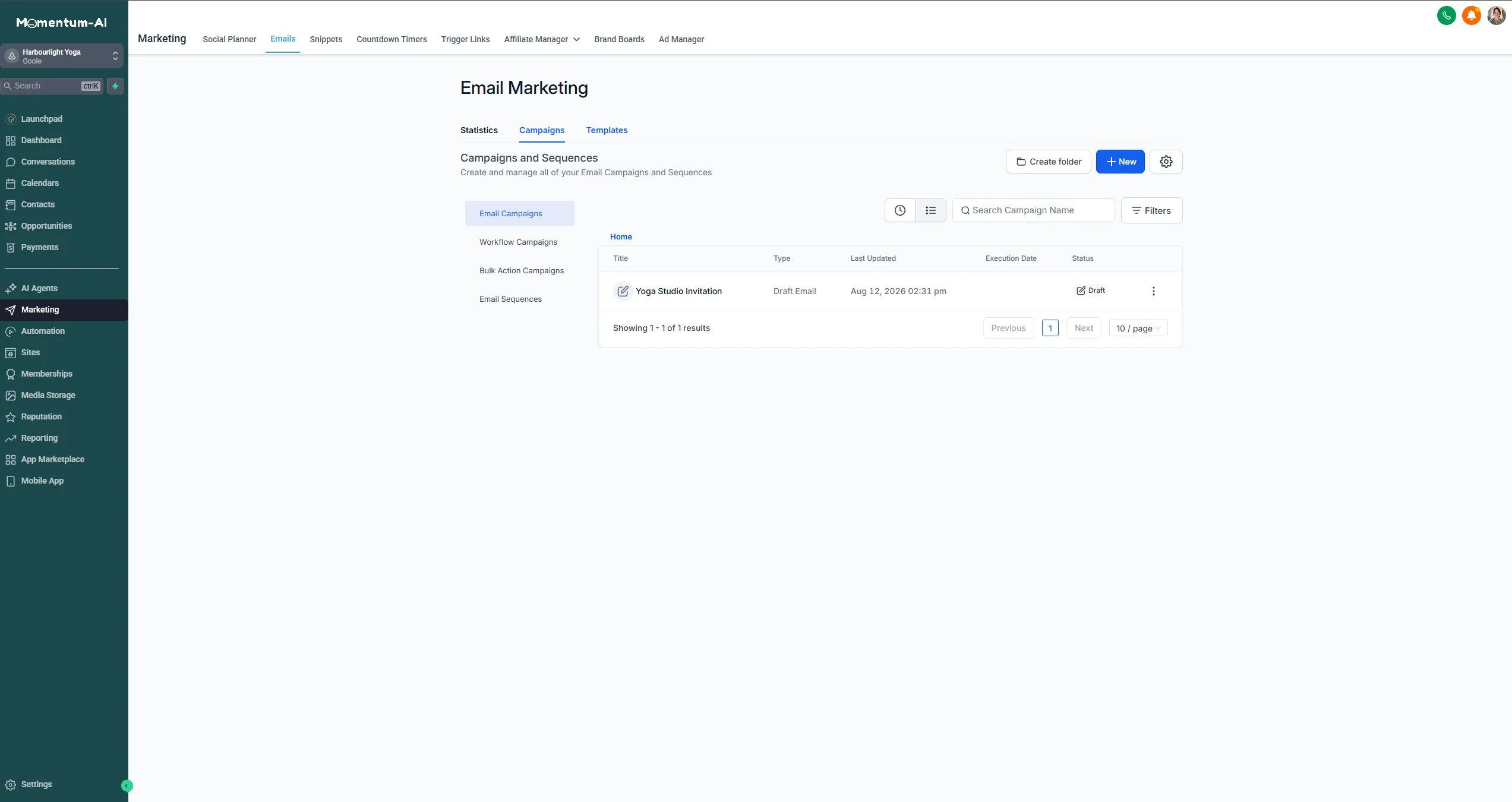
Section titled “Build an email broadcast”Everything here lives in the Email Marketing area, under Marketing — campaigns you’ve drafted, campaigns you’ve sent, and the button to start a new one.
-
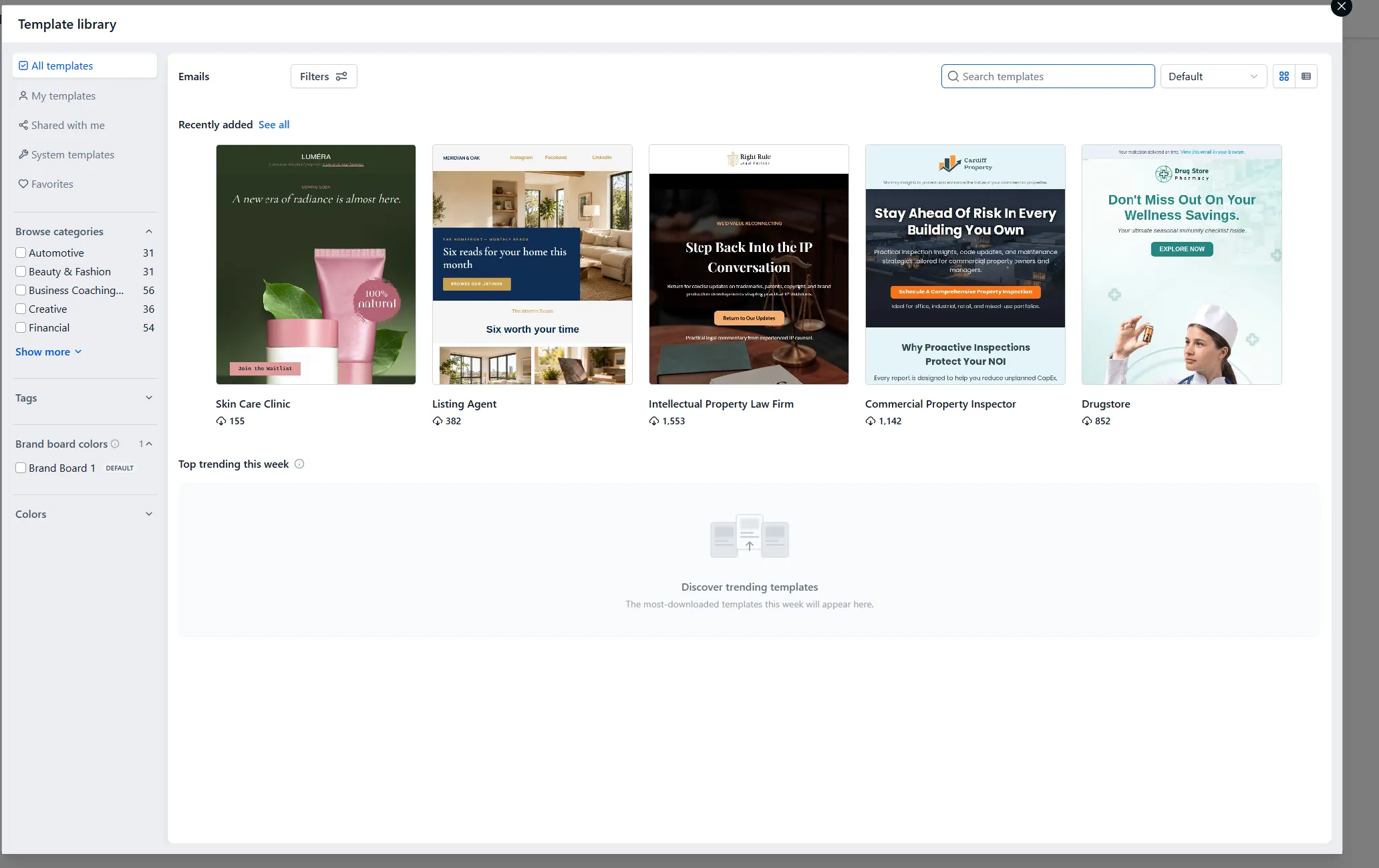
Go to your email campaigns and start from a template, so it looks right on phones without design work.
-
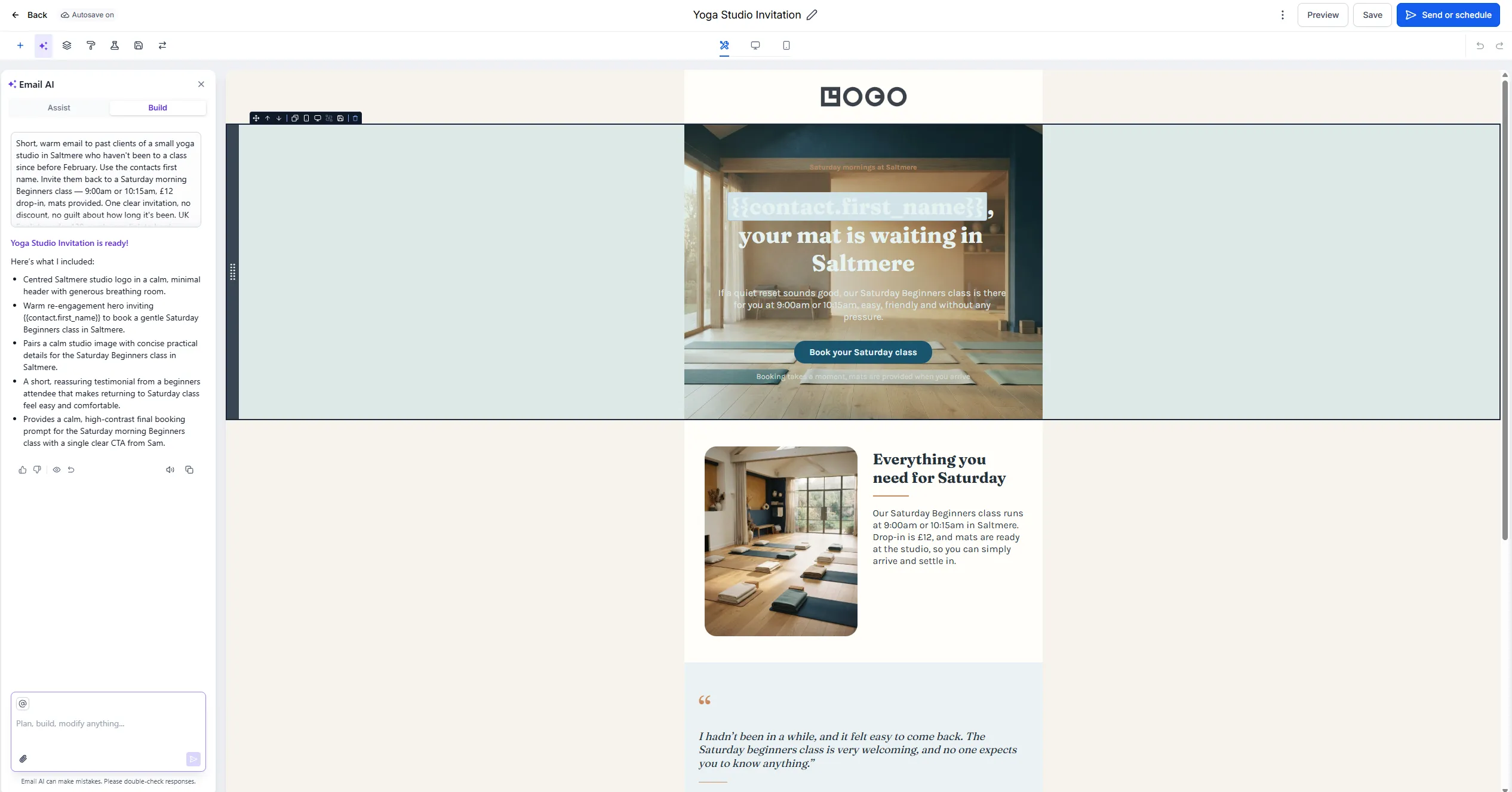
Draft the body with Content AI if you like — a brief such as “short, warm email to past clients we haven’t seen in six months, one offer, no guilt-tripping” — then edit until it sounds like you.
-
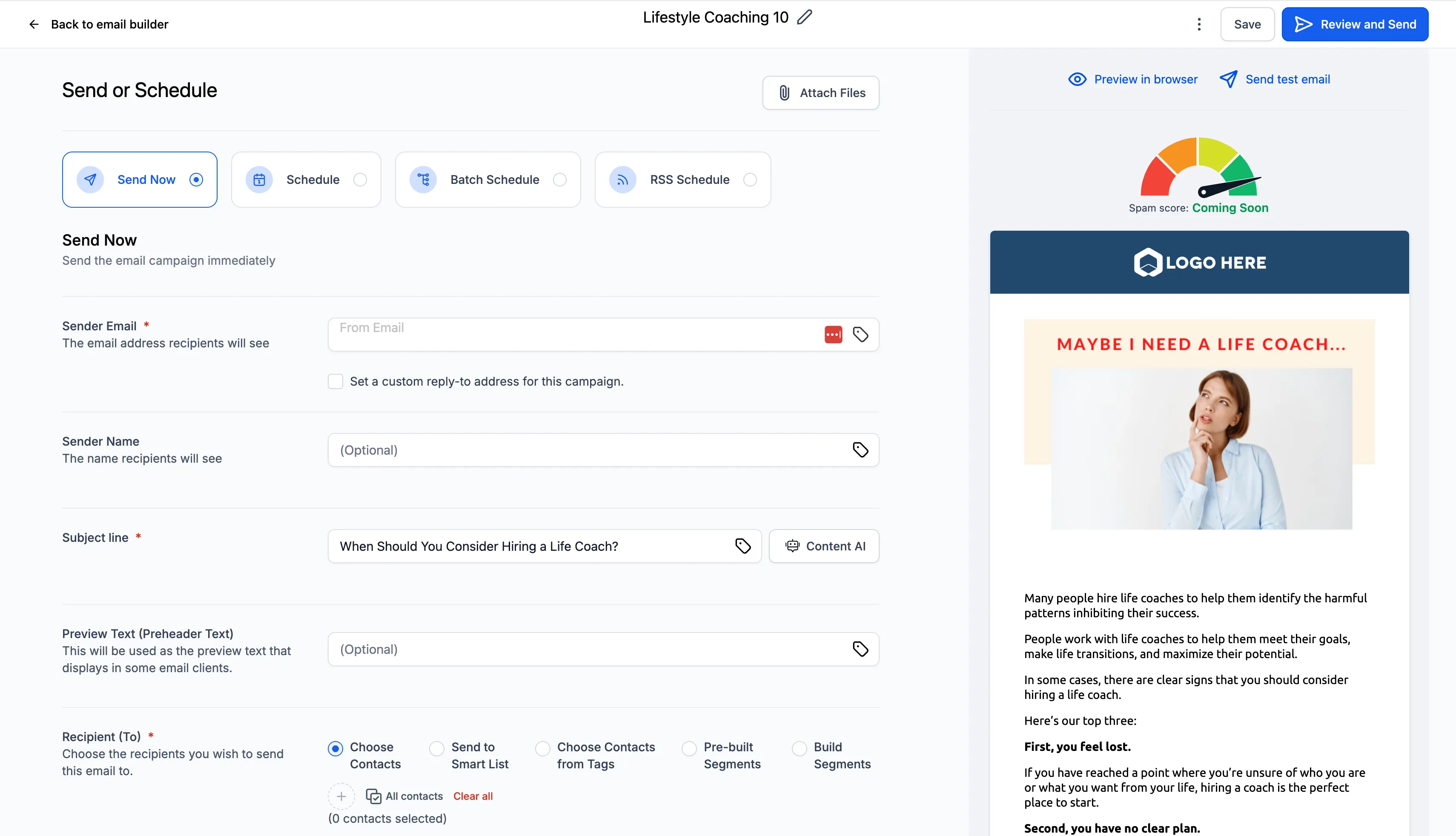
Give the subject line half your effort. It decides whether anything else gets read, and specific-and-honest wins: “Saturday morning slots are back” beats “Exciting news from us!!” every time.
-
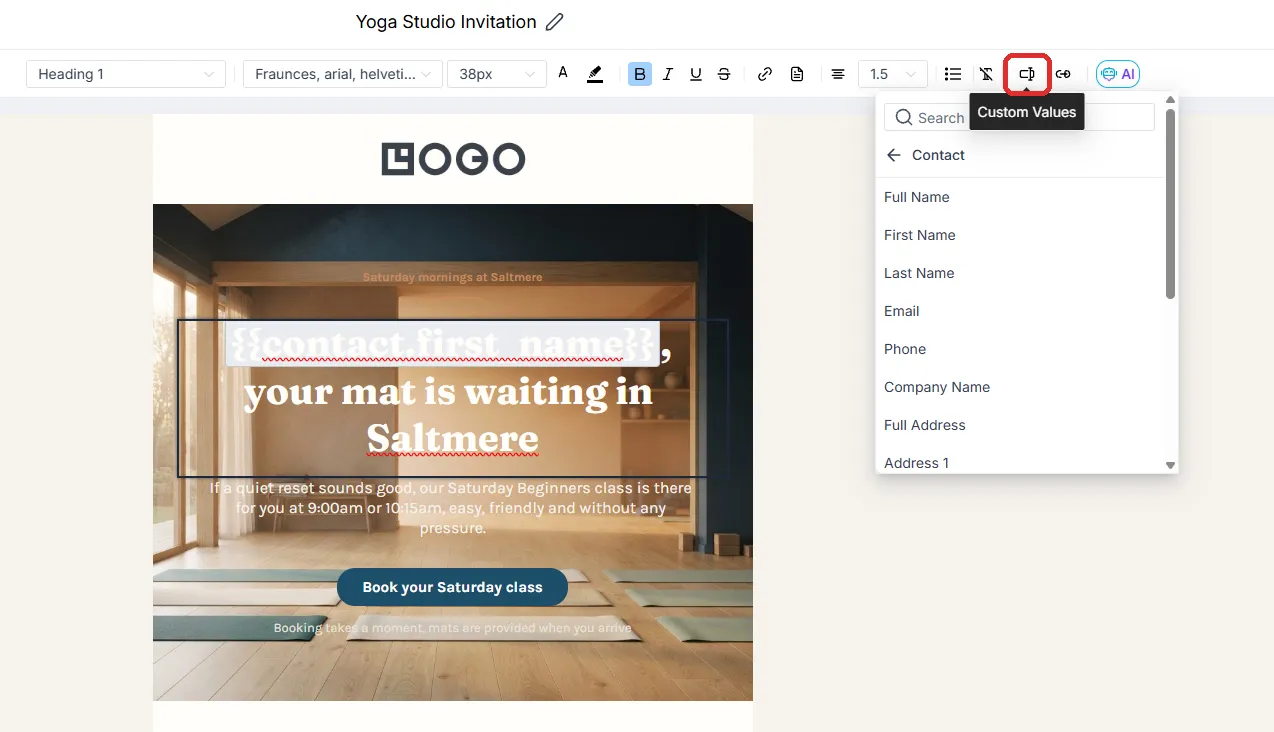
Add first-name personalisation. The name drops in from the contact record, which is why clean contact data matters — a tidy list says “Hi Sarah”; a messy one says “Hi sarah gym enquiry”.
-
Pick the audience: that smart list, not All Contacts. Almost never All Contacts.
-
Send yourself a test and read it on your phone, because that’s where your customers will.
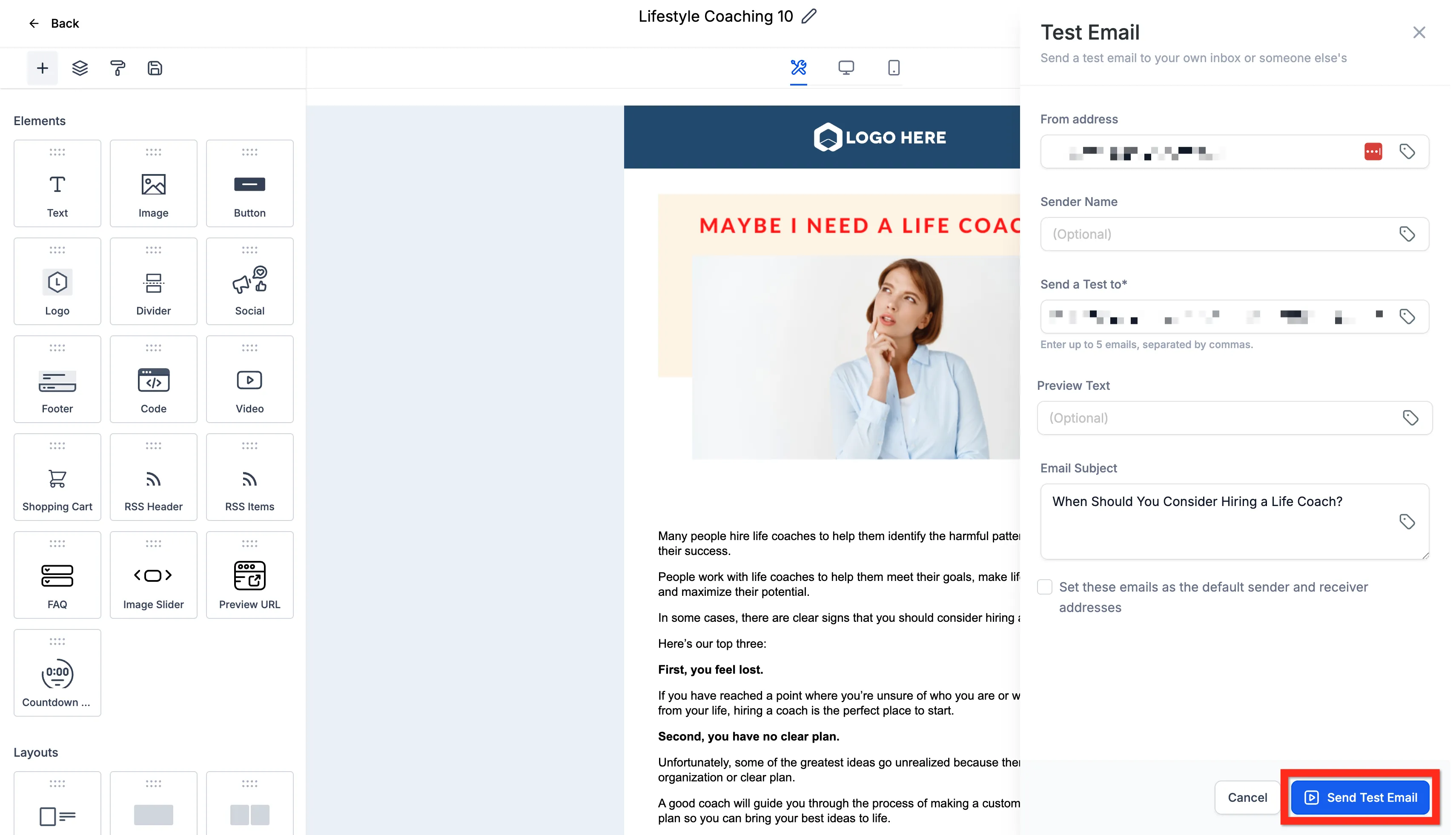
-
Schedule it for a sensible daytime hour, not the moment you happened to finish writing.
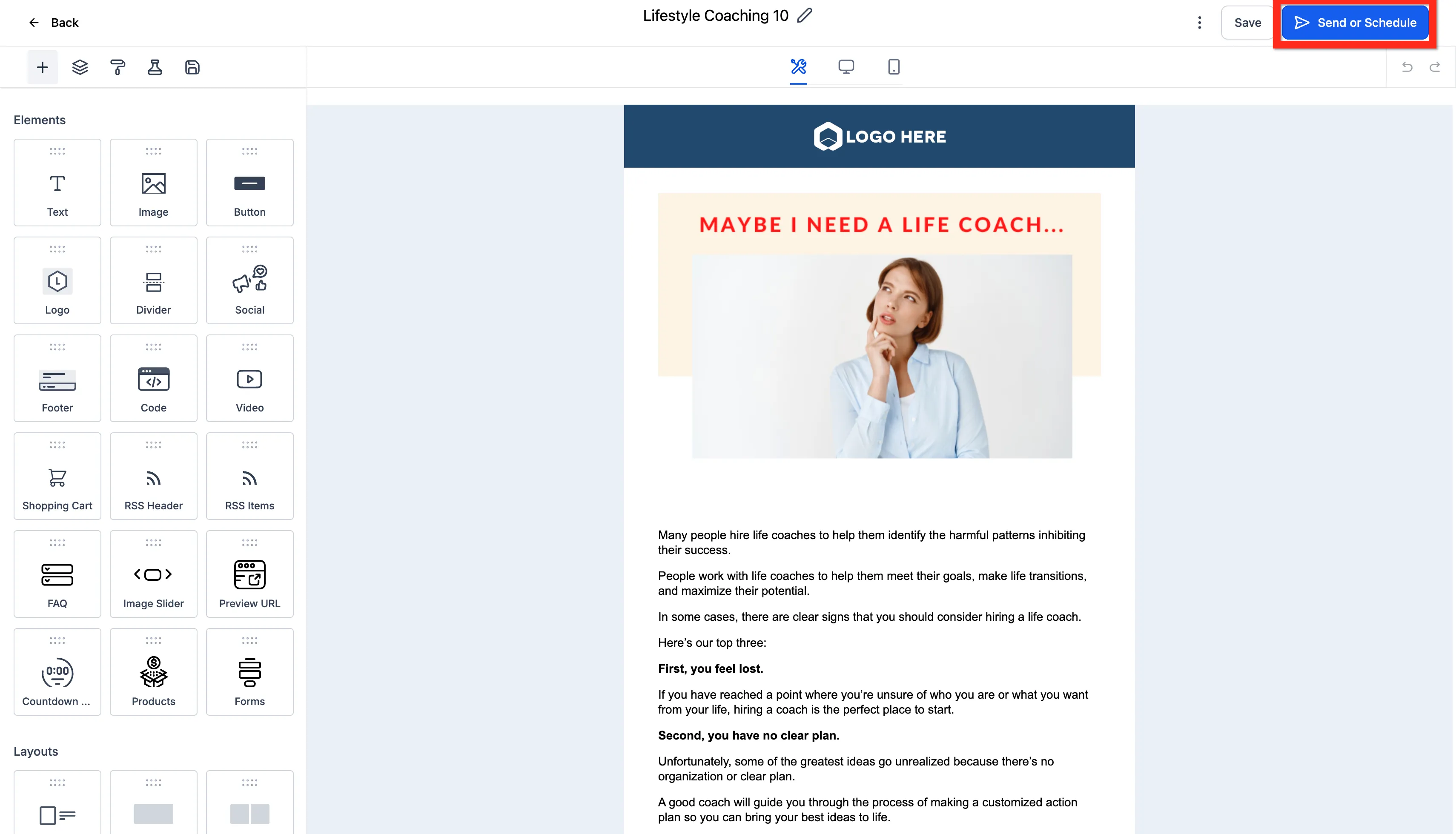
Clicking Send or Schedule brings up one final screen where the subject, sender, audience and timing all come together before the campaign goes out.
SMS: the sharper tool
Section titled “SMS: the sharper tool”Texts get read — nearly all of them, within minutes — which is exactly why the bar is higher. Text when it’s timely and genuinely useful: a slot opened tomorrow, the offer ends tonight, you’re closed for the bank holiday.
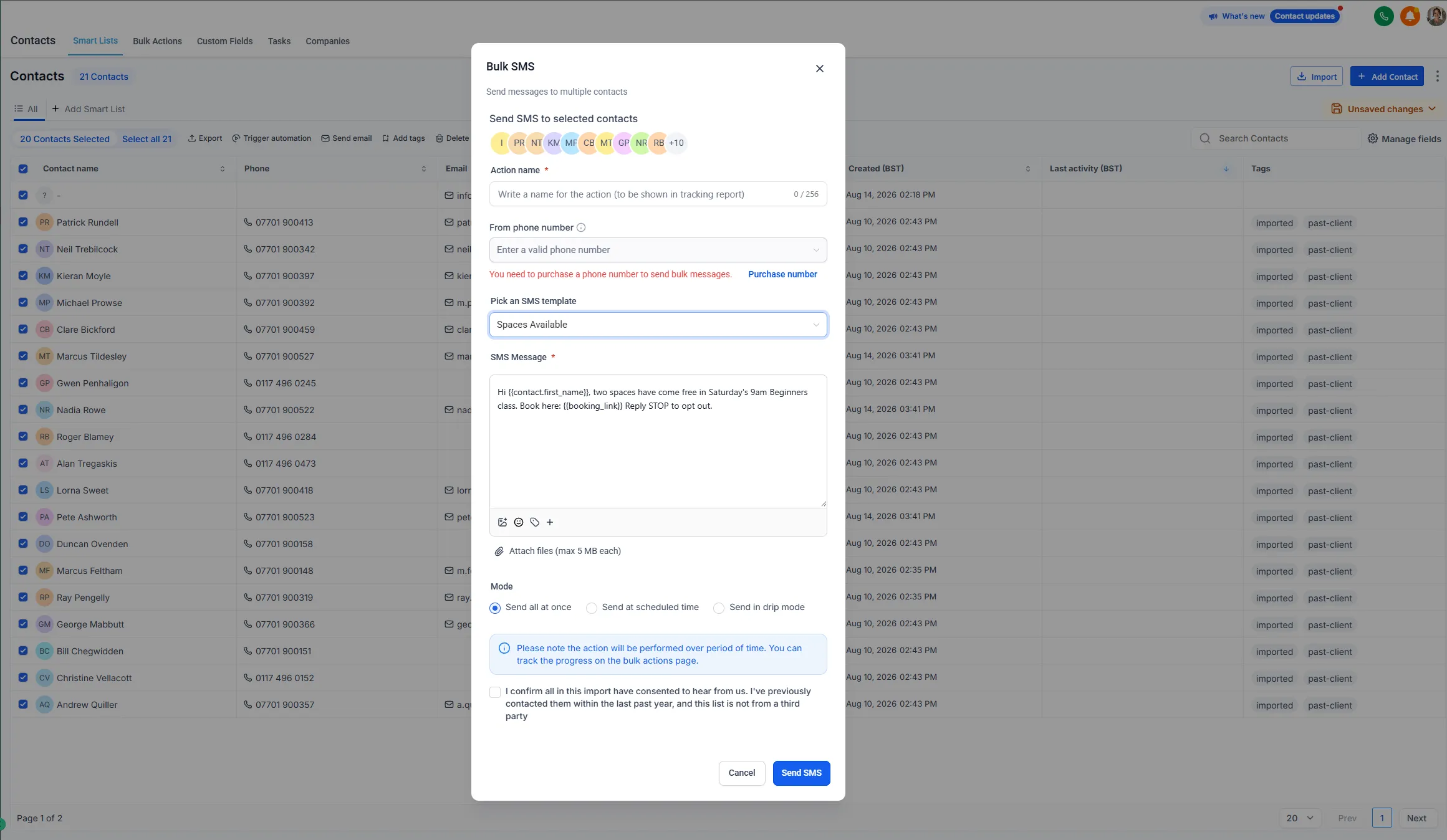
- Two sentences, one link, done.
- Respect the channel and it stays powerful. Wear it out with weekly texts and people unsubscribe from the most direct line you have.
Deliverability: keeping your messages landing
Section titled “Deliverability: keeping your messages landing”A broadcast only works if it arrives. Four habits keep you out of spam folders and in good standing:
| Habit | Why it matters |
|---|---|
| Connect your sending domain first | Inboxes need proof you’re allowed to send — see Connect your channels |
| Only message people who agreed to hear from you | It’s not just compliance; it’s why the list works at all |
| Send to slices, not All Contacts | Irrelevant sends train people to ignore or report you |
| Keep a modest cadence | One good email a month; texts only when genuinely time-sensitive |
After you send: the results screen
Section titled “After you send: the results screen”Look at who opened, who clicked and — the best part — who replied. Replies land in Conversations, where your Conversation AI picks them up. Send a win-back to two hundred lapsed clients, and tonight the AI is answering the interested ones and booking them in.
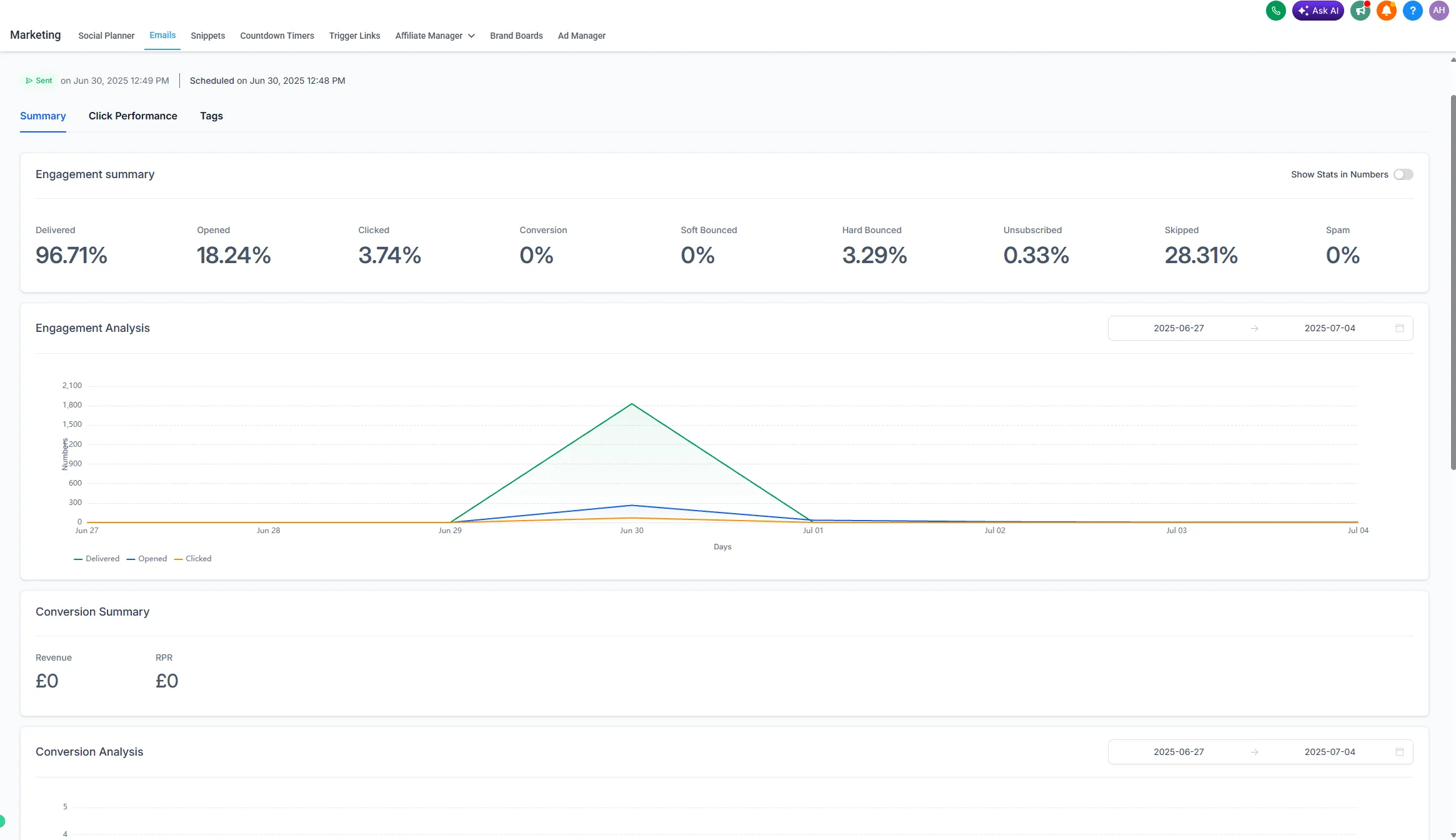
A broadcast here isn’t a message into the void. It’s the starting gun for the machine.