Set up Voice AI
Your missed calls get a text back, and your messages get answered. Voice AI answers the phone itself — actual calls, actual voice, actual conversation.
Of your whole AI team, this is the one to think about rather than just switch on, so here’s the honest picture first.
Where it shines, and where it doesn’t
Section titled “Where it shines, and where it doesn’t”| Voice AI handles | You handle |
|---|---|
| “Are you open?” | The nervous first-timer who needs reassuring |
| “How much is it?” | The complaint |
| “Where are you?” | The complicated quote |
| “Can I book?” |
The calls in the left column are really just questions — for most businesses, more than half the phone traffic. Voice AI answers them instantly, never sounds rushed, and never lets a ring-out turn into a lost customer.
The aim was never to stop you answering the phone. It’s to make sure that when you can’t, the call gets handled instead of hitting voicemail. So the setup that works for most businesses is Voice AI as the safety net: you answer when you can, and it picks up when you don’t.
1. Create your agent
Section titled “1. Create your agent”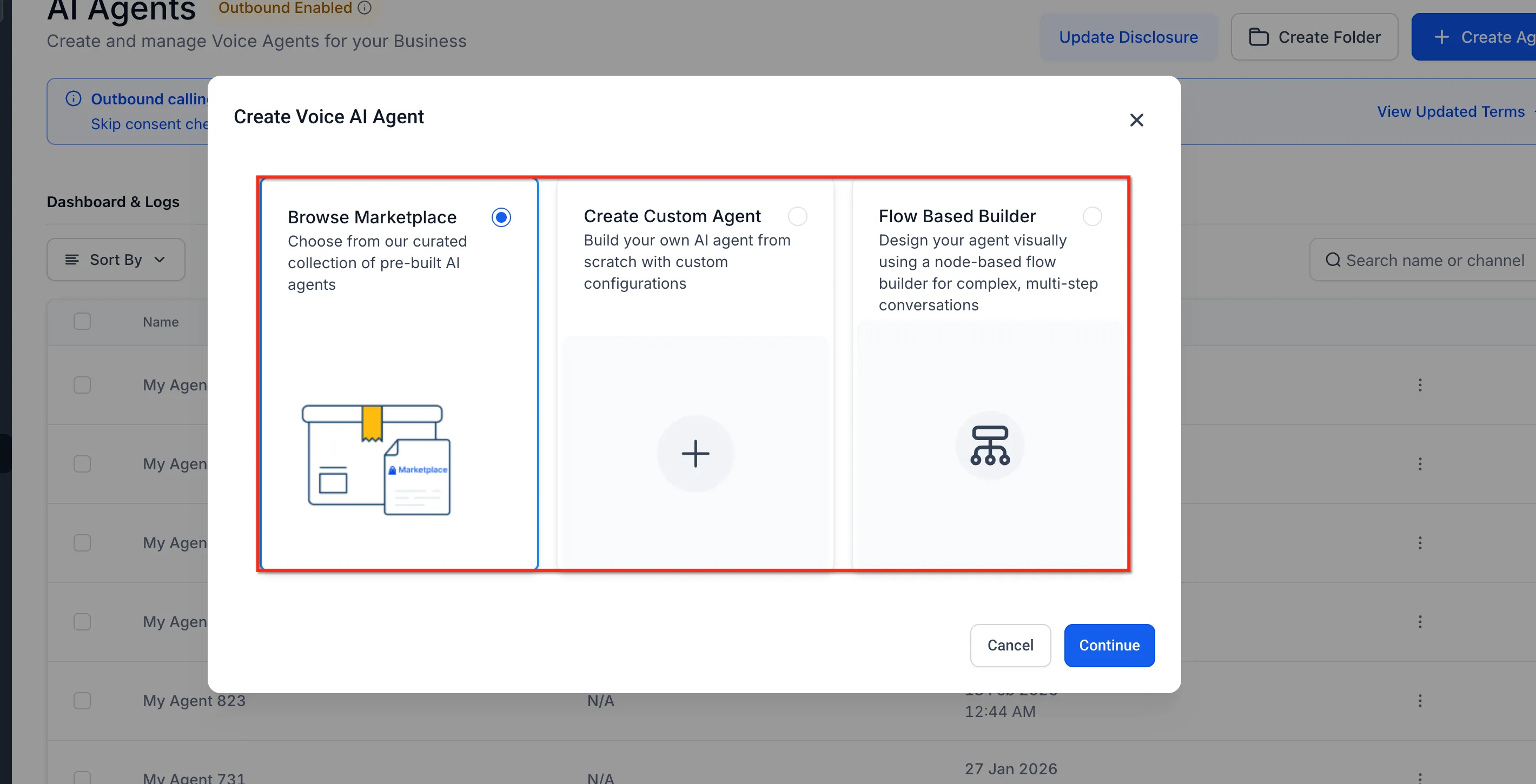
Create your Voice AI agent and give it a name you’ll recognise later — not the default it suggests. Then pick its voice: play a few and choose one that sounds like your business. If you’re in the UK, choose a UK voice.
2. Teach it your business
Section titled “2. Teach it your business”Start where your callers start:
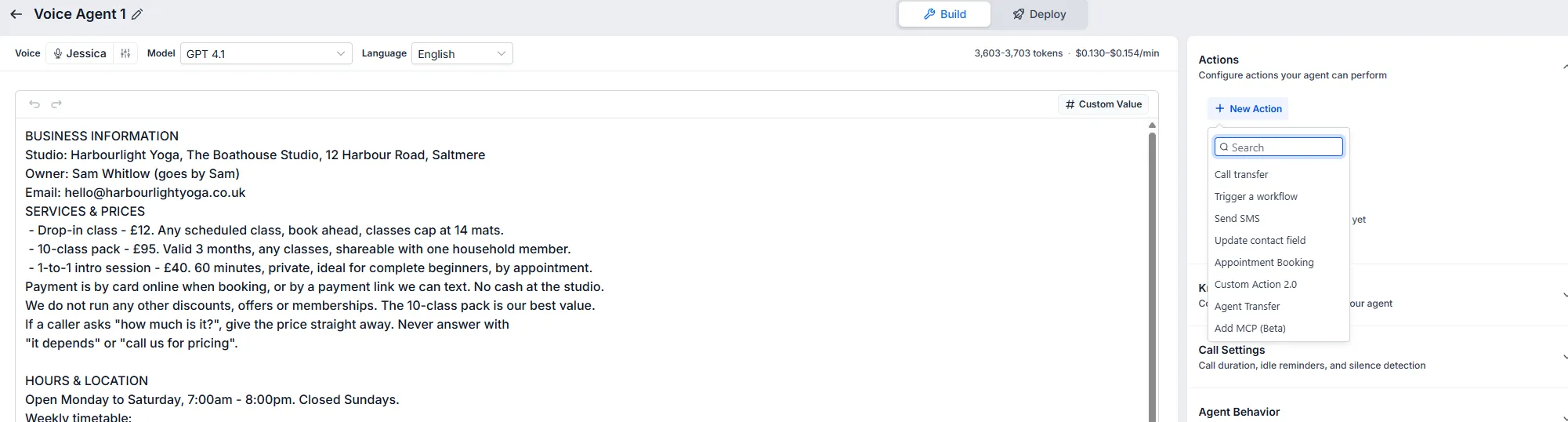
- Services, with real prices. “How much is it?” is the most common question your phone will ever be asked.
- Hours and location. Plus the details that actually help someone find you: where to park, which door, what to bring.
- Policies. Cancellations, age limits — anything you’d want a member of staff to get right on the phone.
3. Set the scope and the greeting
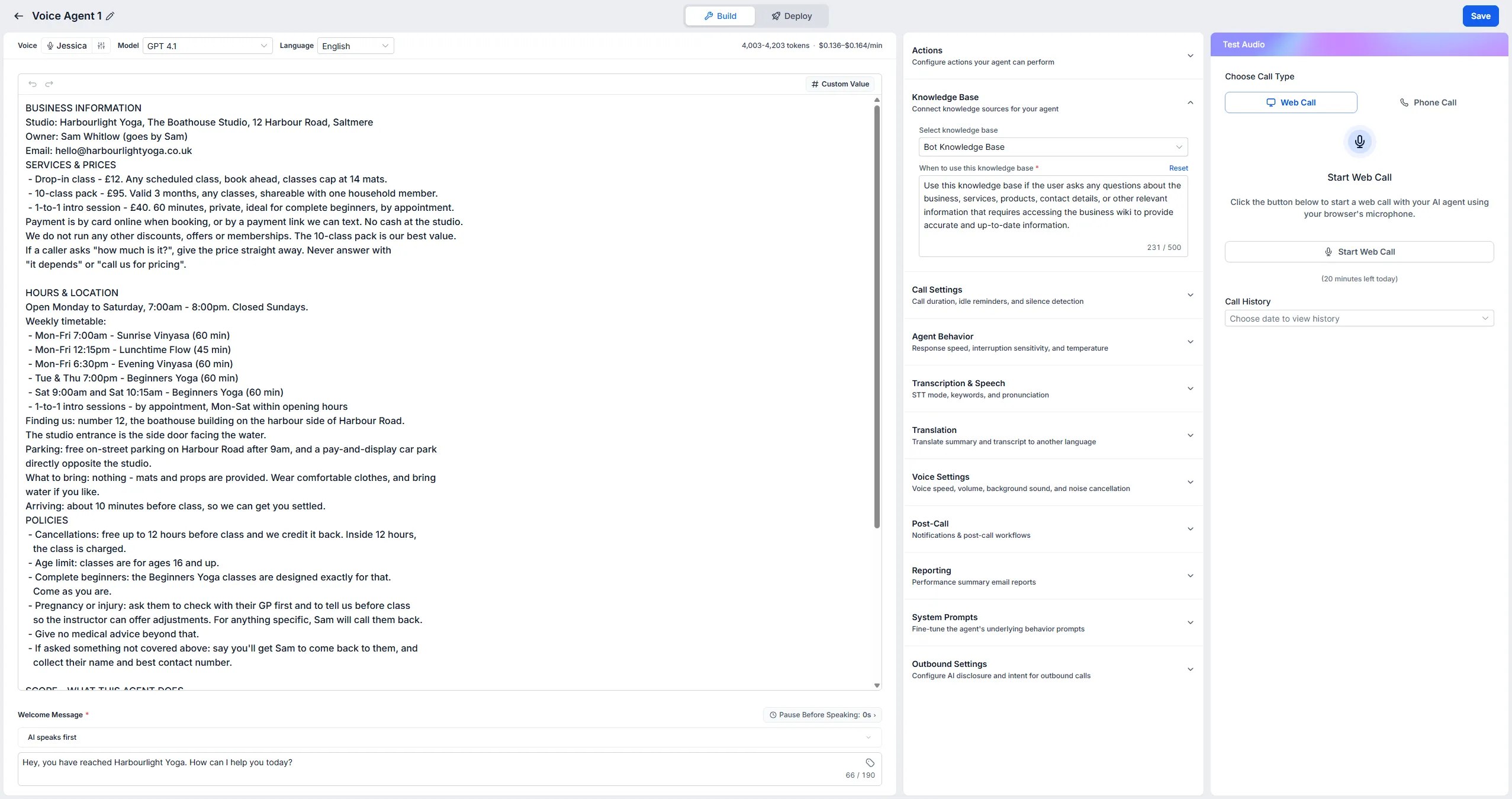
Section titled “3. Set the scope and the greeting”Tell the agent plainly what it’s allowed to do: answer questions, take a name and number, offer times. Then tell it when to hand over: anything it isn’t sure of, any complaint, anything about an existing booking. Same rule as your receptionist — it should know what’s above its pay grade.
While you’re on this screen, set the welcome message. Your business name, said clearly, then ask how you can help. No long preamble; people ring to get something done.

4. Attach it to your phone number
Section titled “4. Attach it to your phone number”This is the step people miss, and it’s the one that makes all of this real. Your agent exists, but it isn’t answering anything until it’s attached to your business number.
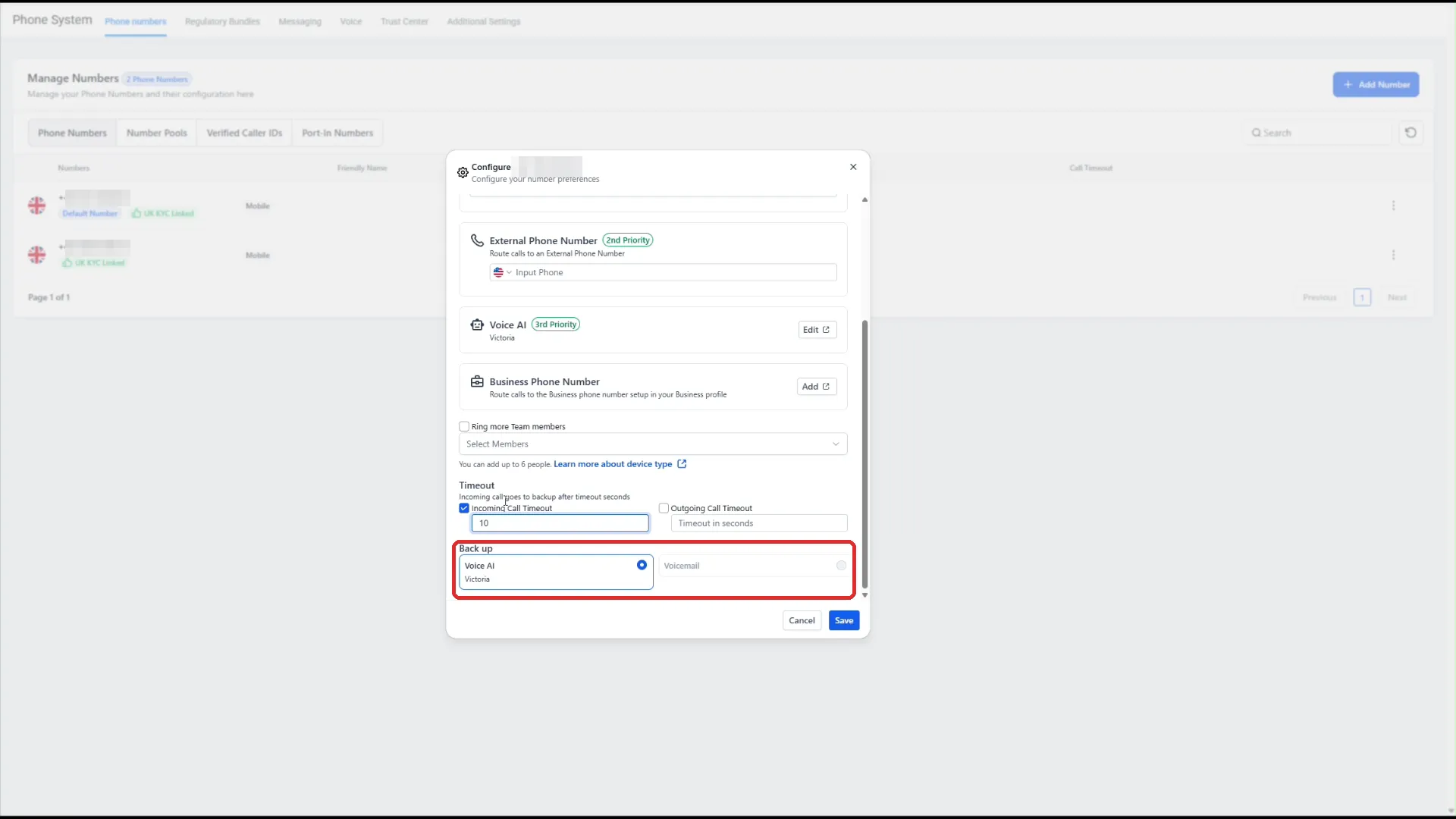
- Open your phone number’s settings.
- Set the Incoming Call Timeout — how long your own phone rings before the call goes to backup. It’s measured in seconds, not rings: 15 to 20 seconds is roughly four or five rings.
- Under Back up, you’ll see a pair of radio buttons: Voice AI or Voicemail. Pick Voice AI.
Start it as the safety net and see how it performs for a week. If you’d rather it front every call later, you can.
5. Audition it
Section titled “5. Audition it”The quickest test is a web call from the agent’s settings — a call straight from your browser, no phone needed. (Or ring your business number and let it go through to backup.)
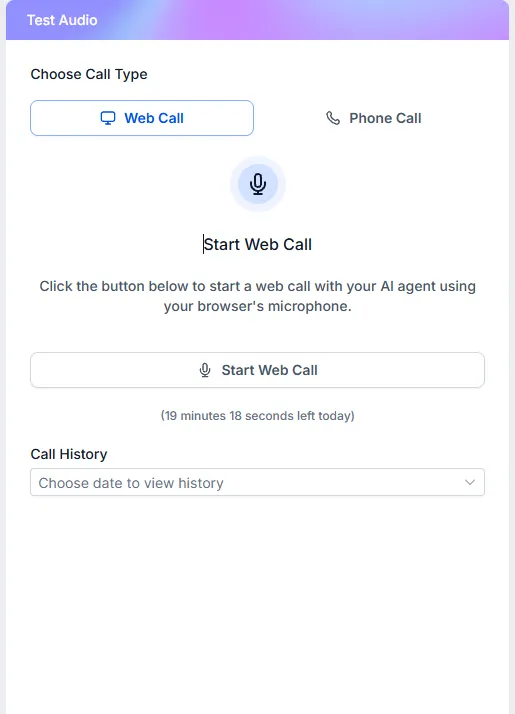
- Ask your top three questions.
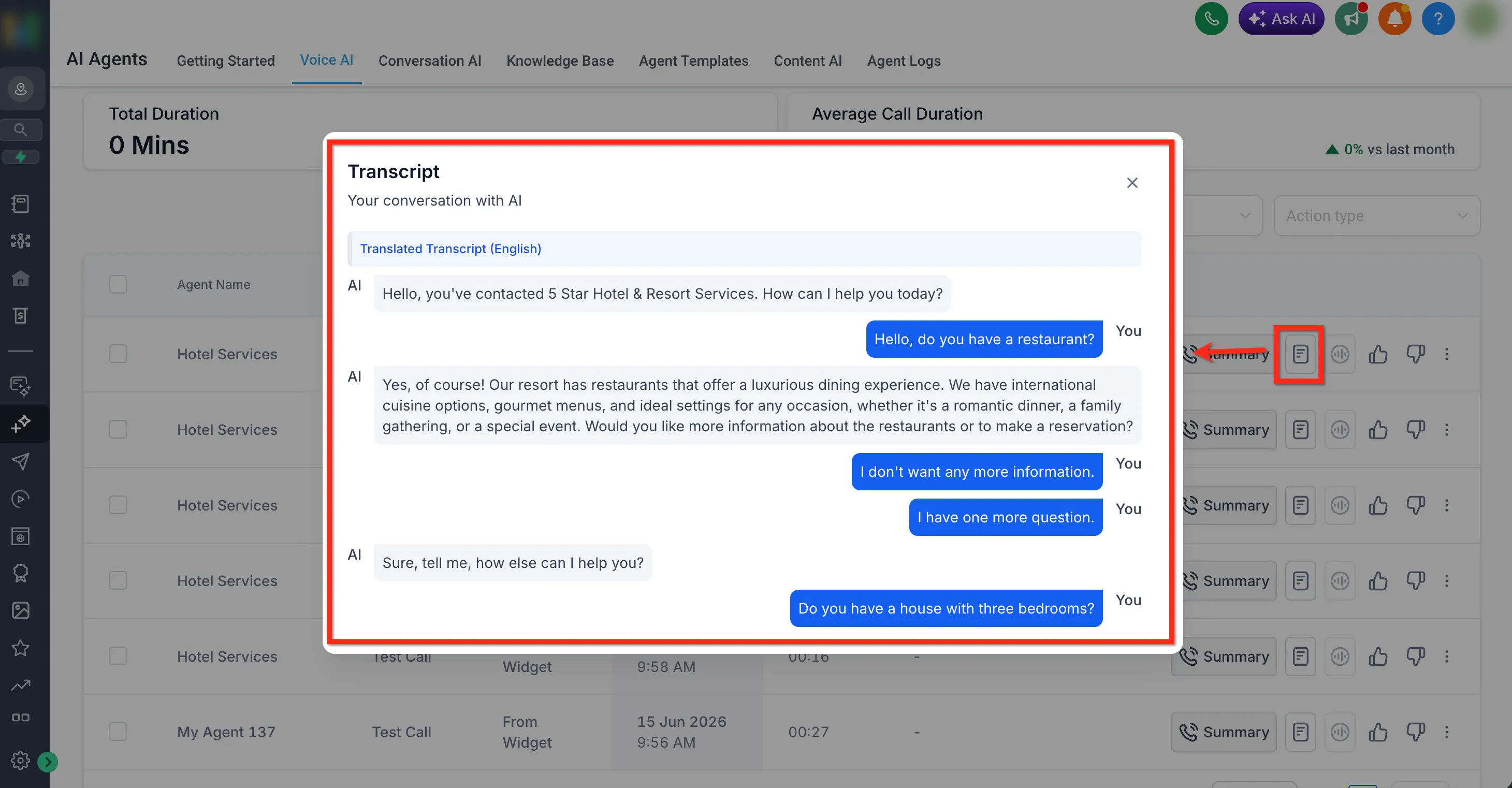
- Ask something it can’t possibly know, and check it takes your details gracefully instead of bluffing.
- Then look in your inbox: the transcript and summary are there. You’ll never again wonder what was said on a call you didn’t take.
Set expectations straight
Section titled “Set expectations straight”It sounds impressively natural these days, and some callers will still clock that it isn’t a person. That’s fine. The comparison was never Voice AI against you on your best day — it’s Voice AI against voicemail, and it wins that every single time.
Read the transcripts for the first week and tighten anything it fumbled. Then move on to the piece that turns all these conversations into diary entries: AI Booking.