Set up Missed-Call Text-Back
This is the fastest win in the entire platform: two minutes of setup, and it starts recovering money you’re currently losing without knowing it.
Here’s the scenario. You’re mid-session with a client, your phone rings, and you rightly ignore it. The caller gets voicemail — and nobody leaves voicemails any more. What they actually do is hang up and ring the next business on the list.
Missed-Call Text-Back plugs that leak. The moment a call to your business number goes unanswered, the caller gets a text from you, automatically, within seconds.
1. Switch it on
Section titled “1. Switch it on”Go to Settings → Phone → Missed Call Text Back and turn the toggle on.
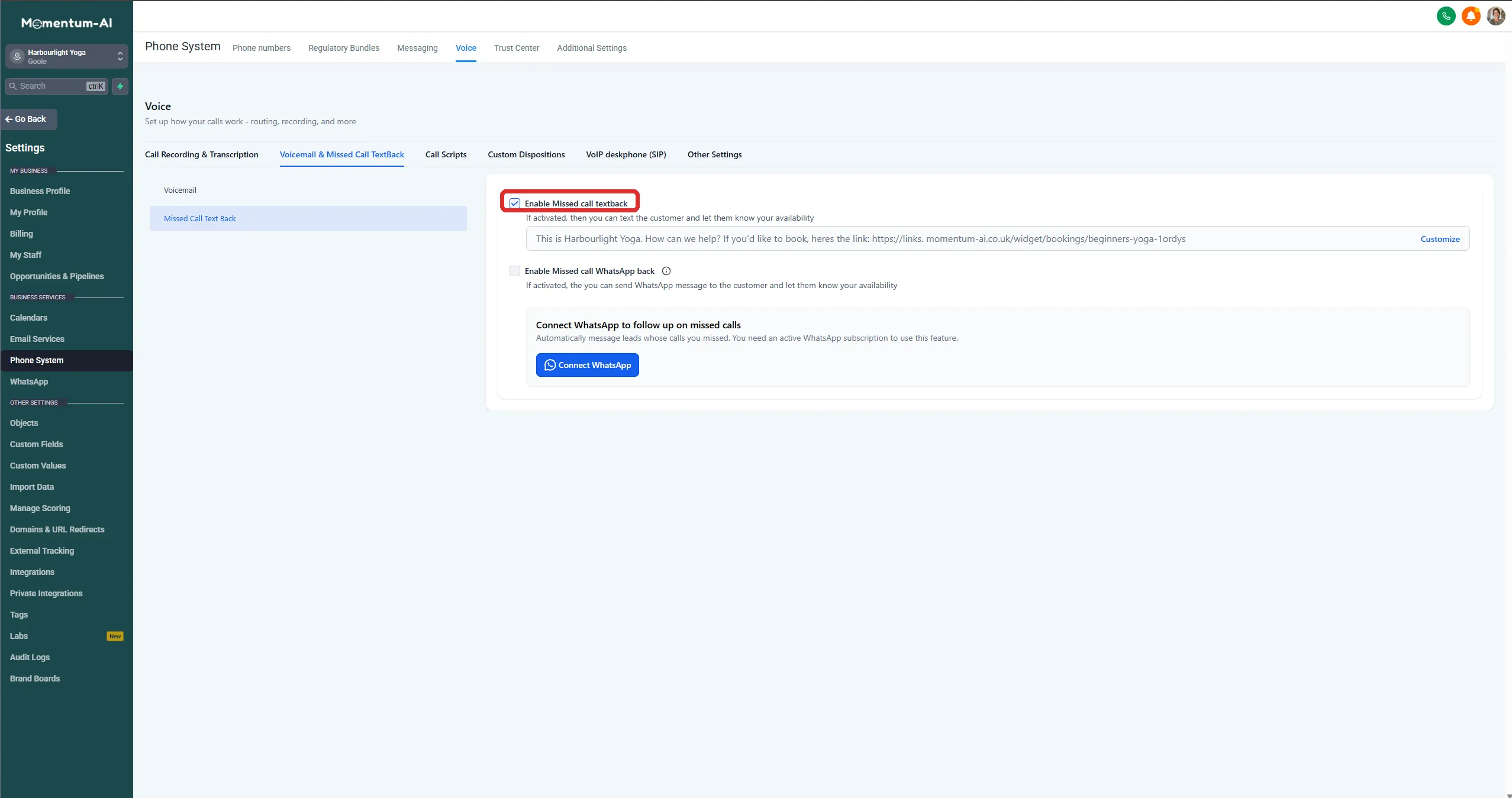
That’s genuinely it for the switch. But before you leave, make the message worth receiving.
2. Write a message that does three jobs
Section titled “2. Write a message that does three jobs”Edit the message template. A good one does three jobs in two sentences: it apologises, it identifies you, and it gives the caller something to do right now. The shape to aim for:
“Sorry we missed your call! This is [your business name]. How can we help? If you’d like to book, here’s the quickest way:” — followed by your booking link.
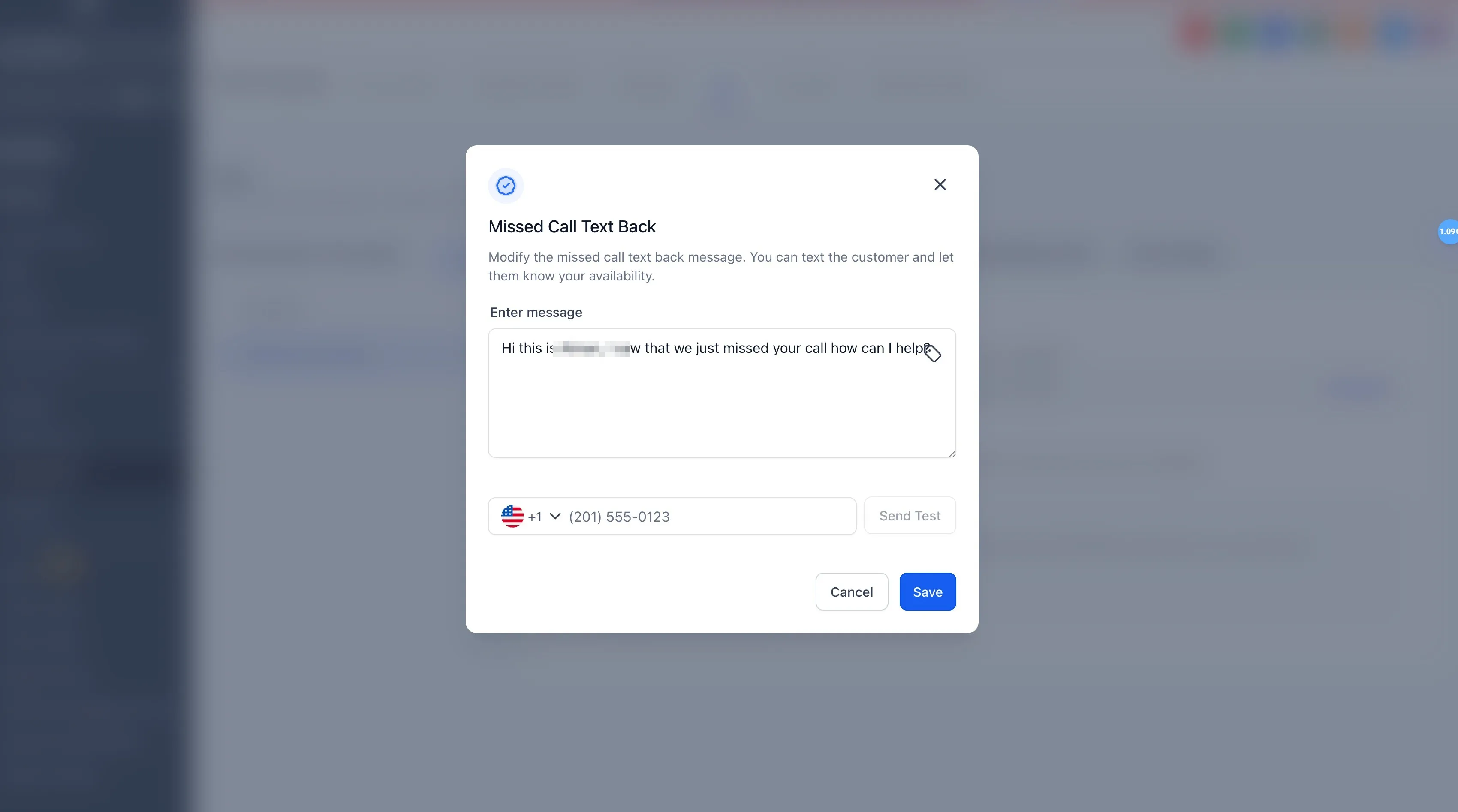
Two rules for the wording:
- Keep it human. Write it the way you’d text a friend who rang while you were driving.
- Include your booking link from day one. A good chunk of missed callers just wanted to book something, and now they can, without waiting for you at all. If you haven’t set up a bookable calendar yet, see Calendars and appointments.
3. Test it
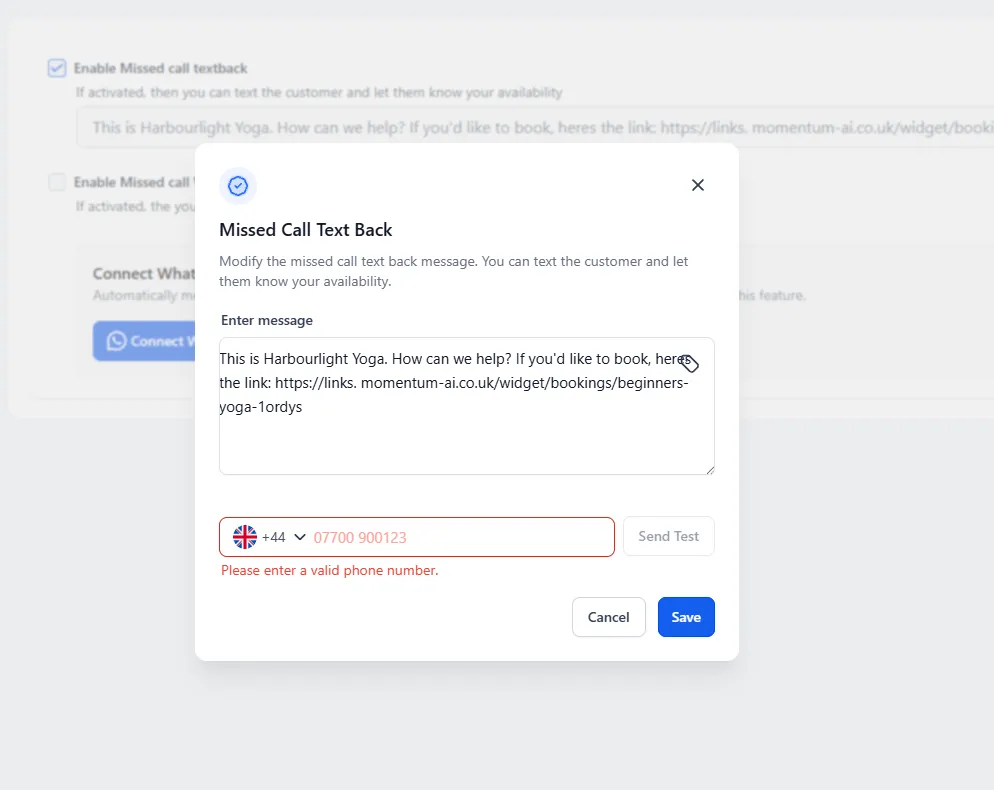
Section titled “3. Test it”Before the live test, you can send the message straight to yourself: put your own number in the field next to Send Test, check how it reads on your phone, then Save.
Then do it for real. Ring your business number from your own phone, let it ring out, and watch:
- The text arrives on your phone within seconds.
- Reply to it, and your reply lands in the unified inbox.
That inbox handoff matters. Once you’ve set up your Conversation AI, it picks up the thread from there and keeps the conversation moving towards a booking. Missed call, to live conversation, to appointment — the system working as one machine.
4. Two small refinements
Section titled “4. Two small refinements”- Out-of-hours wording. If you have set hours, adjust the message for calls that arrive when you’re closed — something like “We’re closed until tomorrow at nine, but you can book any time here.”
- Missed-call notifications. Make sure missed-call notifications are switched on in your mobile app, so you know the call happened even though it was handled.