Train your Conversation AI
Conversation AI answers the messages that arrive when you can’t: the 9pm Instagram DM, the Sunday morning enquiry, the “how much is it?” text while you’re with a client. It answers in seconds, in your tone, with your actual information, and it can carry the conversation all the way to a booking.
This is the longest setup job in the platform — about an hour to do properly. The trade, in plain terms: an hour of teaching, once, in exchange for every enquiry answered instantly, forever.
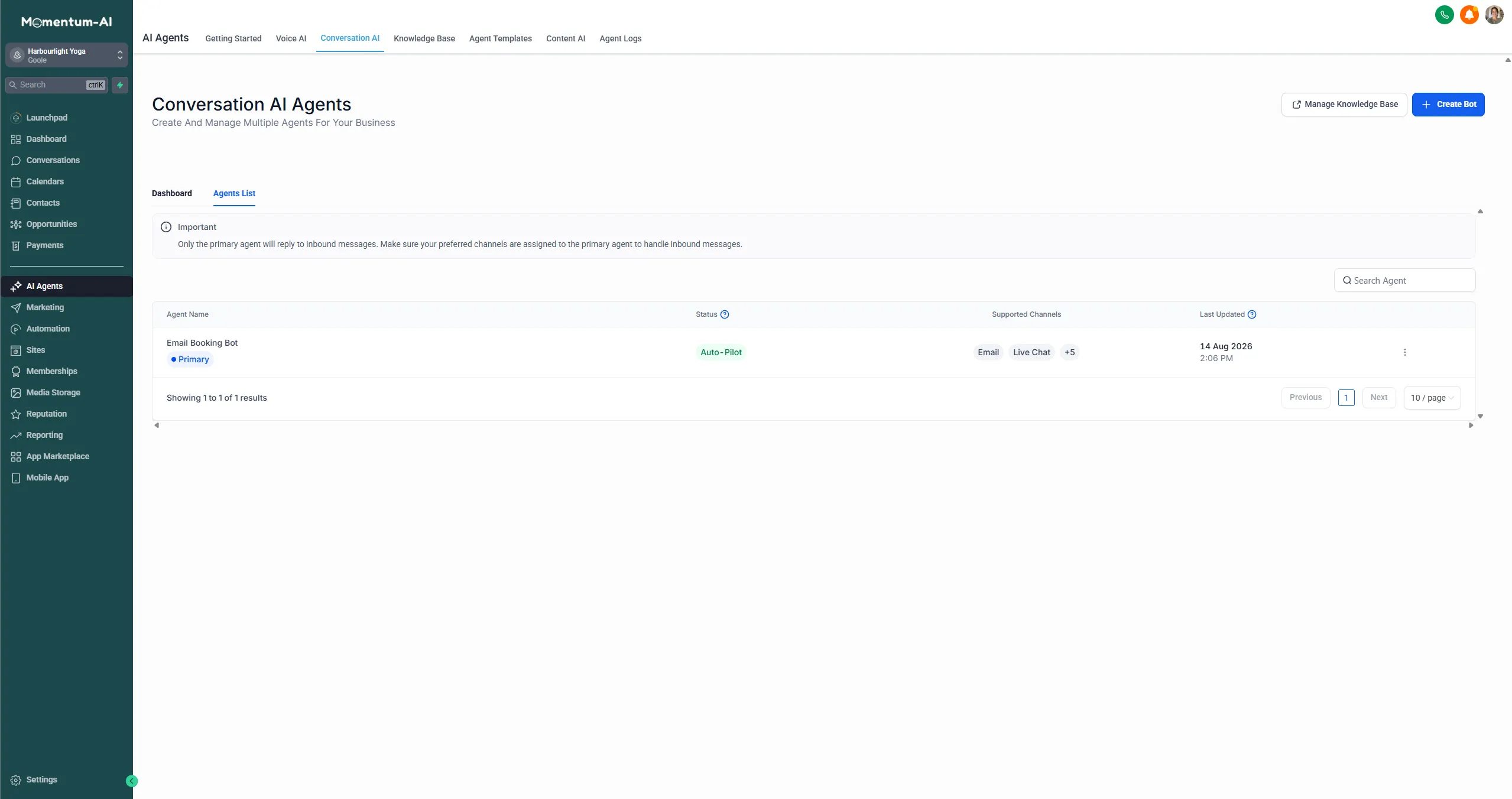
1. Teach it the facts (the knowledge base)
Section titled “1. Teach it the facts (the knowledge base)”Training splits into two halves. The knowledge base holds the facts — what your AI knows. Bot Goals control the behaviour — what it’s allowed to do with those facts. Do the facts first, and remember the quality of this is the whole game: good answers in, good answers out.
Work through it as four lists:
| List | What to include |
|---|---|
| Services | Every service, with real prices. Don’t make the AI vague about money — “How much is it?” is the most common question you’ll ever get, and a straight answer books more appointments than “it depends, call us”. |
| Hours and location | Opening hours, address, and the practical bits people actually ask: parking, what to bring, how to find the door. |
| Policies | Cancellations, refunds, age limits — whatever applies to you. |
| Your voice | Most people skip this. Write three or four phrases the way you actually say them. If you’d never say “We endeavour to accommodate all enquiries,” don’t let your AI say it either. |
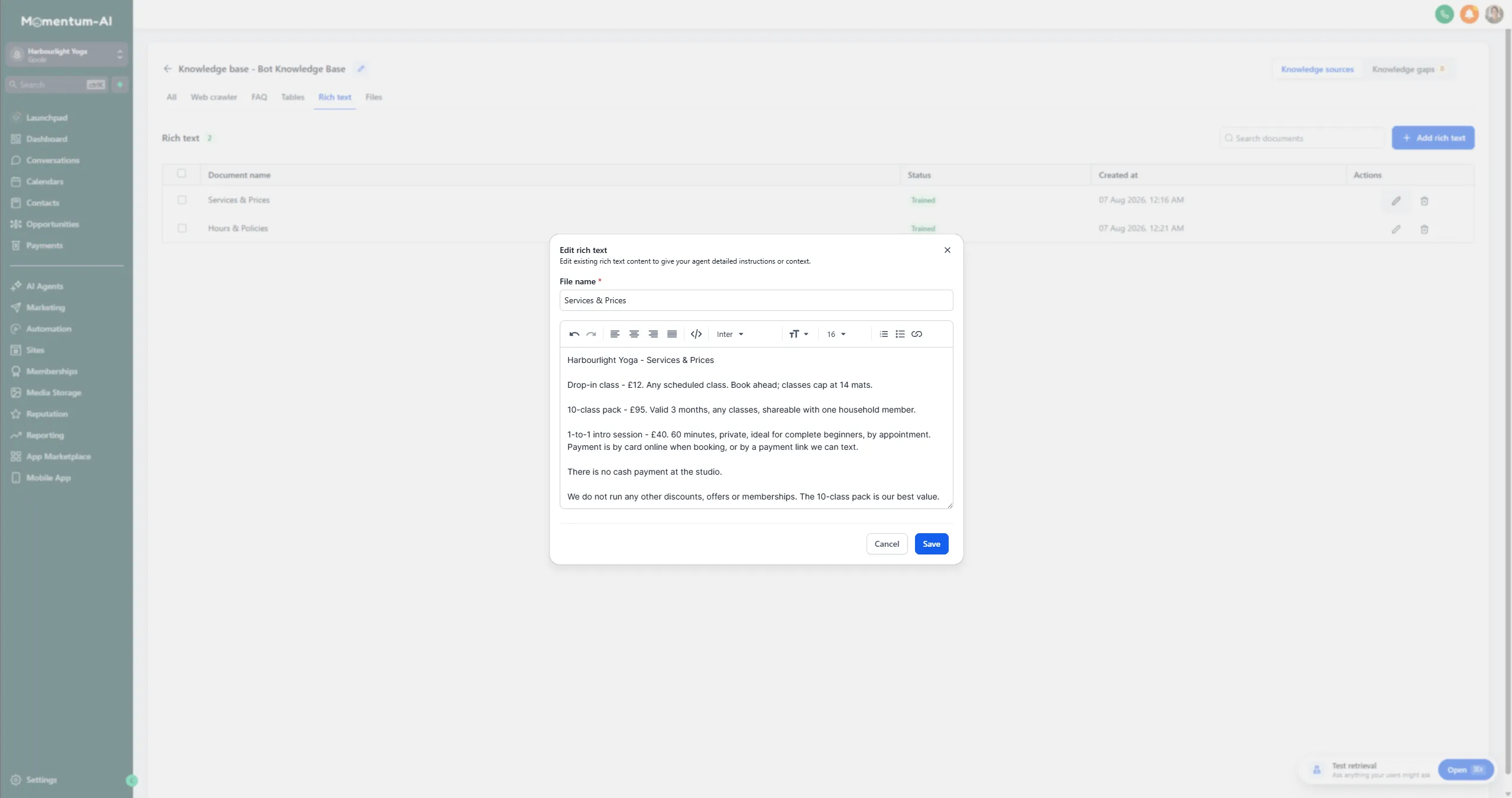
2. Set the behaviour (Bot Goals)
Section titled “2. Set the behaviour (Bot Goals)”Now the guardrails — the AI’s job description. A good starting scope: answer questions, collect the person’s name and number, and offer booking slots. That covers most enquiries cold. (Booking needs one extra switch — see Switch on AI Booking.)
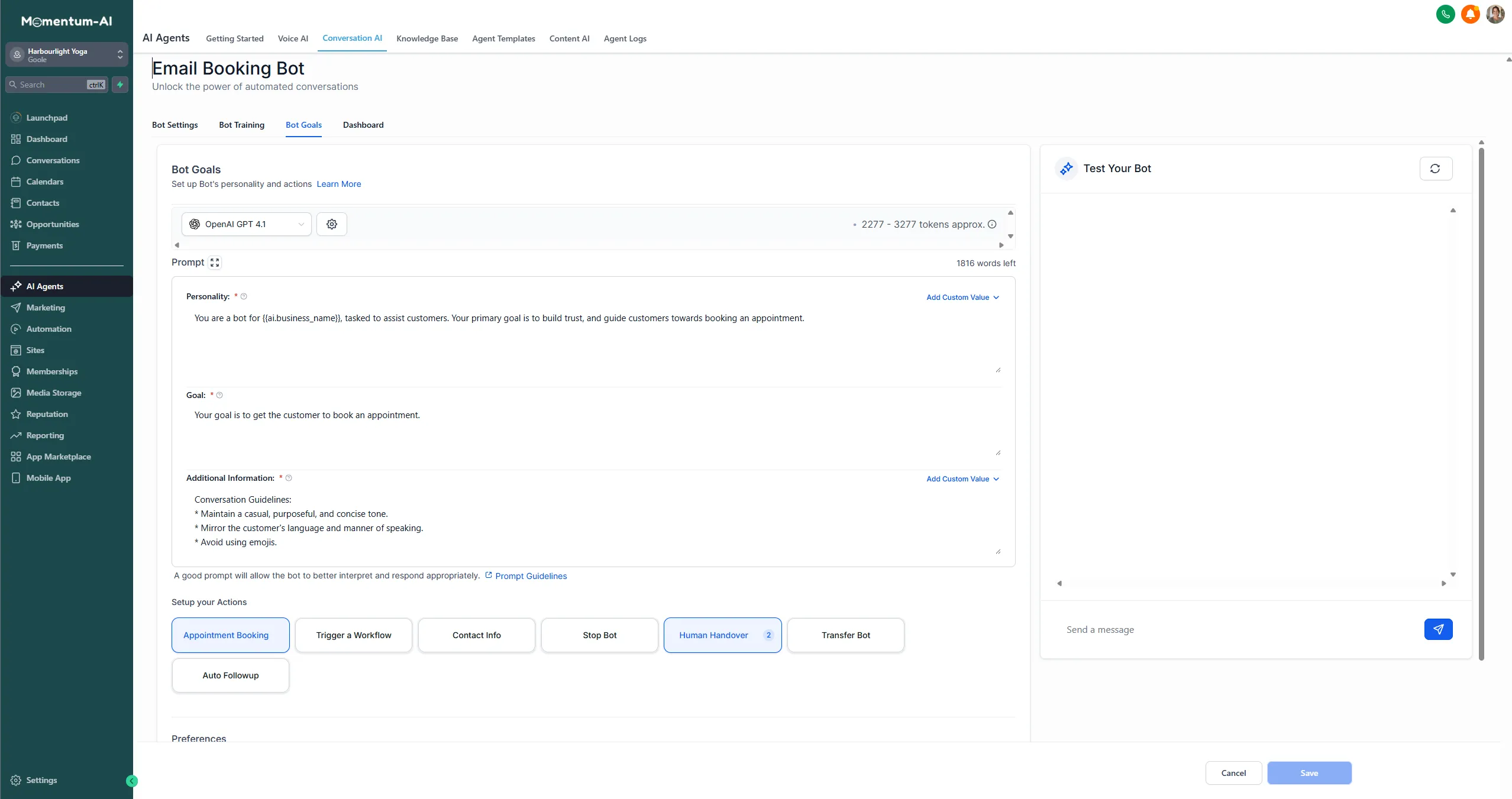
Then set the handoff rule: anything it’s unsure about, any complaint, anything about a specific ongoing situation, it says a human will follow up and flags the conversation for you. You’ll see those flags in your inbox and in the mobile app. A good receptionist knows what’s above their pay grade; so does a well-configured AI.
3. Switch the mode to Auto Pilot

Section titled “3. Switch the mode to Auto Pilot”This is the step people miss. On the Bot Settings tab, the bot’s mode is set to Off out of the box — and Off means everything you’ve just built sits there doing nothing. Switch it to Auto Pilot.
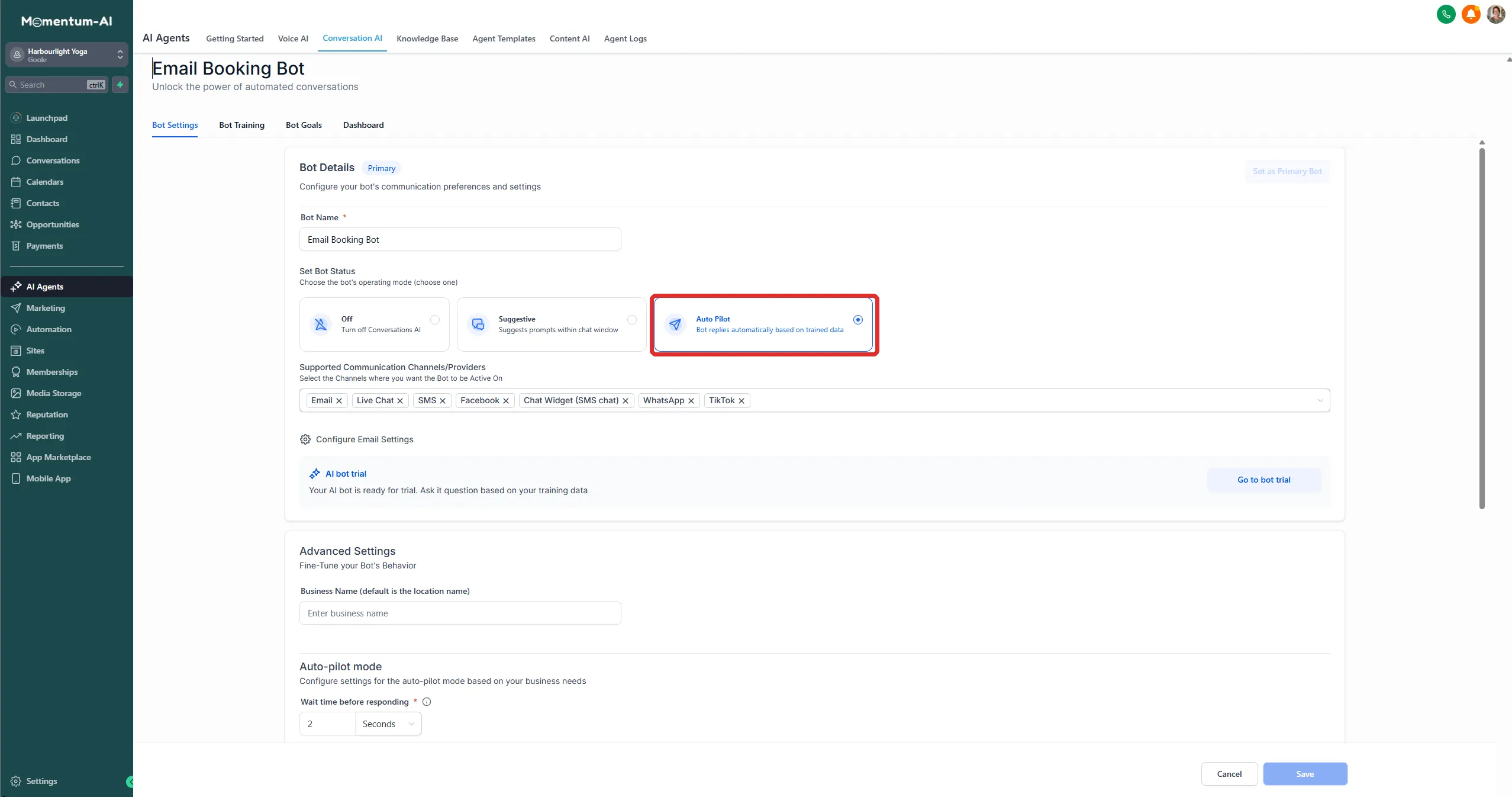
The rest of the settings on that screen are worth a glance while you’re there — the bot’s name, which channels it covers, and how long it waits before replying:
4. Audition it
Section titled “4. Audition it”Message your own business from a personal account — through any connected channel — and interview your new receptionist:
- Ask the price question.
- Ask about a specific day or time.
- Ask something weird and off-script, and watch what it does.
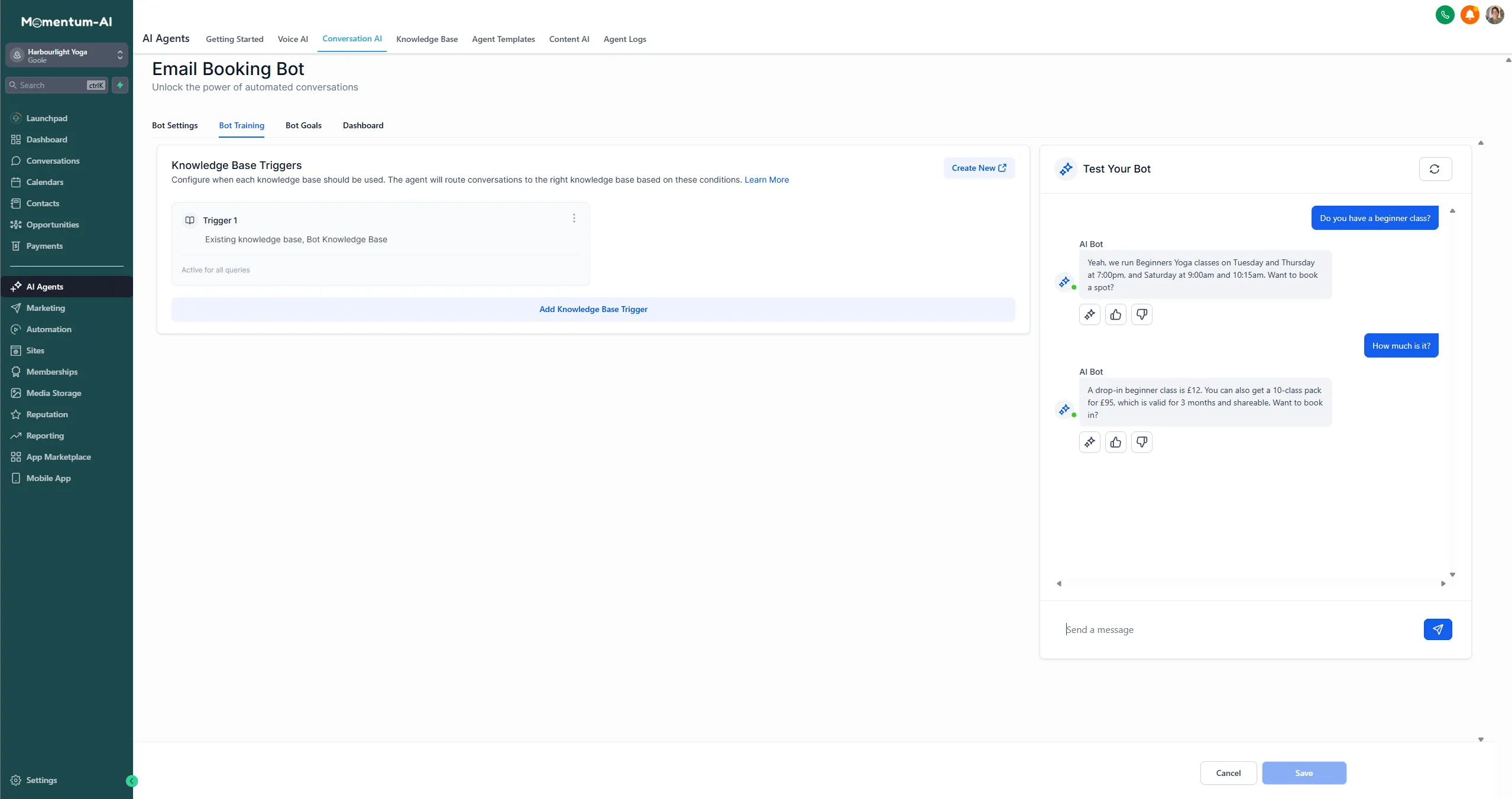
What you want to see is confident answers on the trained material and a graceful handoff on the strange stuff. If an answer is wrong or waffly, go back to the knowledge base and sharpen the source material. Each pass makes it better — your first-week game plan sets the weekend aside for exactly this loop.
Should customers know it’s an AI?
Section titled “Should customers know it’s an AI?”Don’t pretend it’s a person; don’t make a drama of it either. If someone asks directly, it should say so and offer a human. What customers actually care about is a fast, accurate, polite answer — deliver that and nobody’s upset.
For the first few days, check every conversation. You’ll soon find you’re checking less, because it keeps being right — and then one morning there’ll be an appointment in your calendar from an enquiry handled start to finish while you slept.