Switch on AI Booking
Everything so far has been about conversations. This is about the moment a conversation becomes revenue: the booking. An AI that chats nicely is a novelty; an AI that fills your diary is staff.
Here’s what you’re switching on: when someone in any conversation — DM, text, missed-call reply, web chat — is ready to book, your AI offers them real slots from your real calendar, they pick one, and it’s booked. Confirmation sent, reminders scheduled, no “I’ll check and get back to you.”
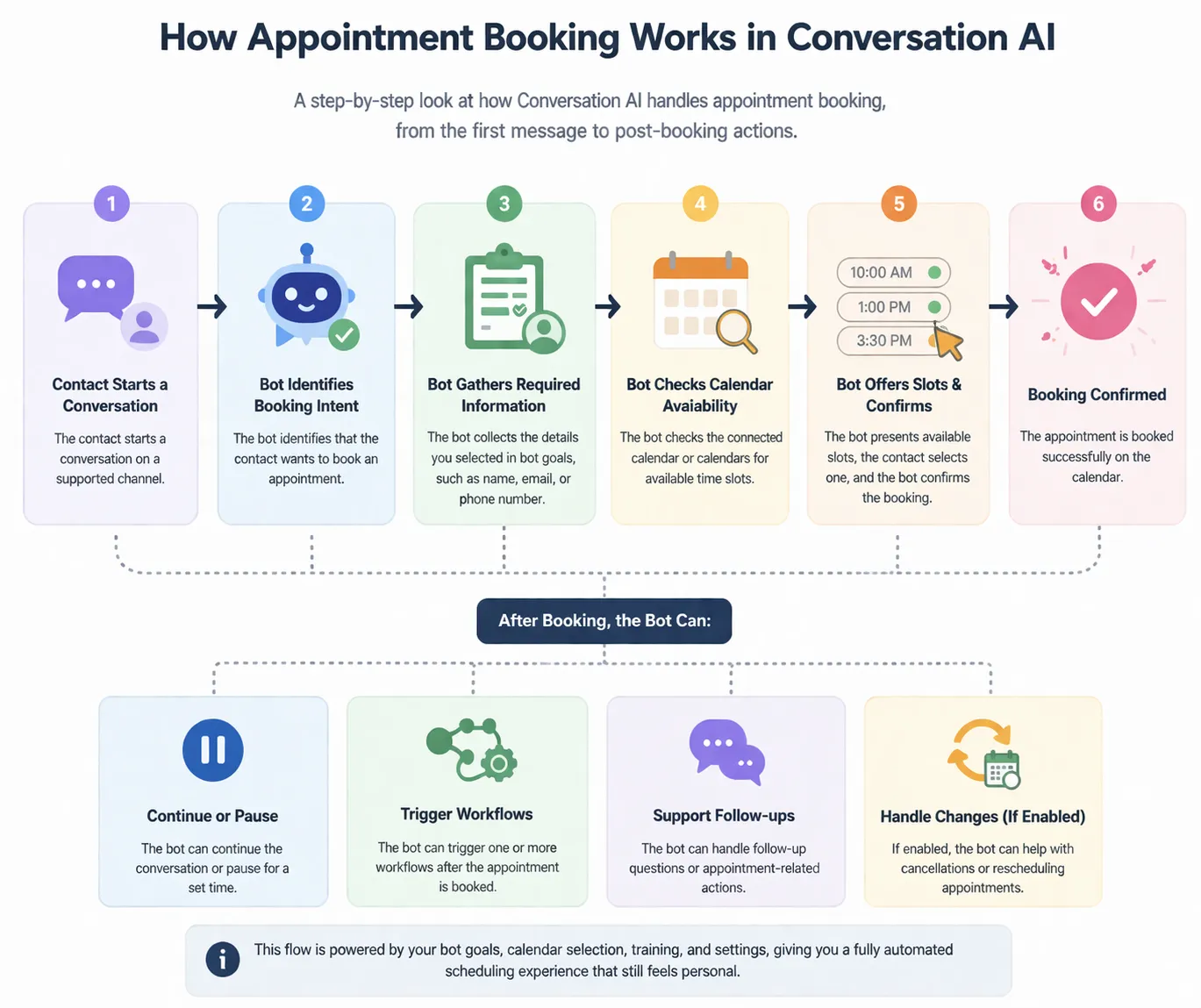
1. Give it a calendar worth booking into
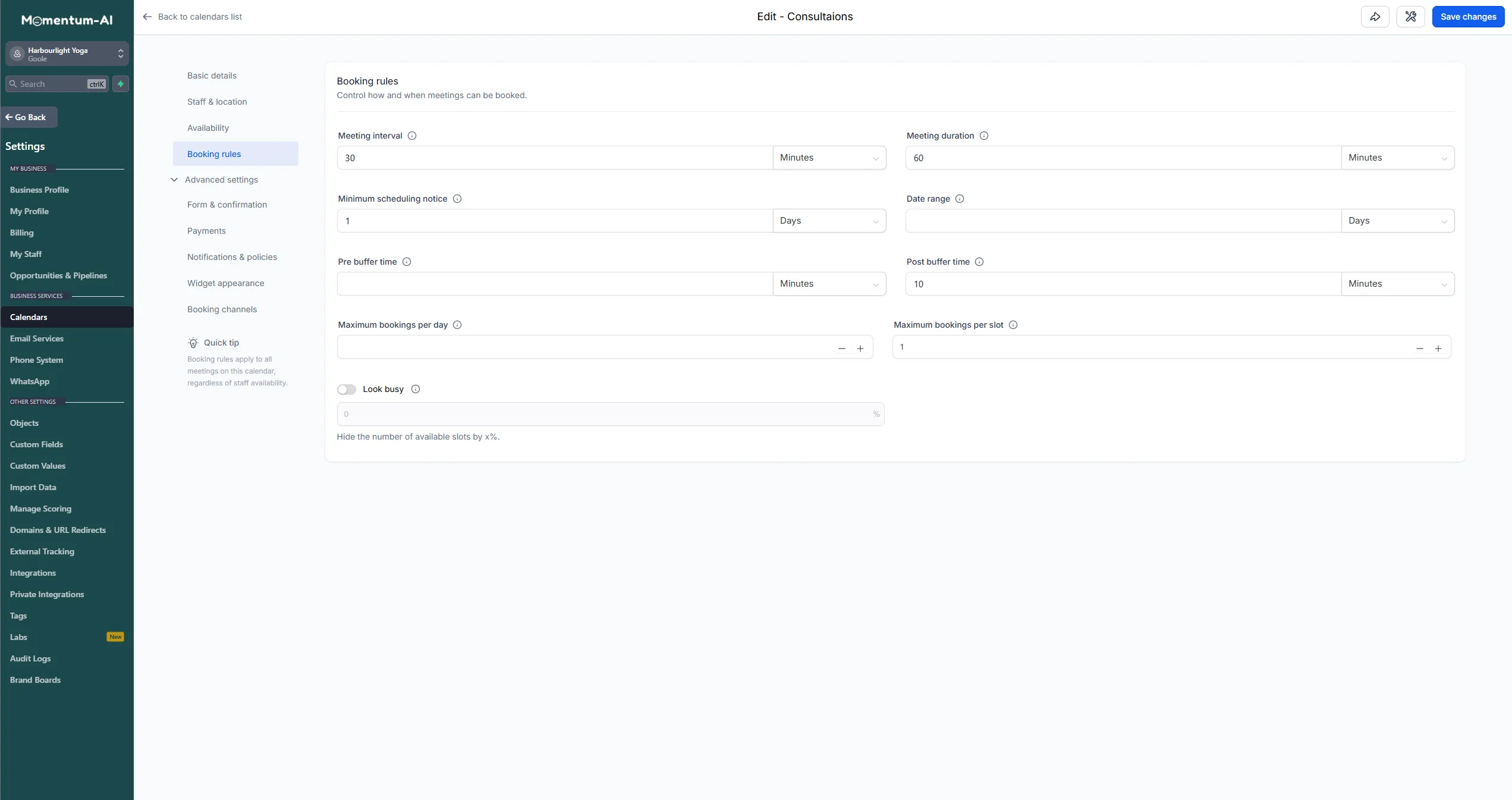
Section titled “1. Give it a calendar worth booking into”For this to work, the AI needs a properly set-up calendar. Do the minimum viable version now — the full detail is in Calendars and appointments. Go to Calendars and check three settings:
- The appointment itself — what the service is and how long it takes.
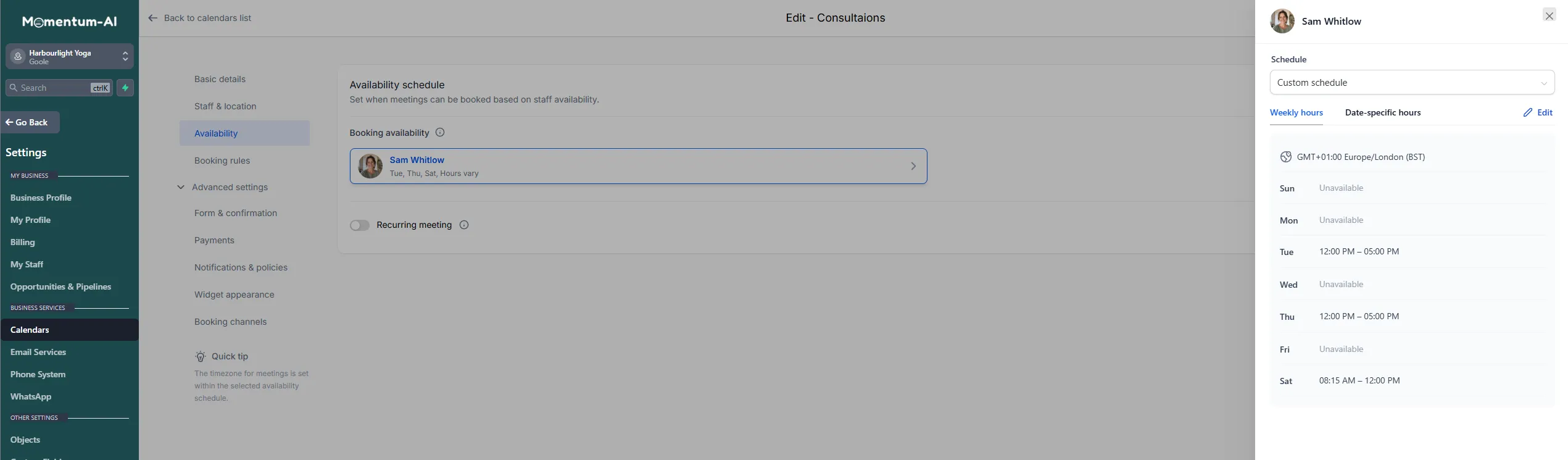
- Your availability — when you’re bookable. Be honest here: protect your admin time rather than offering every waking hour.
- A buffer — the gap between appointments, if you need turnaround time.
The availability schedule is where your honest hours live — set them per day, and leave the days you don’t work unavailable:
2. Tell the AI it’s allowed to book
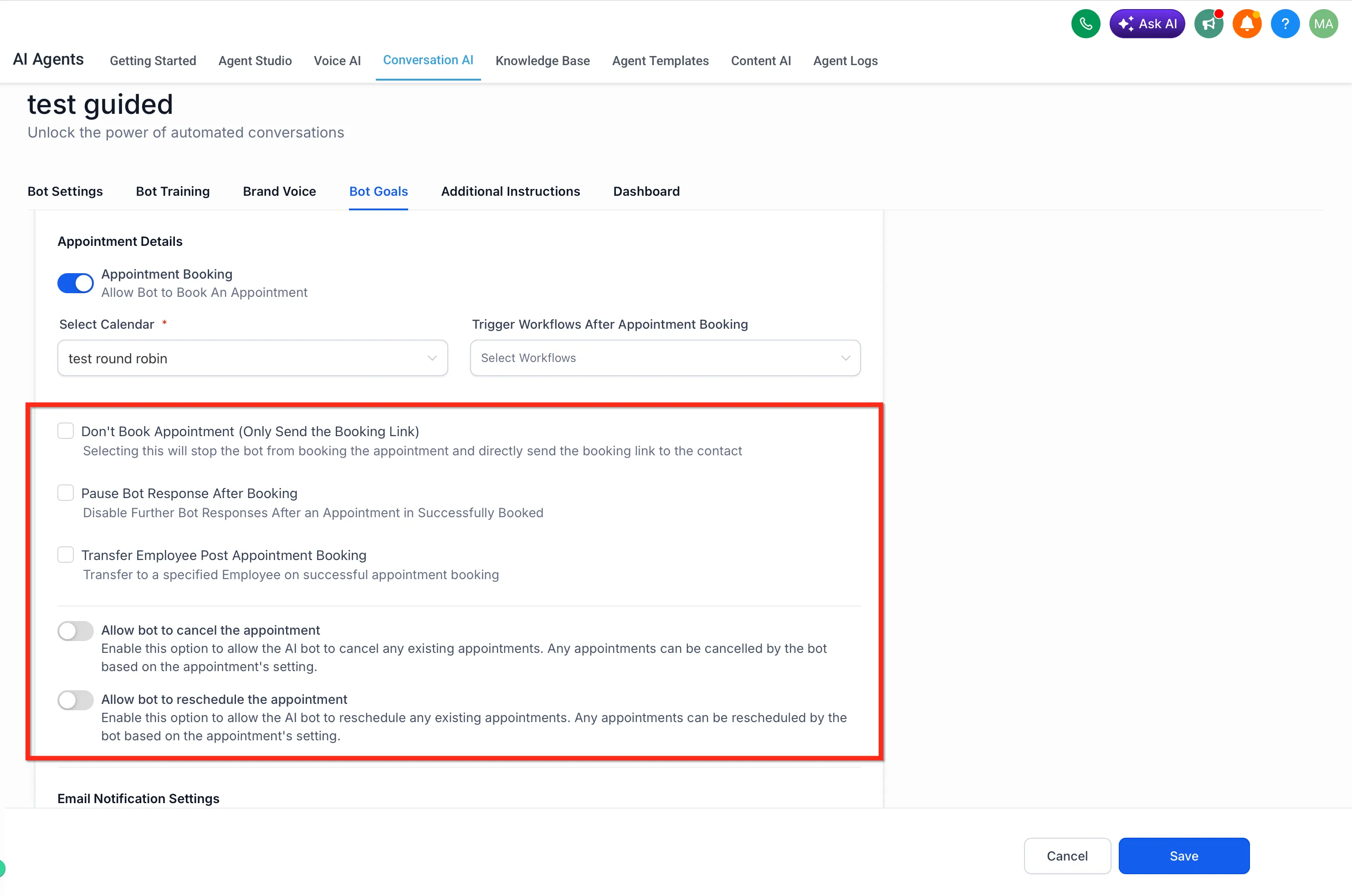
Section titled “2. Tell the AI it’s allowed to book”In your AI settings, enable booking and link the calendar it should use. That’s the whole connection — your Conversation AI can now offer and confirm slots.
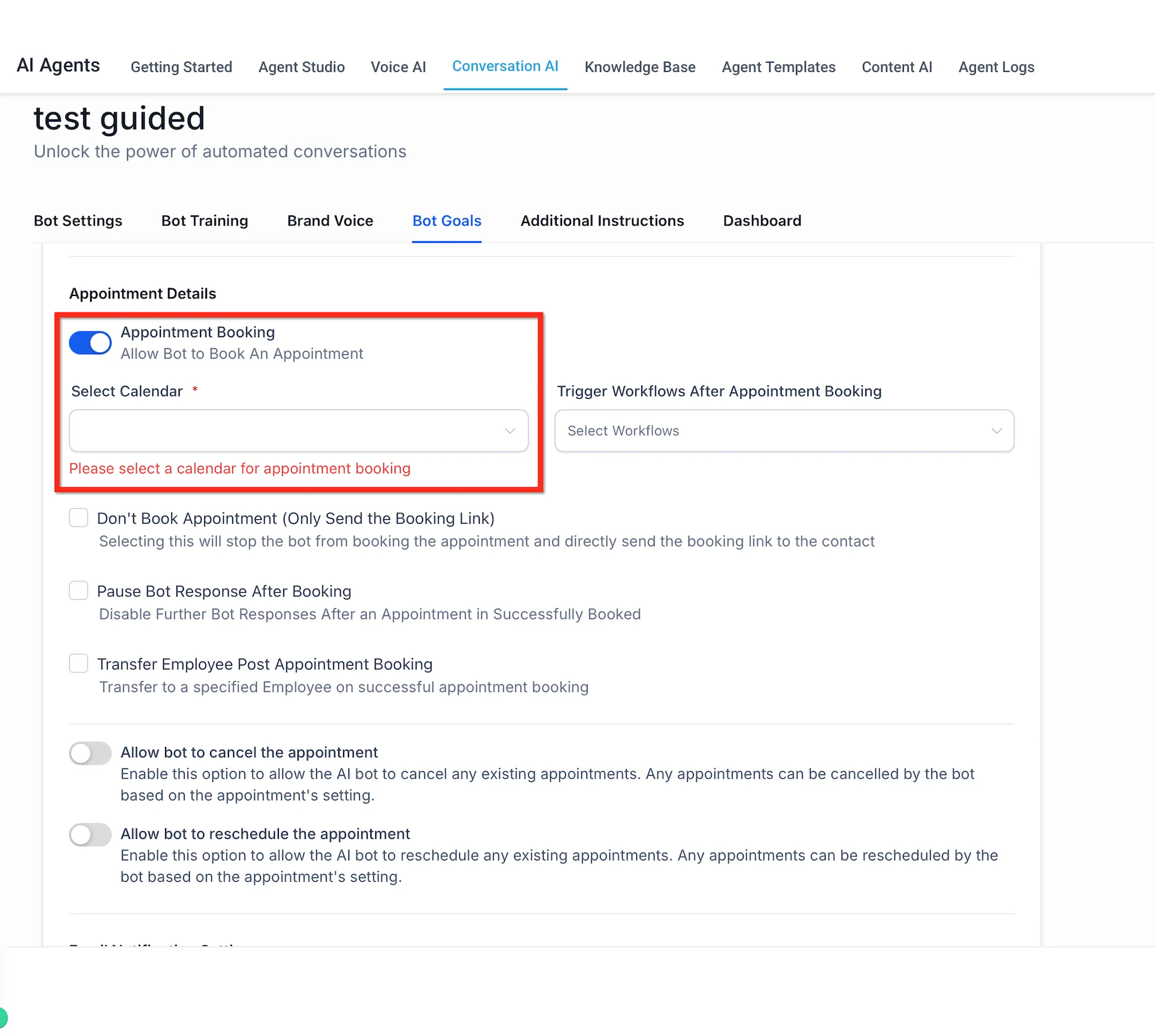
The same screen holds the post-booking options — whether the AI only sends a booking link, pauses after a booking, or is allowed to cancel and reschedule:
3. Test the full journey
Section titled “3. Test the full journey”This is the one to see with your own eyes. From a personal account:
- Message your business: “Have you got anything Saturday?”
- Watch the AI offer real slots.
- Pick one.
- Look at your calendar — there it is.
- Look at your contacts — the person’s in there, tagged with where they came from.
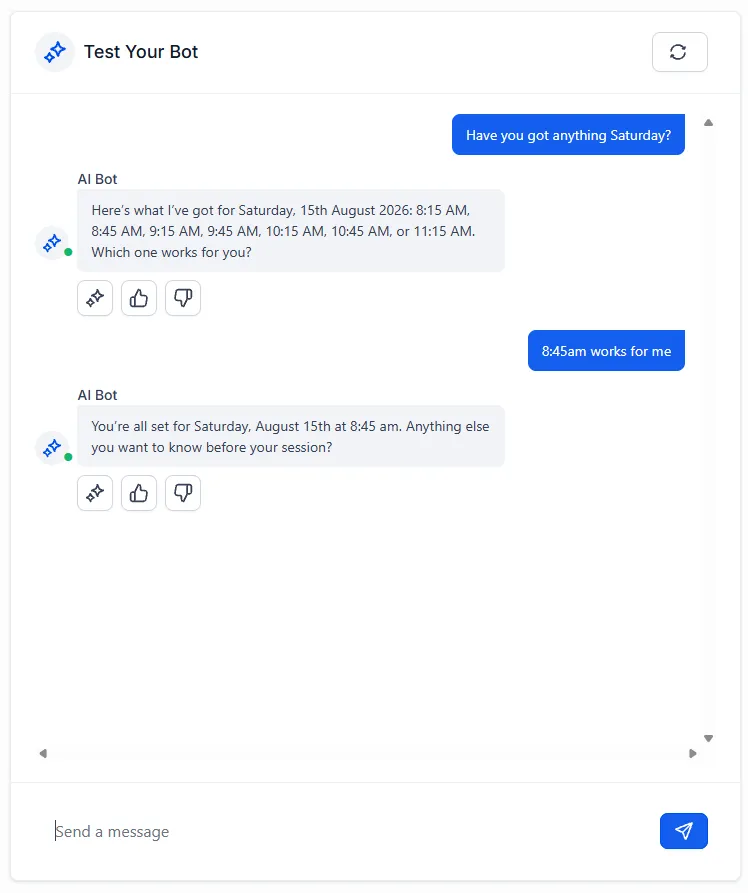
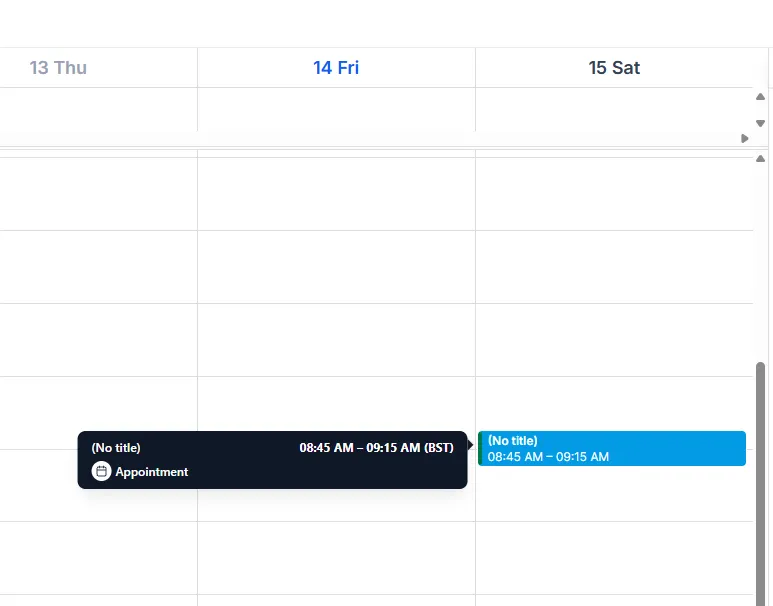
That whole chain, from a social media message to a diary entry, just ran without you.
4. Check the reminder sequence
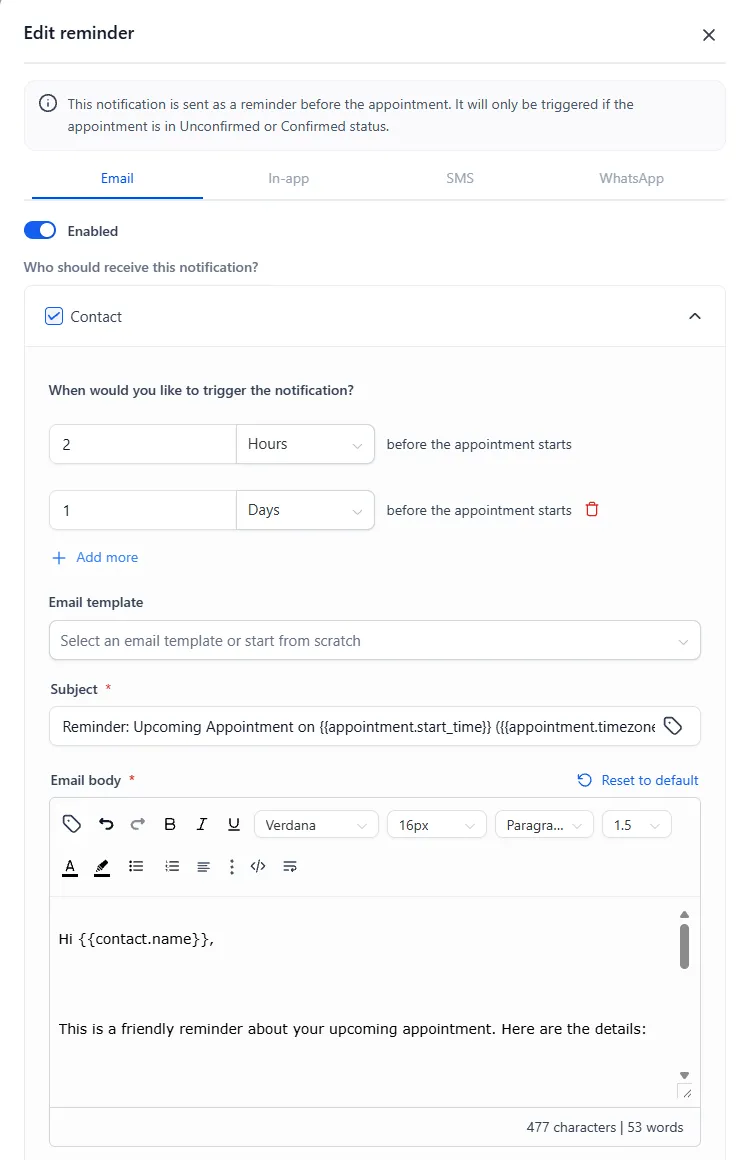
Section titled “4. Check the reminder sequence”Now the unglamorous feature that might matter most. Every booking automatically gets a reminder sequence, because the silent killer of service businesses isn’t empty diaries — it’s no-shows. People aren’t rude, they’re forgetful.
The rhythm that works:
| Message | When | Why |
|---|---|---|
| Confirmation | Immediately | Proves the booking happened |
| Reminder | The day before | Puts it back in their head |
| Final reminder | A couple of hours out | The no-show killer: close enough to be un-forgettable, with enough notice that a genuine cancellation frees a slot you can still fill |
Check the sequence is switched on and the wording sounds like you. The defaults are sensible, and you can tune them properly when you set up your calendars in full.
Two members of your AI team left, and they work a different shift: one does your writing, and one builds your reputation.