Use Content AI
What’s the marketing job you put off the most? For nearly everyone, it’s some version of the same answer: the writing. The email you’ve been meaning to send. The posts you know you should be doing. The reply to that review that’s been sitting there a week.
It’s not laziness — the blank page is the highest-friction object in marketing. Content AI exists to delete it.
The principle: you never start from nothing again. You start from a draft, and editing a draft is maybe a fifth of the effort of writing from scratch. You stay the editor, the taste, the final say. It does the typing.
Drafting an email
Section titled “Drafting an email”Start from any text block in the email builder — the Content AI button sits just above the editing area.
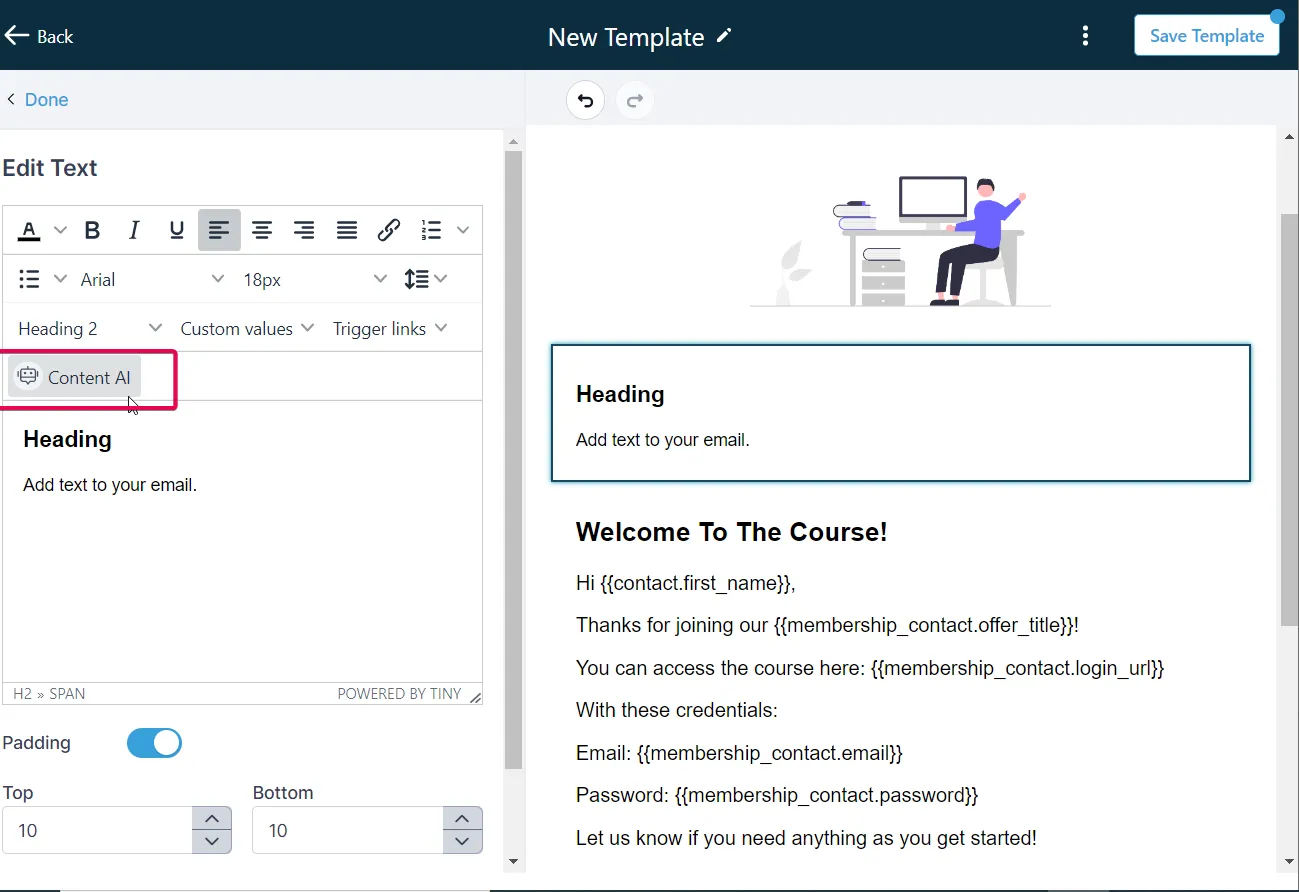
Tell Content AI three things: what the email’s for, who it’s to, and the tone. For example: “Email to existing clients about the new Saturday morning class, friendly, short.” The context menu gives it the job — promotional, introduction, newsletter and so on.
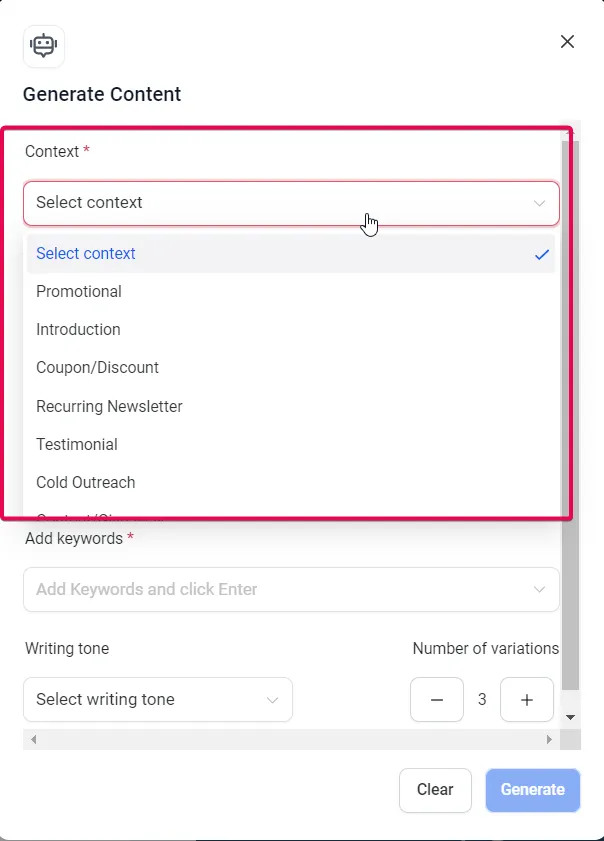
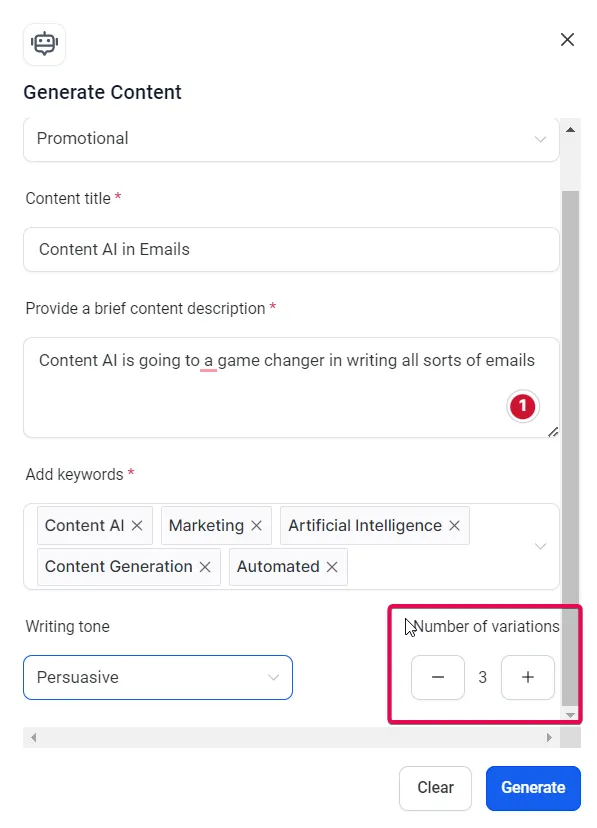
While you’re briefing it, ask for two or three variations — choosing between takes is quicker than perfecting one.
The draft appears in seconds, and it’s genuinely decent: clear subject, gets to the point, ends with something to do.
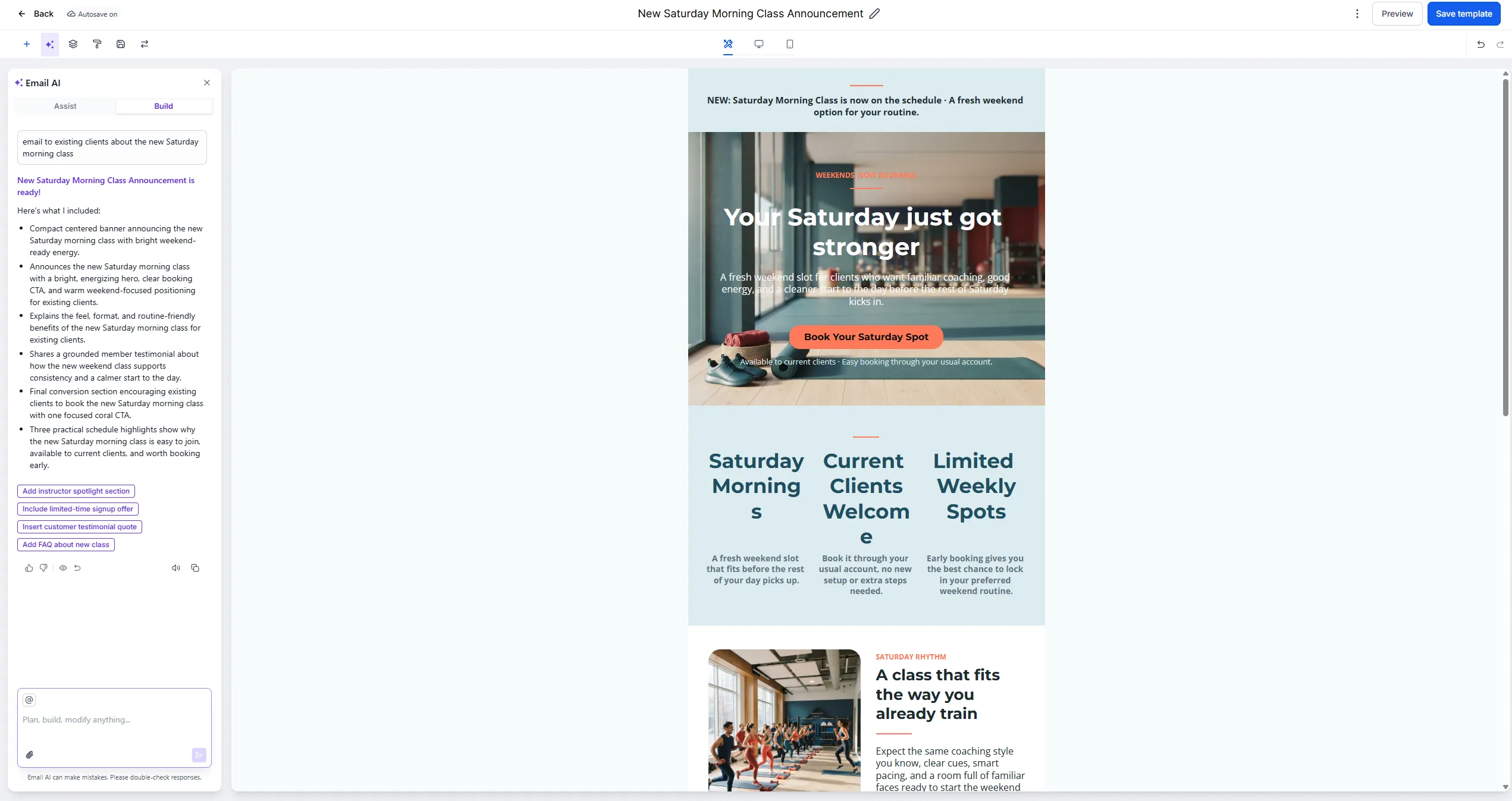
Now the important part: don’t send it as-is. Read it, change any phrase that isn’t how you’d say it, then send. That’s the workflow, every time: brief it, read it, make it yours, send. Two minutes instead of forty. When it’s ready, send it through email and SMS broadcasts.
Drafting social posts
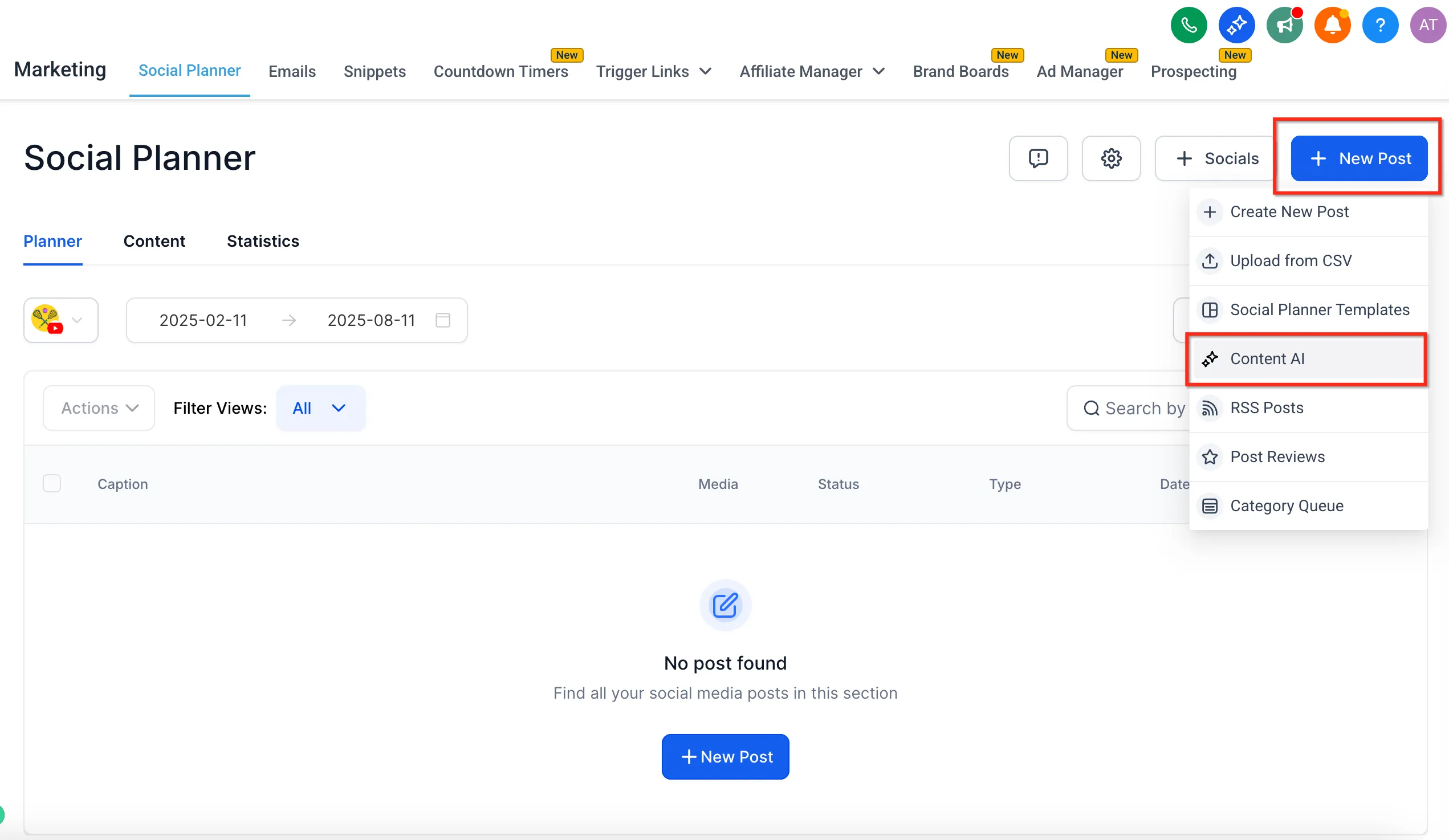
Section titled “Drafting social posts”For social, start from New Post in the Social Planner and pick Content AI.
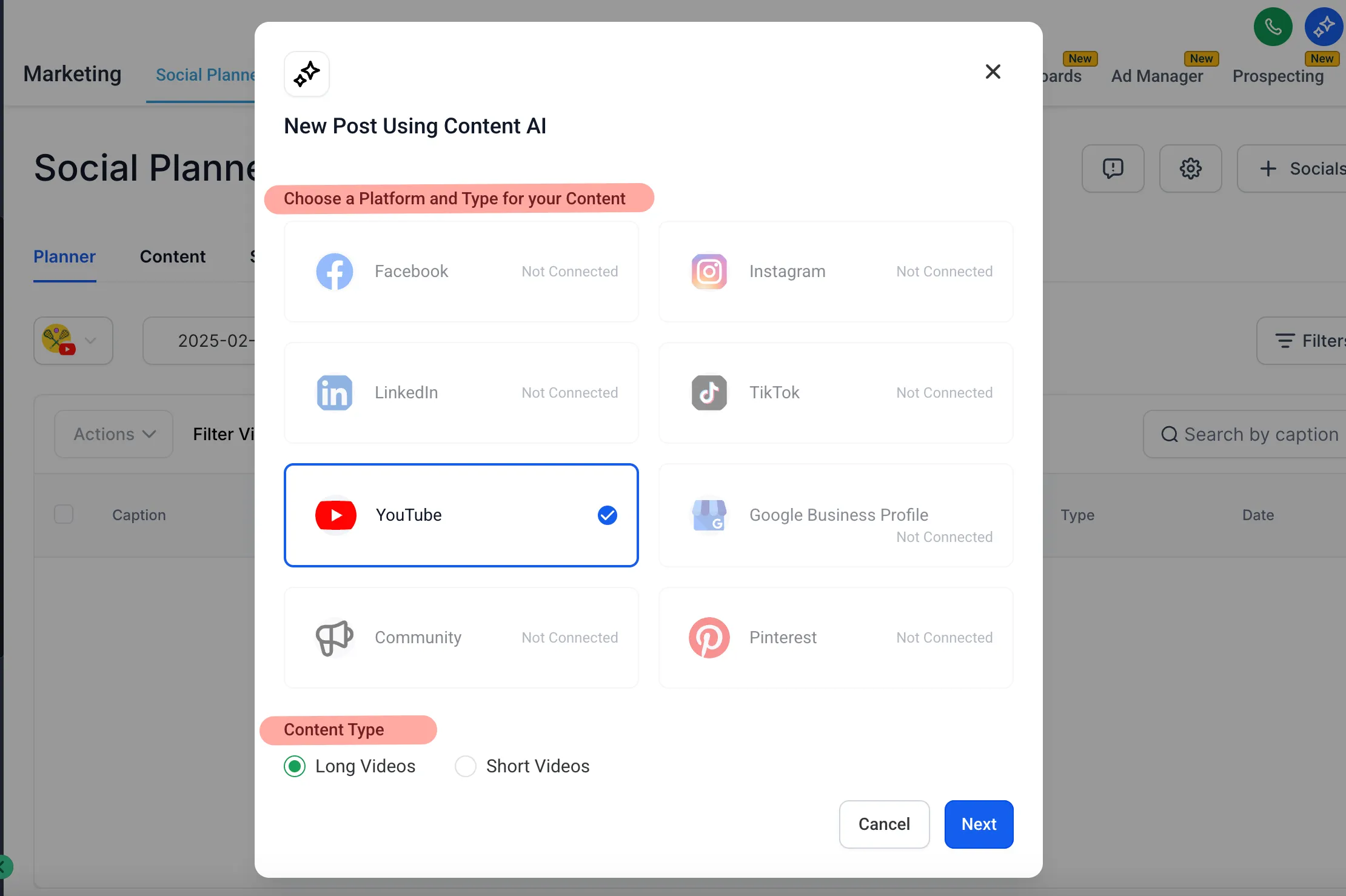
You choose the platform and post type first, so the copy comes out shaped for where it’s going.
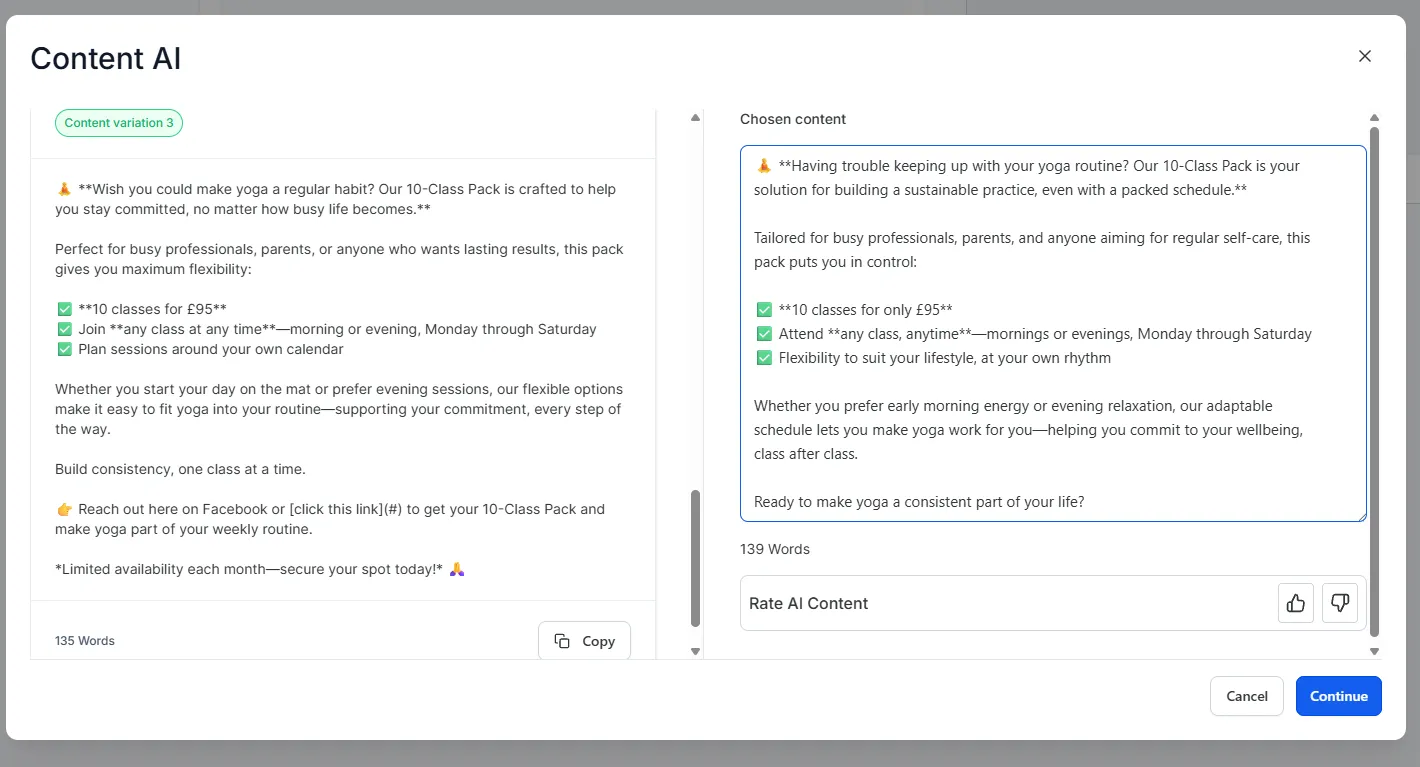
Same brief works for social — “announce the Saturday class” — and it drafts the post. Don’t like the angle? Ask for another take. Three variations in the time it used to take to type one opening line.
Where this stops being individual posts and becomes an actual content system is the Social Planner, where you can draft, schedule and publish across your channels in one sitting.
Drafting review replies
Section titled “Drafting review replies”Our favourite quiet use. Every review deserves a response — good ones included — and this is the job that always slides. The AI drafts a reply that actually references what the customer said. Tweak a line, post it, done.

And for the bad review, the one you’d write three angry drafts of at midnight? It gives you the calm, professional version first, which is worth more than it sounds.
Two habits that make the difference
Section titled “Two habits that make the difference”-
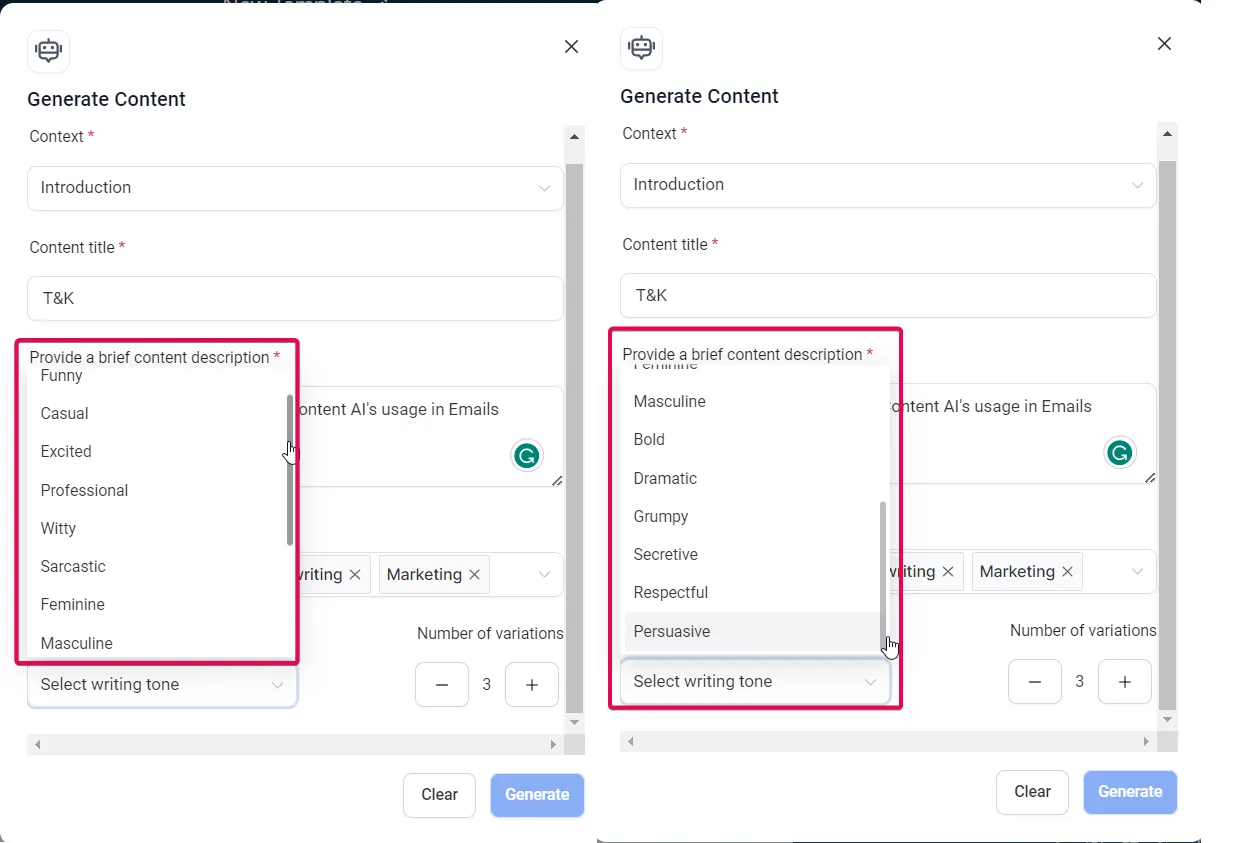
Brief it like a person. “Write a post” gets you mush. “Write a short post for busy mums about the new nine-fifteen class, warm but not gushing” gets you something usable. The quality of the draft tracks the quality of the brief — and the writing-tone picker does the “warm but not gushing” part for you.
-
Always edit. Not because the drafts are bad, but because the ten percent you change is where your voice lives — and your voice is the thing customers actually connect with. The tool does volume; you do truth.
One member of the team left: the one who builds your reputation while you work.