Forms and funnels
Your AI team handles the people who message you. Forms and landing pages catch the people who don’t: the website visitor, the ad clicker, the person holding your flyer. They’re doors — and however someone comes through one, they land in the same contact list, the same inbox, the same pipeline.
Build your enquiry form
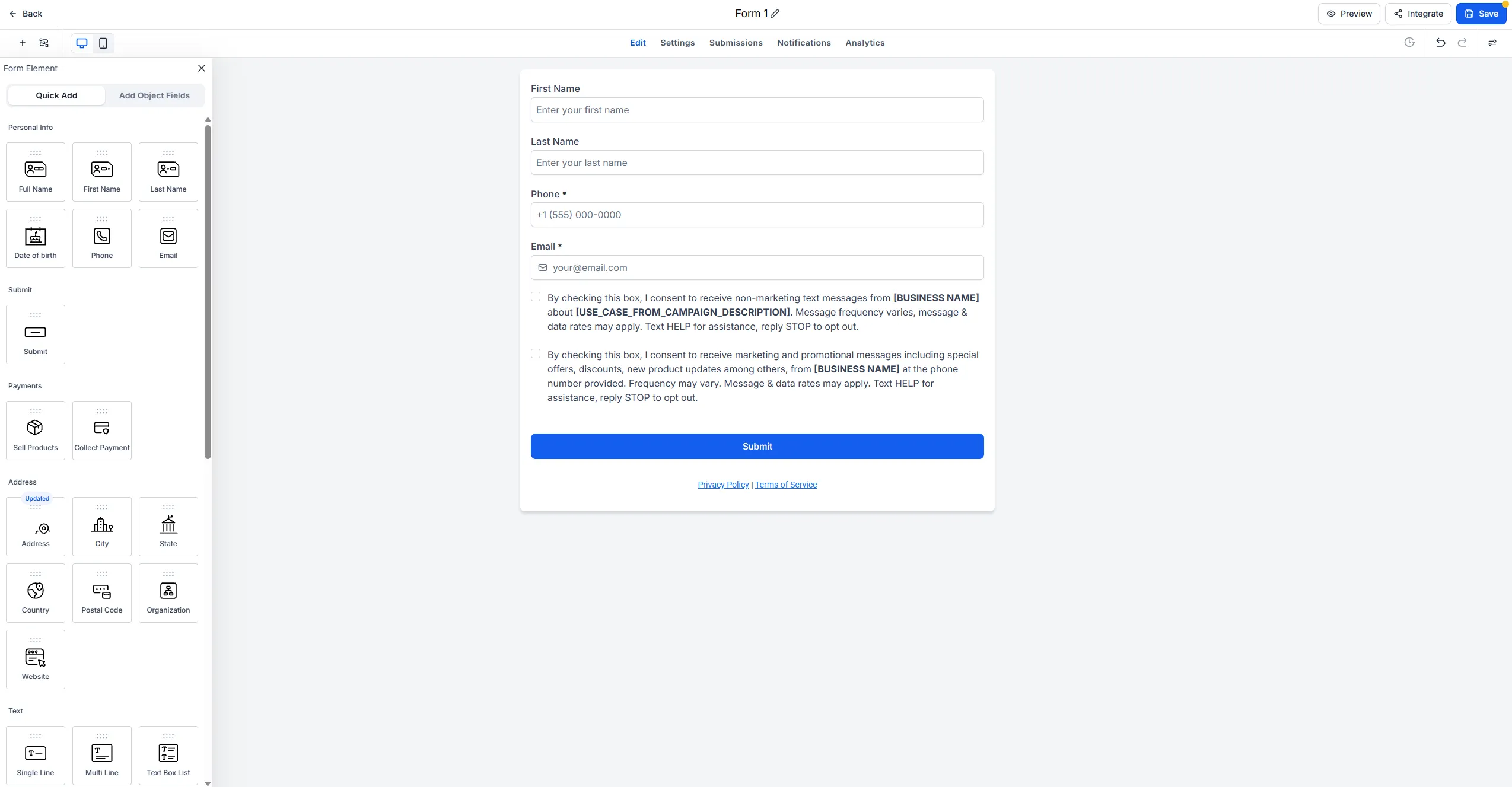
Section titled “Build your enquiry form”You’re not starting from a blank canvas. Open the form builder and click create, and a working starter form is already sitting there: first name, last name, phone, email, two consent checkboxes and a submit button. Most of your job is editing, not building.
1. Fill in the consent placeholders
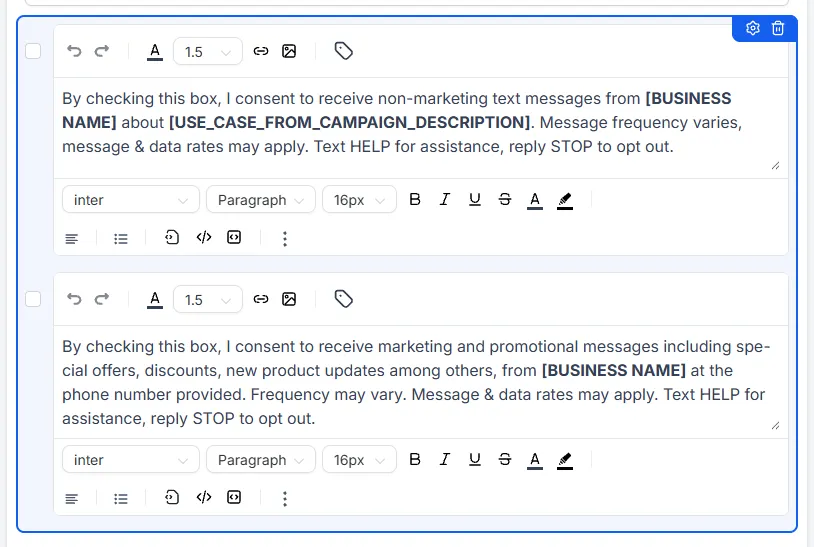
Section titled “1. Fill in the consent placeholders”The consent text contains placeholders in square brackets: your business name, and what you’ll be messaging people about. Fill both in, in plain English — your business name as customers know it, and something honest like “your enquiry and your bookings” for the first box, offers and news for the second.
2. Trim the fields
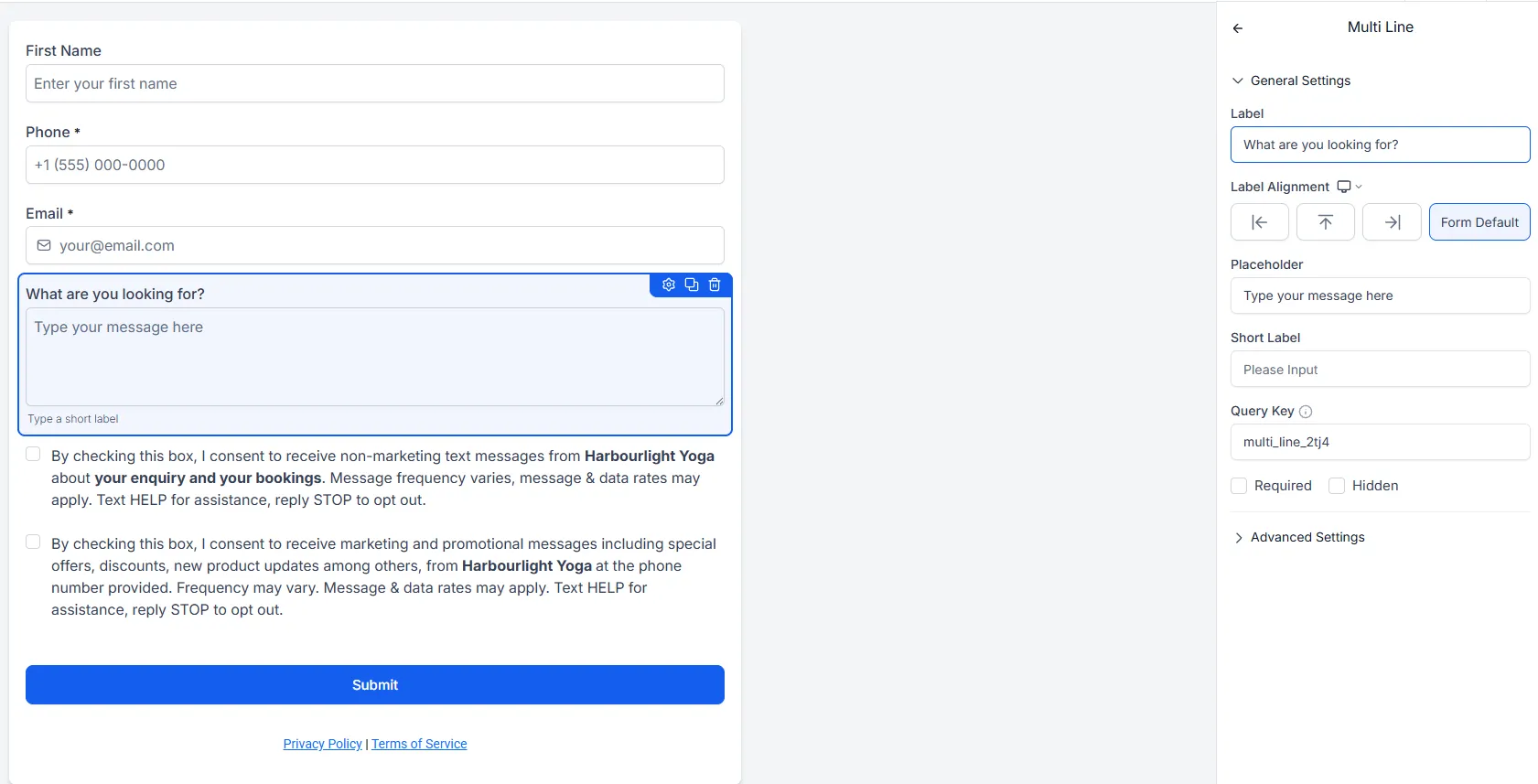
Section titled “2. Trim the fields”Add one open question — “What are you looking for?” — then be ruthless about everything else. Phone and email are doing real work; last name, if you don’t need it, take it off.
Skip the address, the date of birth, the “how did you hear about us” with twelve options. Every extra field costs you finished submissions. Ask for the minimum you need to start a conversation, and let the conversation do the rest.
3. Embed it on your website
Section titled “3. Embed it on your website”Copy the embed snippet and paste it into your website — WordPress, Squarespace, Wix, Shopify, whatever you use. If someone else looks after your site, forwarding them the snippet is a perfectly good way to do this step.
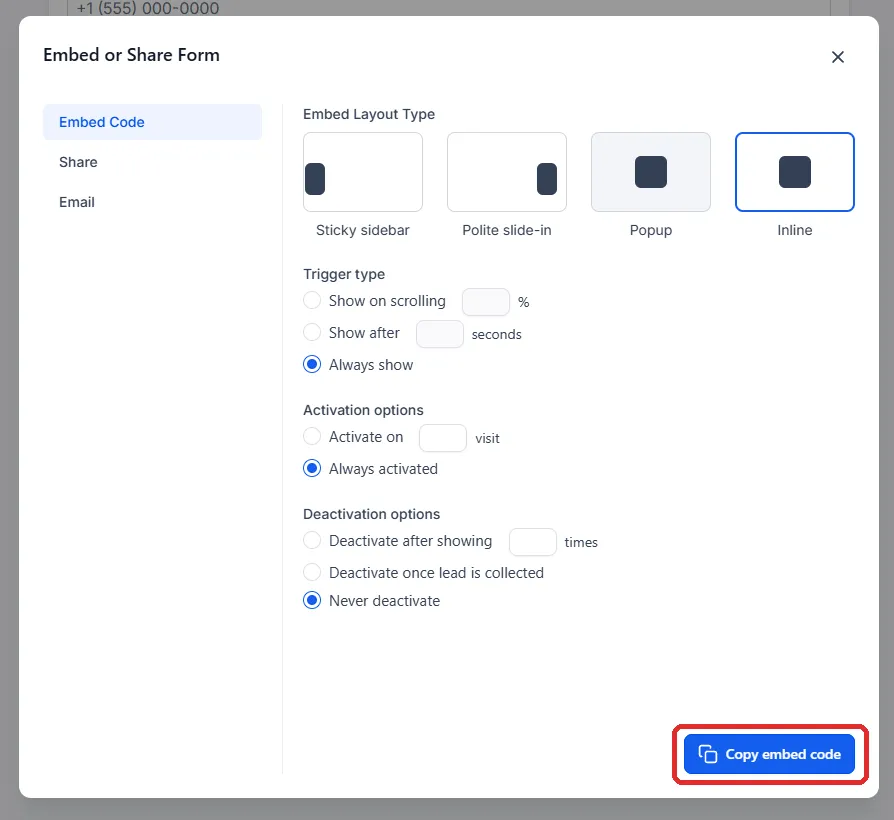
Once embedded, submissions stop being emails you might see and start being contacts in your system, with their source recorded.
Build a landing page
Section titled “Build a landing page”A landing page is for when you need a page with one job. Your website is a brochure; a landing page does one thing — one offer, one form, no menu to wander off into. Use them for ads, a specific promotion, anywhere you want people to arrive, read and act.
-
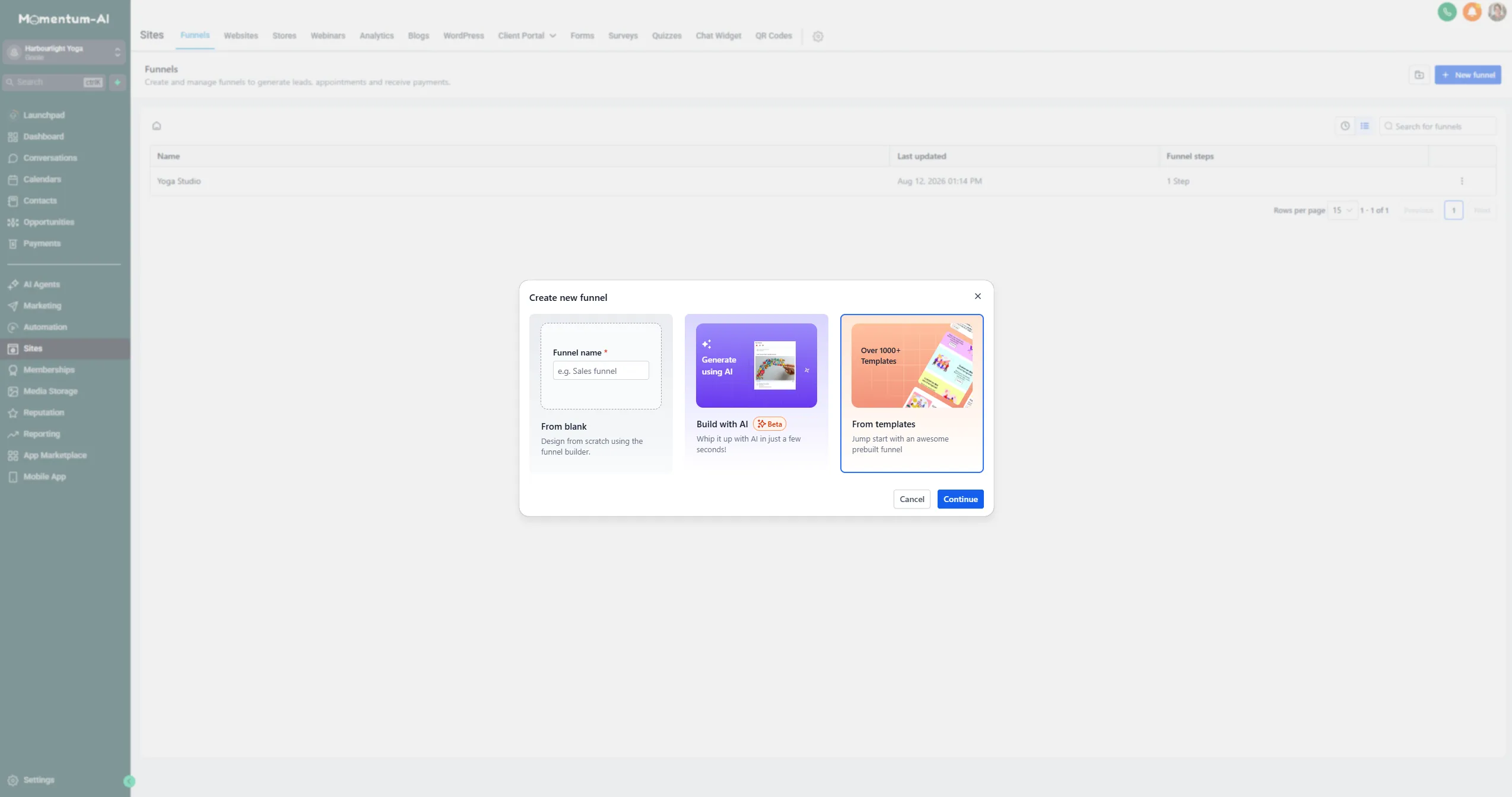
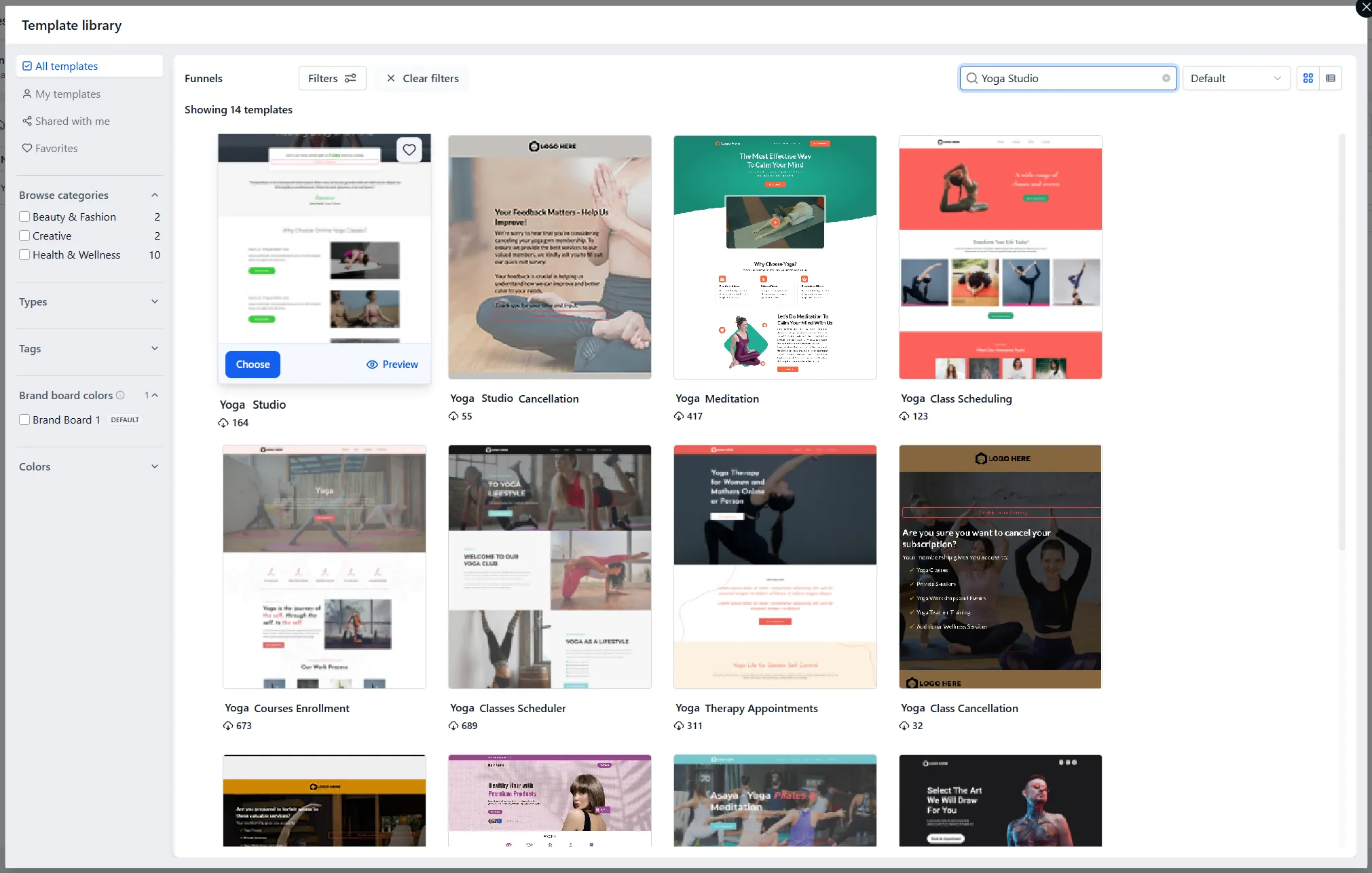
Go to Funnels, create a new one, and pick a layout from the template library that’s roughly the shape you want.
-
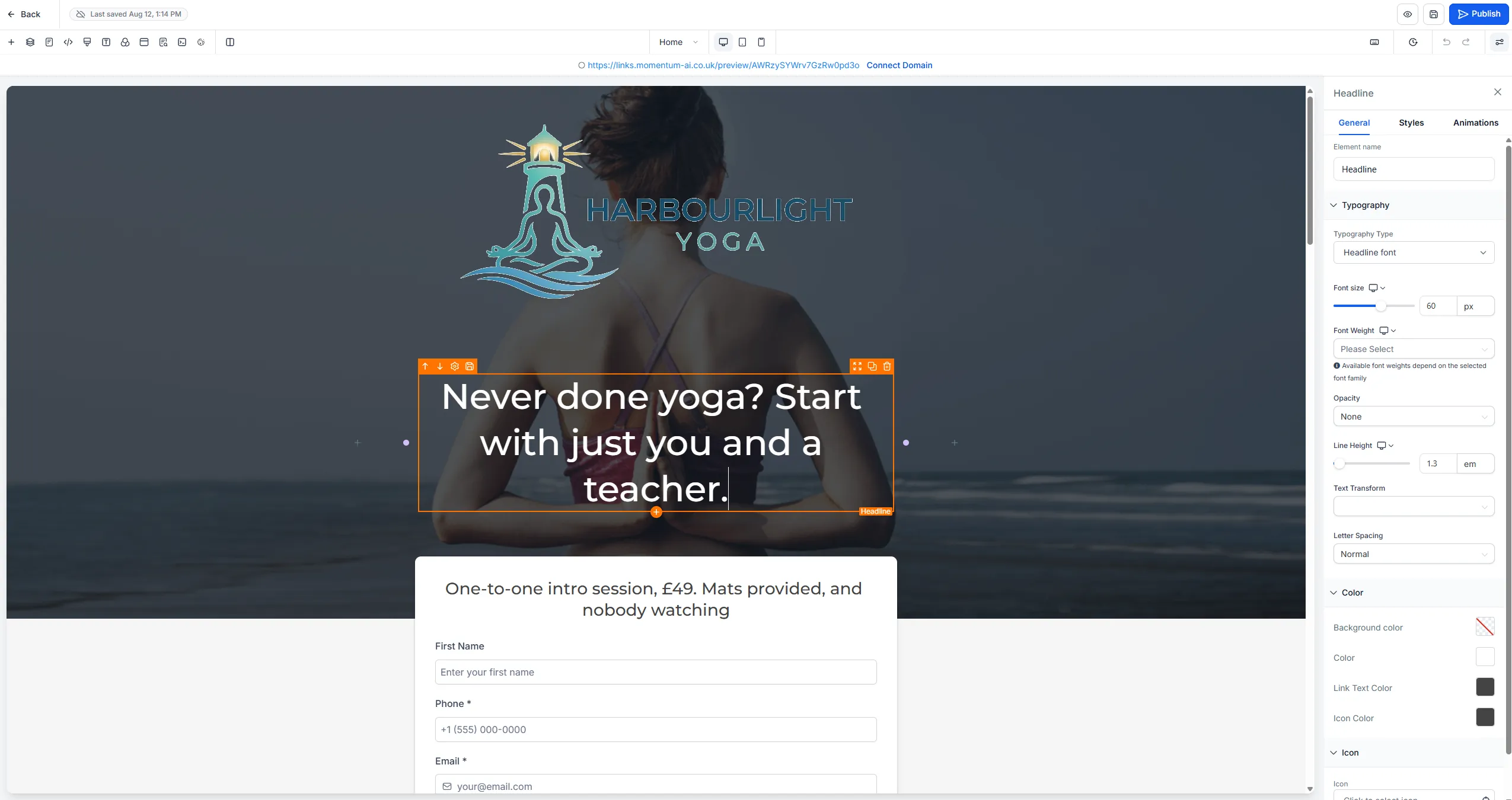
Swap the headline for your own, in the language your customers use — not industry-speak.
-
Swap the stock images for real photos of your business.
-
Make the offer specific. A concrete offer with a price beats “Contact us to learn more” in every test anyone has ever run.
-
Add your enquiry form, then publish. It’s live on your link.
Turn any page into a QR code
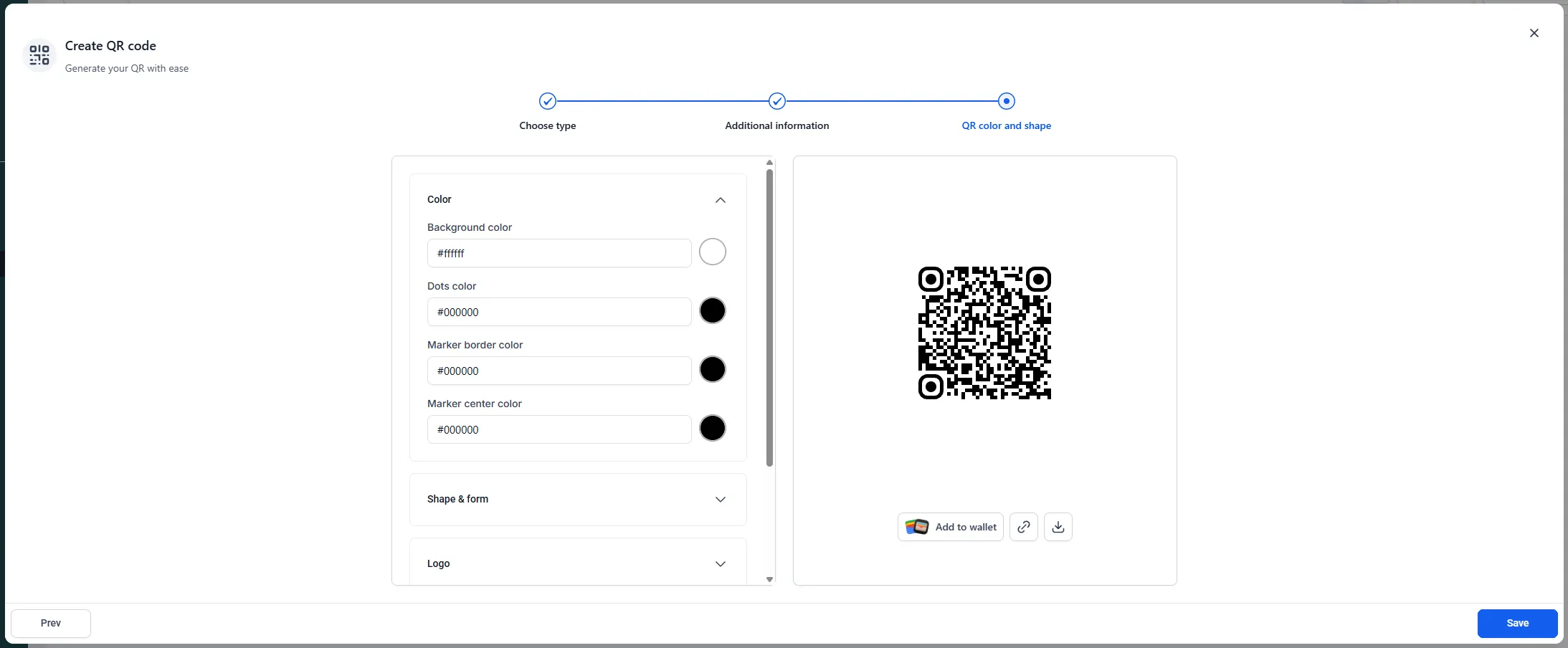
Section titled “Turn any page into a QR code”Any page or form can become a QR code, generated right in the platform. Print it on the flyer, the window sticker, the counter card, the back of the van. Someone points a camera, fills in three fields, and they’re in your contact list instead of on a scrap of paper by the till.
Start with two doors
Section titled “Start with two doors”Don’t try to build everything at once. Ship these this week:
- The enquiry form, embedded on your website.
- One landing page for whatever you most want more of.
Add more doors as you need them. Then wire the instant reply onto your form in Workflows and automations.