Your pipeline: every deal at a glance
How many potential customers are you talking to right now, and what’s each one waiting on? If the answer lives in your head — a feeling of roughly-seven-ish — this page will do more for your peace of mind than most.
The pipeline is a board. Columns are stages; cards are people; and a card moves left to right as the conversation moves toward money. That’s the entire concept. Its power isn’t sophistication, it’s that nothing gets to hide: every enquiry is a card, every card is in a column, and every column tells you what should happen next.
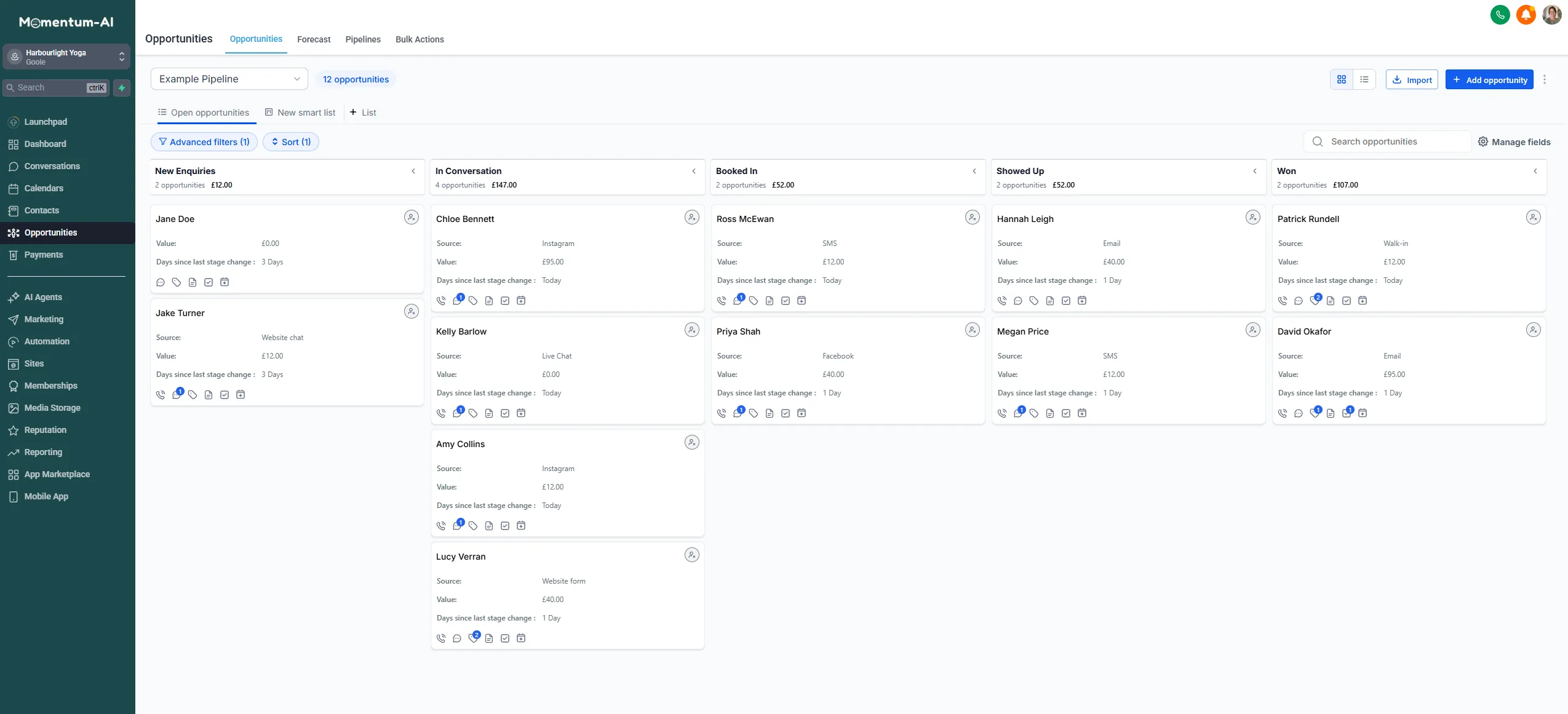
Build your stages
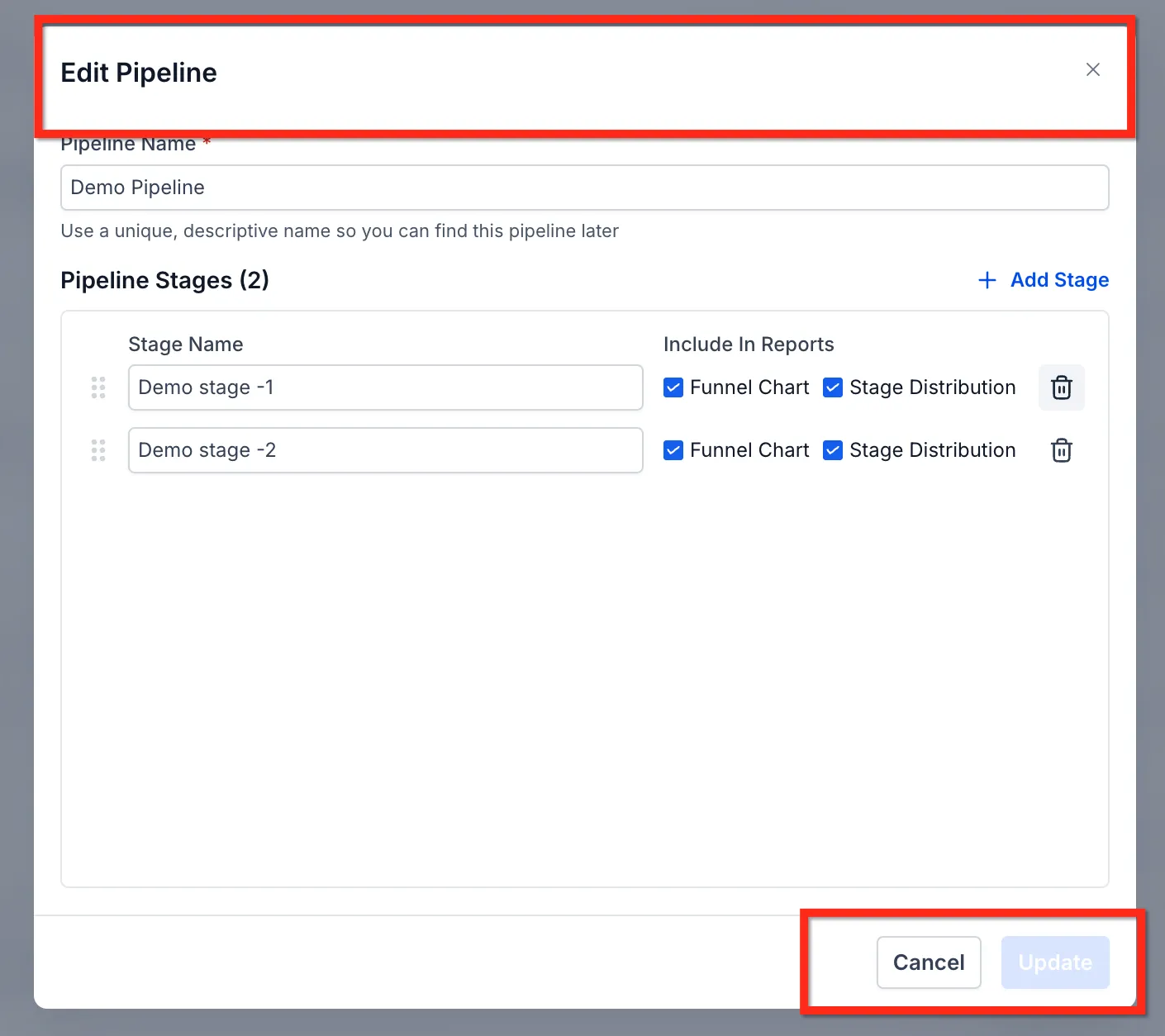
Section titled “Build your stages”Go to your pipeline settings and create, rename or remove stages until the board matches how your business actually wins work, in your words. Don’t copy a sales textbook.
| Business type | Example stages |
|---|---|
| Studio | Enquiry → Chatting → Taster booked → Attended → Member |
| Trades | Enquiry → Site visit → Quote sent → Accepted → Scheduled |
| Coach | Enquiry → Discovery call → Proposal → Won |
Notice they’re all five-ish stages. If you’re drafting nine, you’re describing your process’s paperwork, not its progress.
Get cards onto the board
Section titled “Get cards onto the board”New enquiries can become cards automatically: the Instagram message your AI answered at 9pm becomes a card in the first column, tagged with its source, before you wake up. That’s a workflow automation, and it’s easier to build than you’d think.
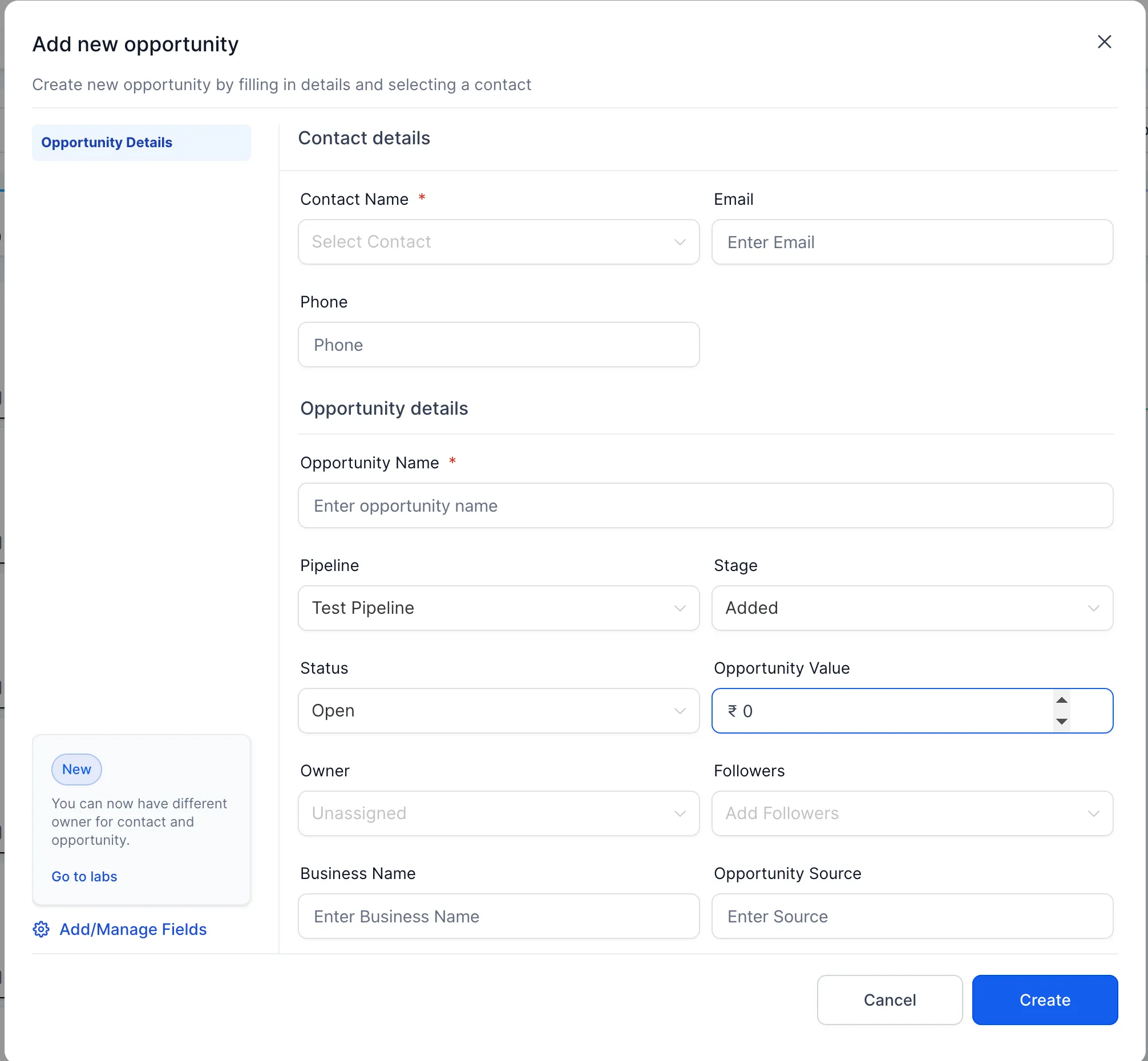
Adding a card yourself takes seconds:
-
On the pipeline board, click + Add opportunity.
-
Give it a name and pick a stage.
-
Save.
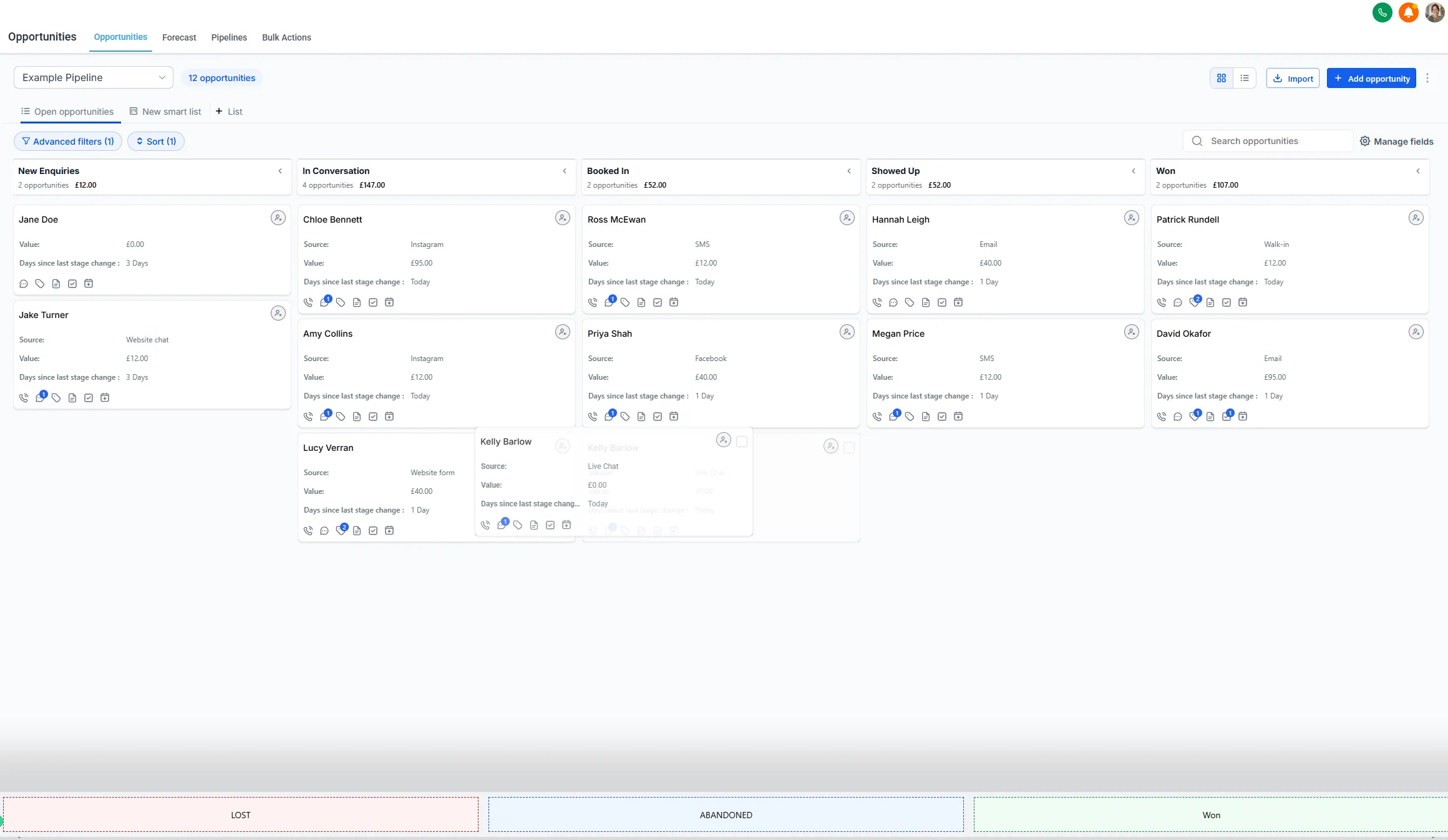
Either way, your job isn’t data entry. It’s moving cards when reality moves — and that takes seconds, because you just drag them between stages.
What’s on a card
Section titled “What’s on a card”Open a card and it’s the same contact record as everywhere else, with the whole conversation one click away. Two fields worth filling on bigger deals:
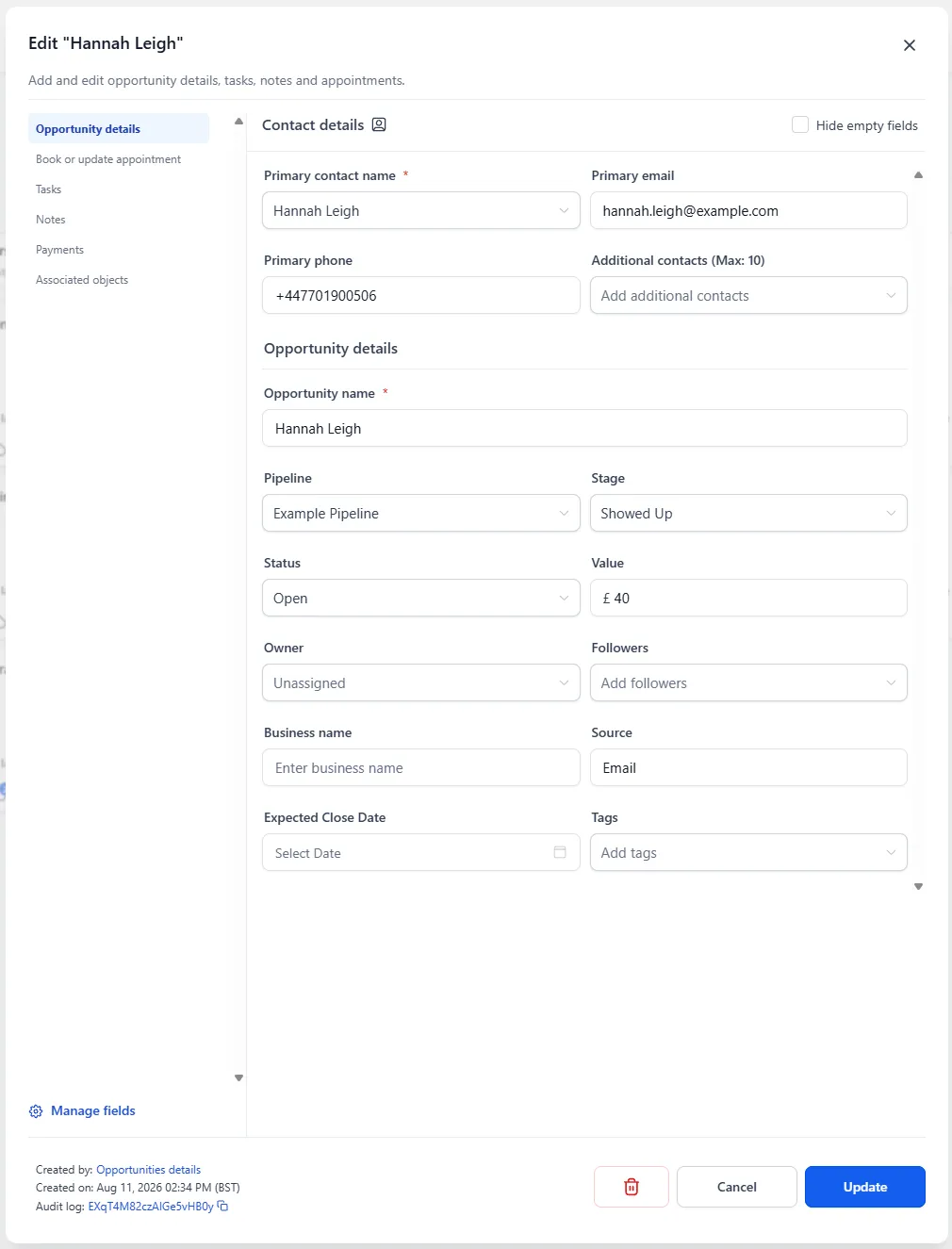
- Value — roughly what this is worth if it lands. It feeds your weekly numbers.
- Source — which the system usually knows already. Six months of sources on won deals will tell you where your marketing money should actually go, with receipts.
The daily habit
Section titled “The daily habit”Look at the board once a day and ask one question: “Which cards haven’t moved, and what’s the nudge?”
A card sitting still too long goes stale, visibly — and that’s the point. A stale card isn’t a failure; it’s the board telling you where today’s follow-up effort goes. Quote sent four days ago, silence? That’s today’s follow-up: a text from the inbox, drafted by Content AI if you want, sent in a minute.
That’s the day-to-day sorted: contacts, inbox, calendar, pipeline. Next: getting paid and getting found.