Invoices, payment links and text-to-pay
Think about the gap in your business between doing the work and getting paid for it. Every day in that gap costs you twice: the cash you’re waiting on, and the awkward chasing nobody enjoys on either side. The fix is mostly about removing steps — the fewer taps between “yes, I’ll pay” and paid, the faster you’re paid.
Momentum-AI gives you two tools for that: proper invoices, and payment links you can send inside a text conversation.
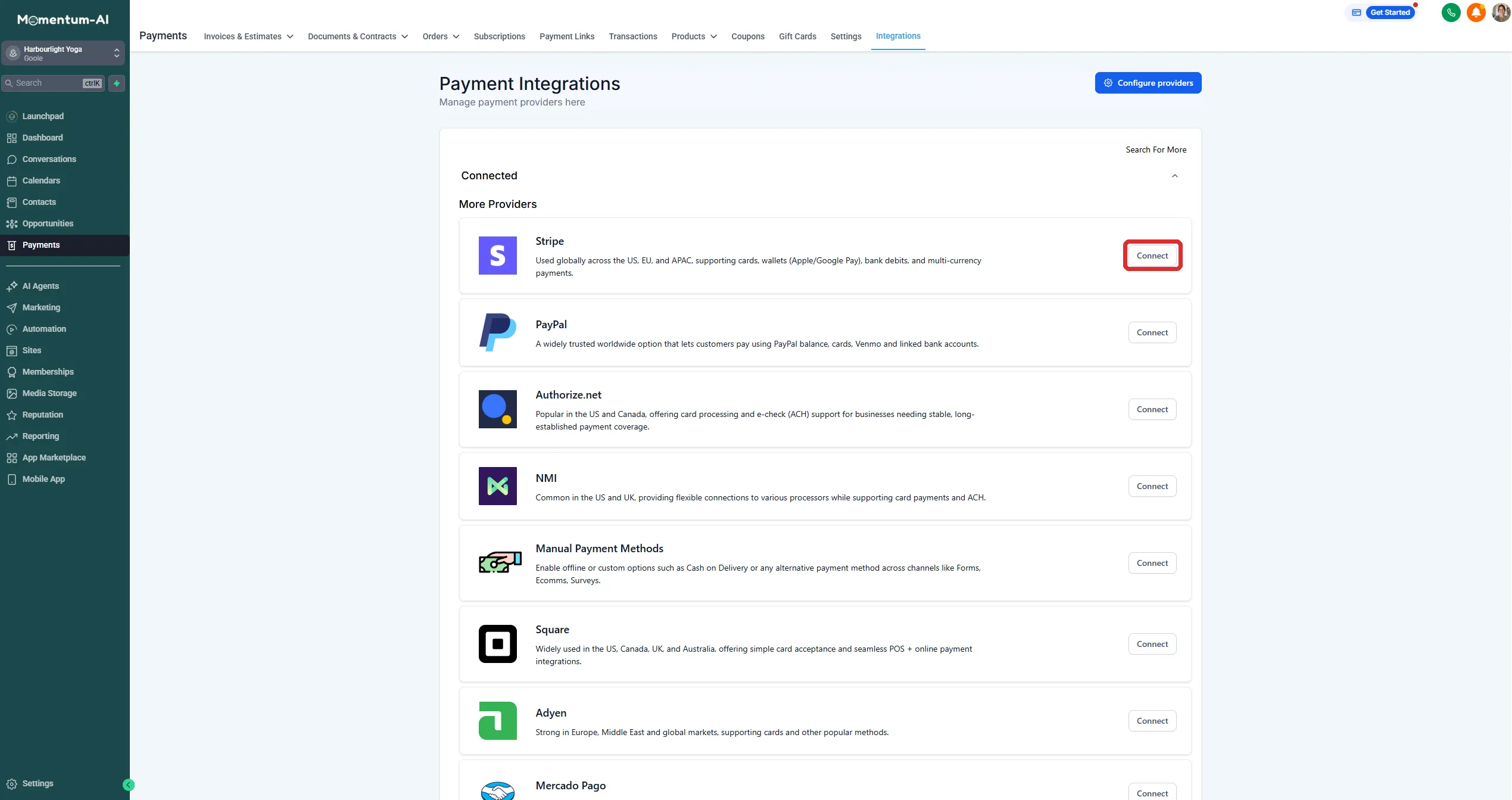
1. Connect a payment processor (one-time setup)
Section titled “1. Connect a payment processor (one-time setup)”A payment processor is the regulated service that actually moves the money into your bank account. This is the only piece of plumbing in the whole feature, and you do it once.
- Go to Payments and start the processor connection.
- If you already have a Stripe account from elsewhere, connect it — a one-time authorisation, done in a couple of minutes.
- If not, create one as part of the connection. It takes a few minutes and asks for some business details.
2. Create and send an invoice
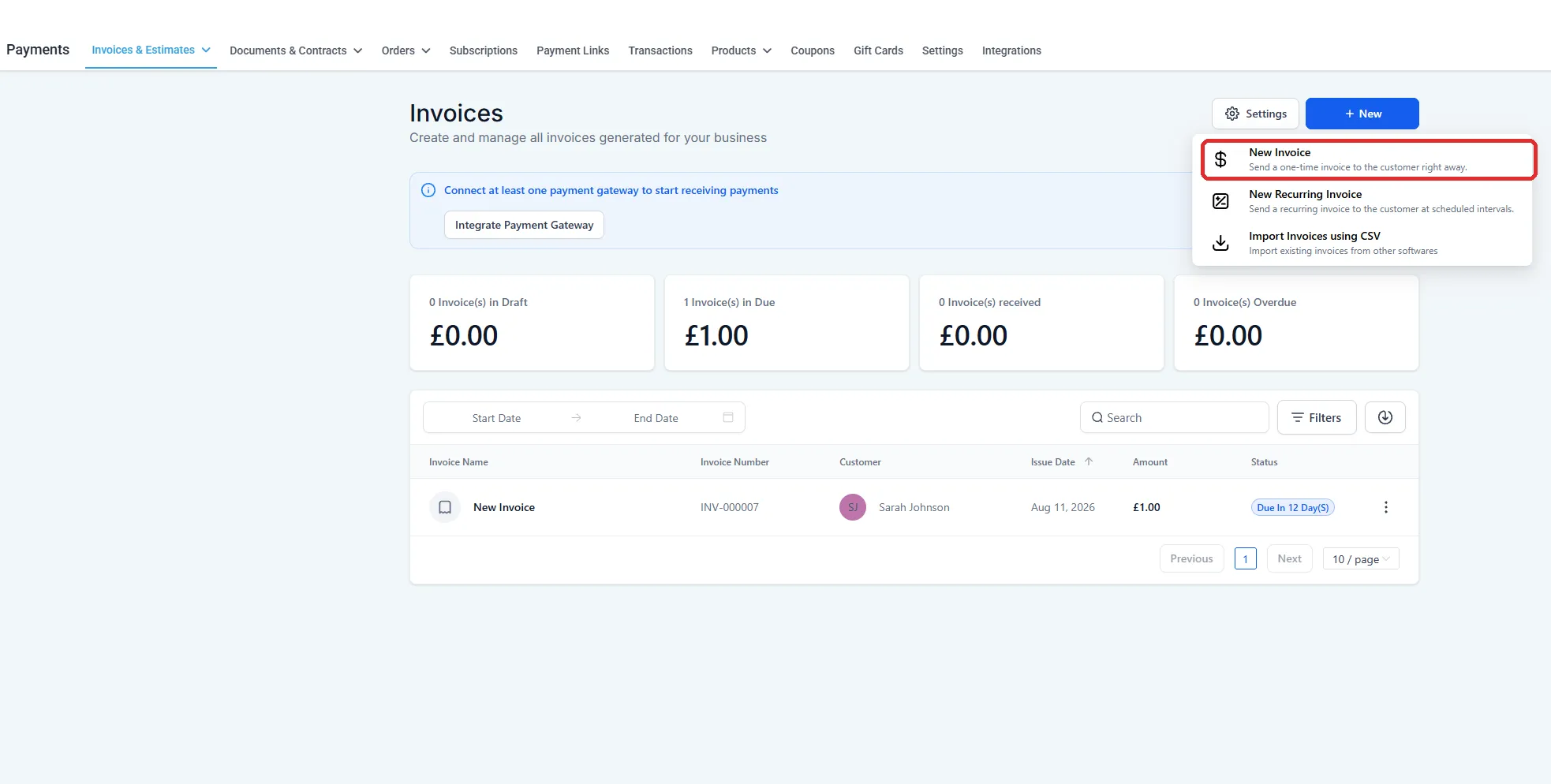
Section titled “2. Create and send an invoice”For the jobs that need a proper invoice — itemised, with your logo and your terms — raising one takes seconds, because it’s built on your contacts and the customer’s details are already there.
-
Go to Payments → Invoices and create a new invoice.
-
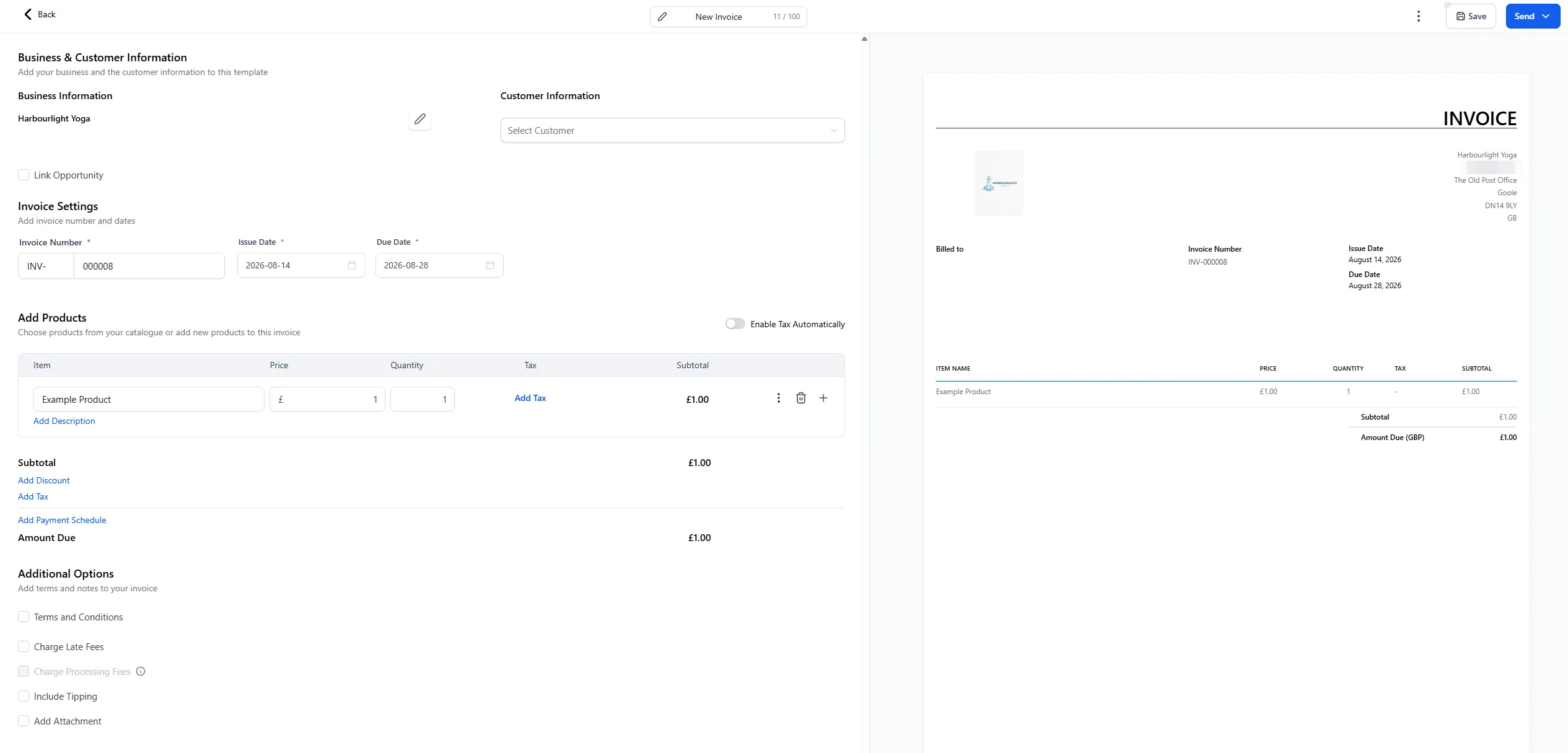
Add your line items.
-
Pick the customer from your contacts.
-
Send it by email or text.
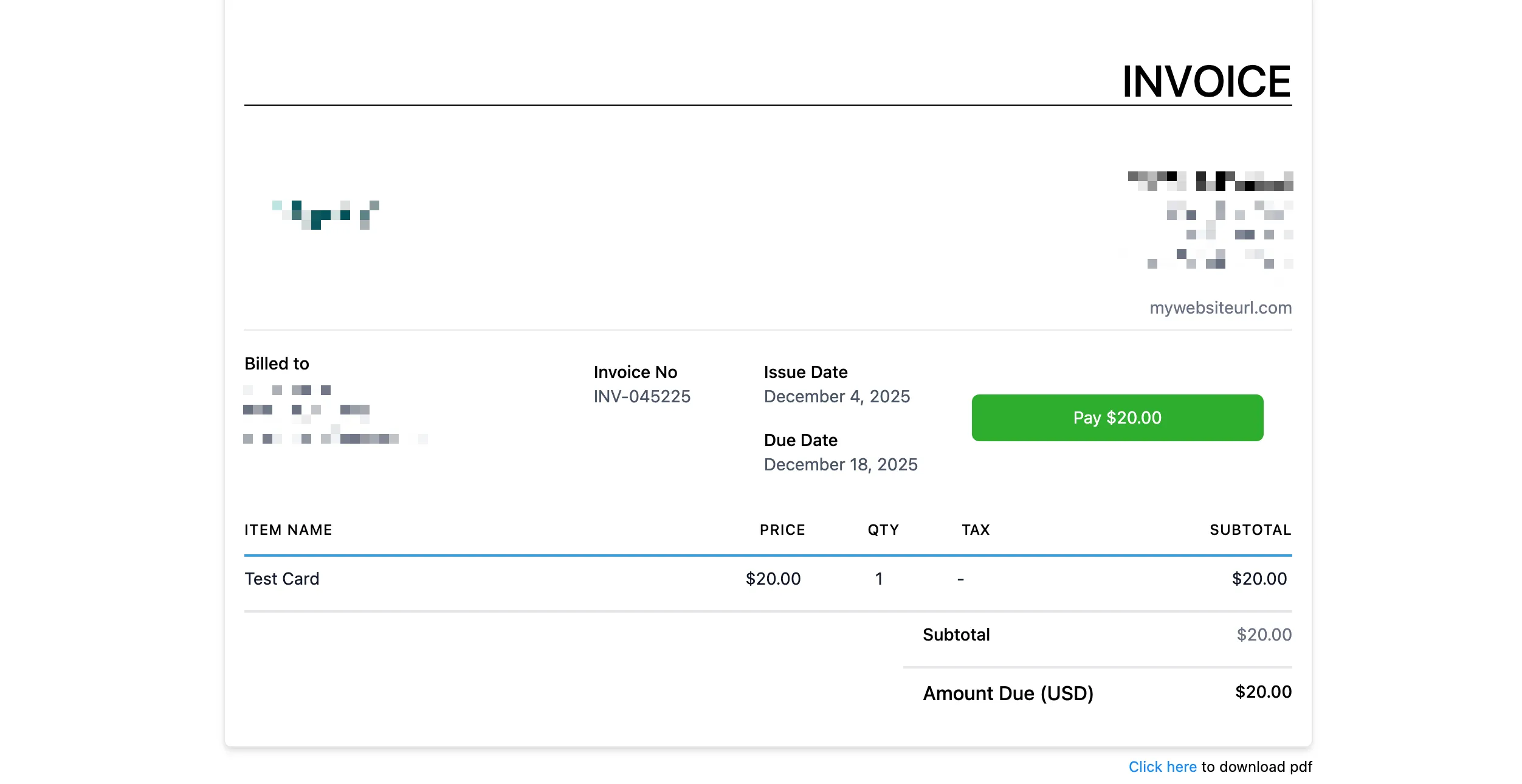
Here’s the part that changes behaviour: the invoice arrives with a pay-now button. Not your bank details to copy out — a button. When the customer pays, the invoice marks itself paid.
3. Text-to-pay: a payment link inside the conversation
Section titled “3. Text-to-pay: a payment link inside the conversation”This is the one to actually feel. A customer asks about a price in your inbox, you agree it, and right there — in the same thread — you send a payment link. They tap it, pay on their phone in seconds, and the confirmation lands back in the conversation.
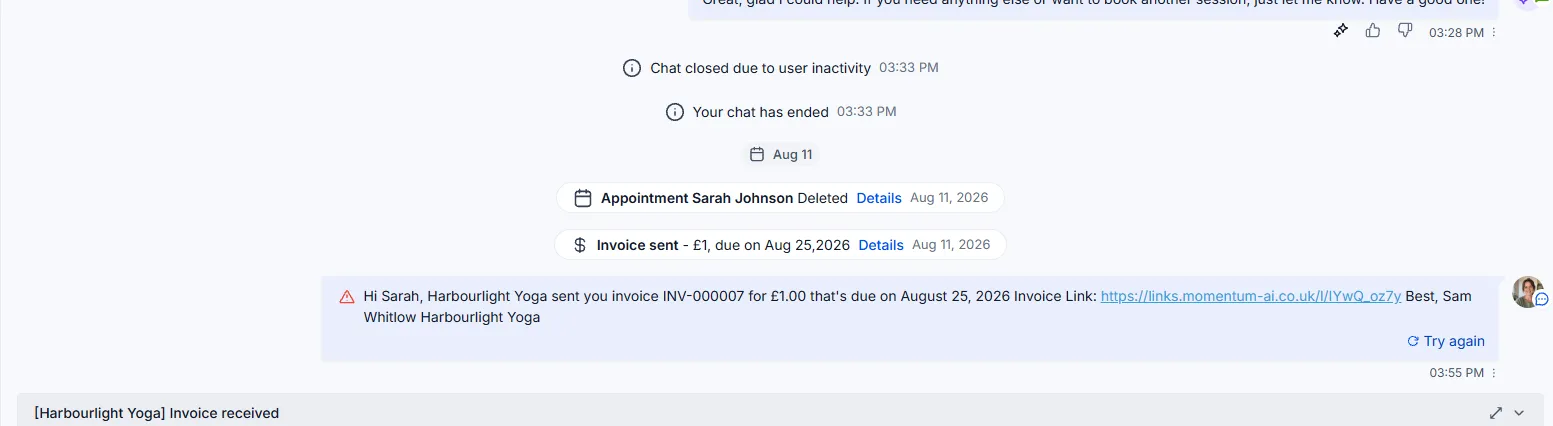
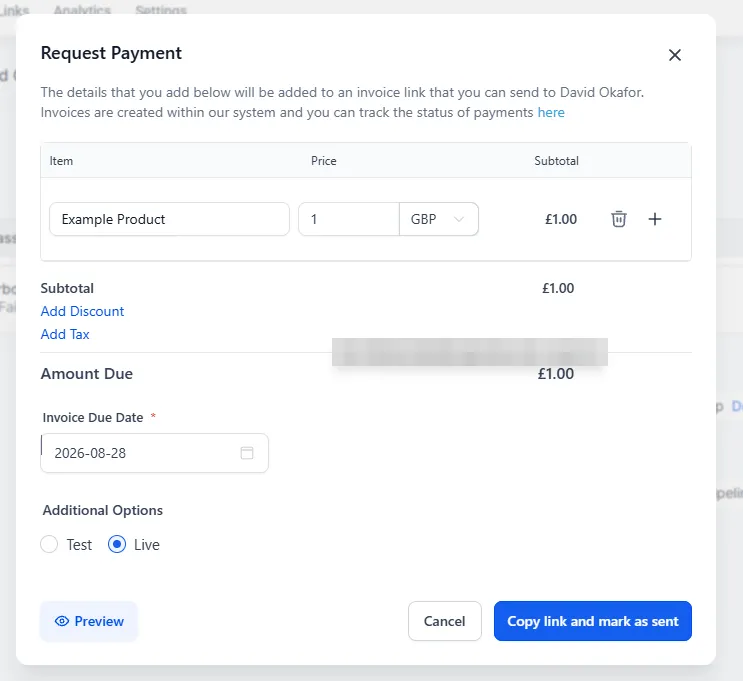
No “I’ll send you an invoice tonight”. No gap for life to intervene, because the gap is where sales die quietly. The moment someone says yes is the best moment they will ever pay you, and text-to-pay means you’re always ready in that moment.
Where payments live afterwards
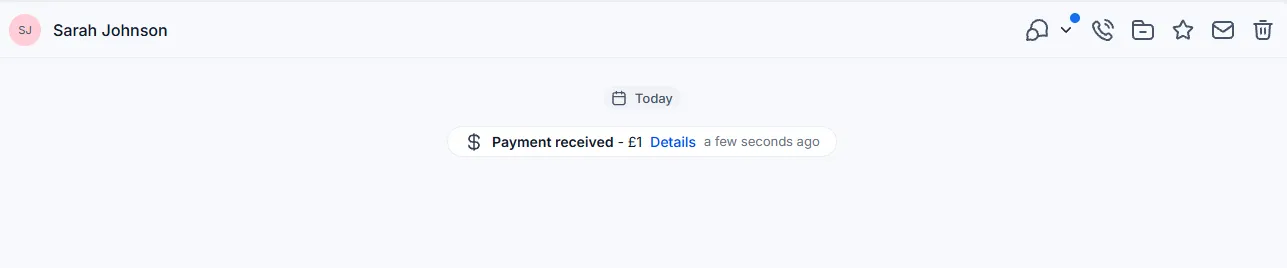
Section titled “Where payments live afterwards”Every payment writes itself into the customer’s contact record, alongside their conversations and appointments. Who’s paid, who hasn’t, who spends what — one place, no spreadsheet reconciliation on a Sunday night.
The habit that makes it stick
Section titled “The habit that makes it stick”Next time someone owes you money, send the link through the system instead of doing it the old way. Once. Watch how fast it comes back, and the feature will sell itself from there.
There’s more under the bonnet when you’re ready — subscriptions and payment plans among them — but link-in-a-text is the habit worth building first. And once the money side is running, the other half of this section is getting found: filling your Social Planner for a month in one sitting.